
Catalog management
Main areas
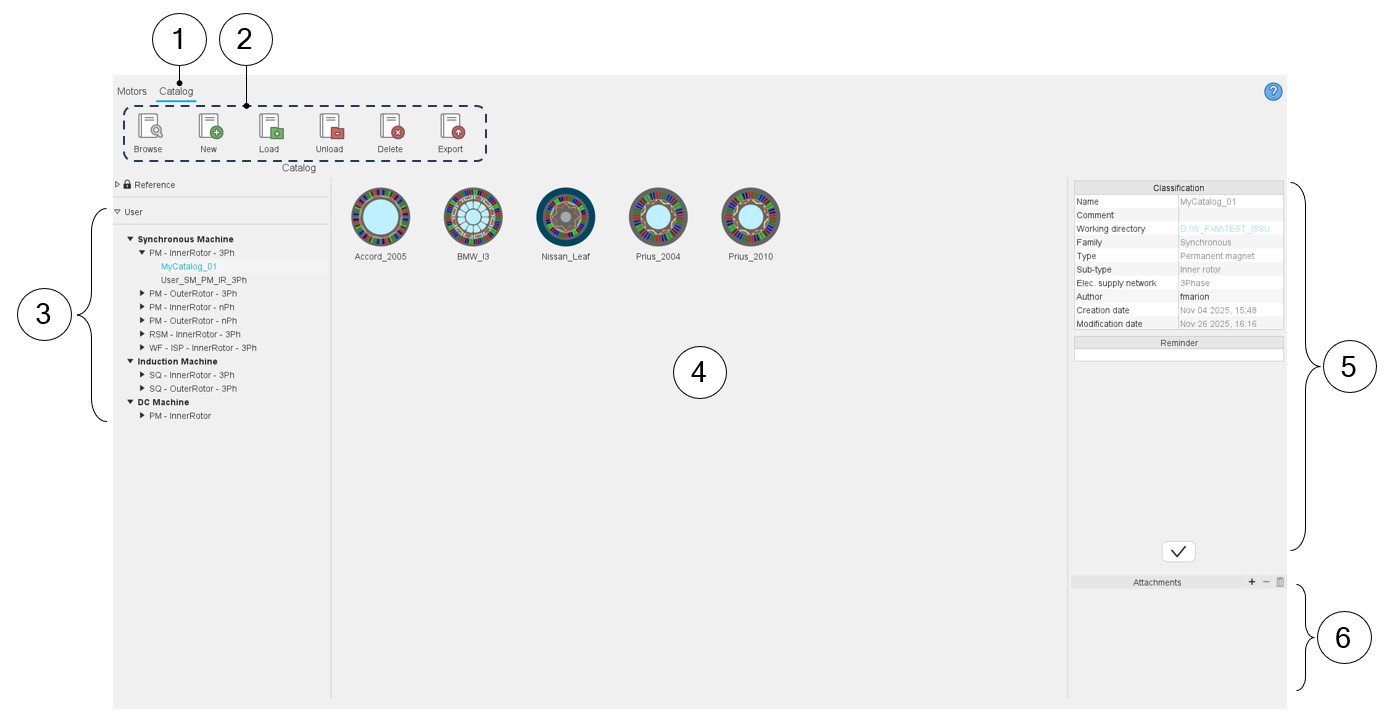
Here are the main zones that compose “CATALOG” environment of the Motor Catalog.
 |
|
|---|---|
| 1 | Selection of the catalog area of the Motor Catalog application. |
| 2 | Catalogs can be managed in this area:
|
| 3 | Reference catalogs are available. Motors of these catalogs are read only. However, they can be copied and moved into user’s catalogs. User’s catalogs. The users can create new catalogs. See the process in the chapter “Reference commands”. |
| 4 | Visualization of all the motors (thumbnails) are stored in the selected catalog. |
| 5 | Information relating to the selected catalog. “Reminder” is an area in which a memo can be written if needed. |
| 6 | It is possible to attach documents to the selected catalog (pictures, pdf files etc.). |
Expanding the menu in Motor Catalog
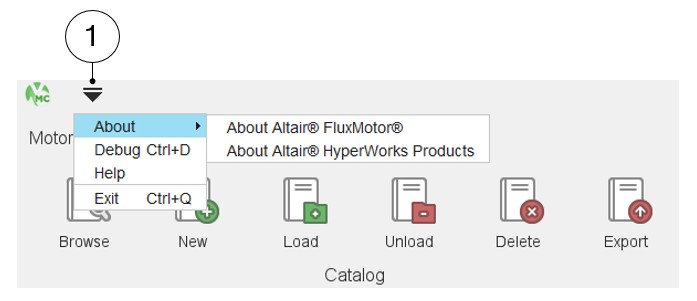
This menu gives access to system functions illustrated below.
 |
|
|---|---|
| 1 | Expand the menu on the top left part of Motor Catalog in both
areas: Catalog or Motors List of actions available:
Note: Close Motor Catalog is also
possible by using the icon × on the top right part of the
Motor Catalog panel. Close Motor Catalog is also possible by using the shortcut CTRL+Q defined in the user preferences. |