Since version 2026, Flux 3D and Flux PEEC are no longer available.
Please use SimLab to create a new 3D project or to import an existing Flux 3D project.
Please use SimLab to create a new PEEC project (not possible to import an existing Flux PEEC project).
/!\ Documentation updates are in progress – some mentions of 3D may still appear.
Visualizalization of entities: Graphic appearance
Subject
How to make appear the desired representation of the device in the graphic window, in terms of graphic appearance of entities : visibility, color.
Appearance
The possible appearances are presented in the table below:
| Appearance | Characteristics |
|---|---|
| color | white, cyan, yellow, magenta, black, red, turquoise and green |
| visibility | visible or invisible |
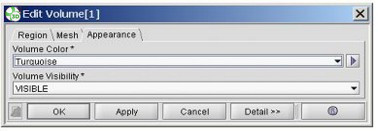
Appearance in the specialized box
The entities in the graphic window are displayed according to their appearance characteristics (visibility and color)
For each entity, the characteristics are saved in the Appearance tab of the specialized box.