
Since version 2026, Flux 3D and Flux PEEC are no longer available.
Please use SimLab to create a new 3D project or to import an existing Flux 3D project.
Please use SimLab to create a new PEEC project (not possible to import an existing Flux PEEC project).
/!\ Documentation updates are in progress – some mentions of 3D may still appear.
Display and appearance of entities
Introduction
The graphic representation of different objects is not the same during the different steps of building the numerical model of the device.
From a step to another, we are interested in one kind of representation, or another:
- representation of points and lines during the geometry building
- representation of nodes and surface elements during the mesh building, ….
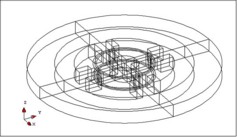
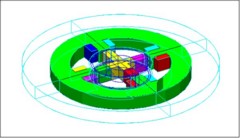
Possibilities to modify the visualization
To orient the graphic representation, Flux provides default settings, but the user has also the possibility to modify this representation.
User options are:
- option one, use the display filters in order to decide what entity types he wishes to see in the graphic zone: the assembly of points, or the points and the lines, or only the faces, … (see 5.4.2 «Visualization of entities: displaying the entities and displaying filter»)
- option two, modify, in a selective manner, the graphic appearance (namely the visibility and/or colour) of certain entities (see Visualization of entities: graphic appearance )