Since version 2026, Flux 3D and Flux PEEC are no longer available.
Please use SimLab to create a new 3D project or to import an existing Flux 3D project.
Please use SimLab to create a new PEEC project (not possible to import an existing Flux PEEC project).
/!\ Documentation updates are in progress – some mentions of 3D may still appear.
Visualization of entities: displaying the entities and displaying filter
Problem
How to make the desired image of the device, in terms of displayed entities, appear in the graphic zone on screen: the assembly of points, or the points and the lines, or only the faces, …
Displaying filter
The display filters categorize the entity types displayed in the graphic zone: the points, or the points and the lines, or only the faces, …
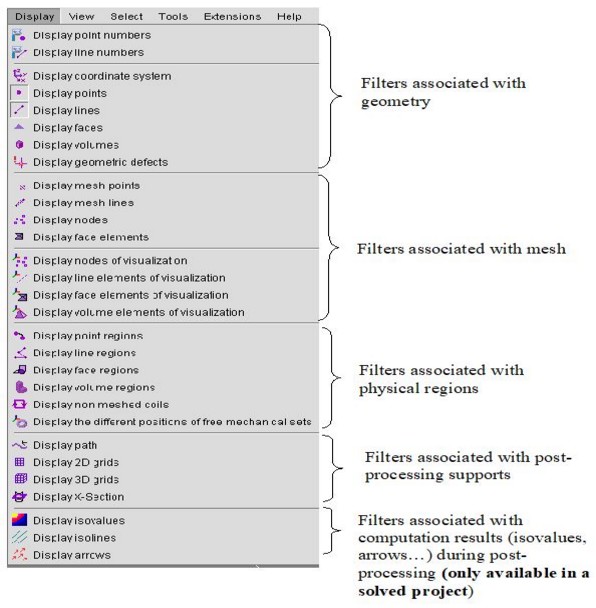
The display filters are accessible by means of the Display menu (or the tools bar Display)
Displaying menu
The list of the display filters available in the Display menu are presented below. The filters present the working context (geometry, meshing, physical, exploitation).