
SimLab export
From this version, we can directly export motor models to Altair SimLab. This new feature aligns with the ongoing migration of Flux functionalities to SimLab, providing a streamlined workflow for advanced electromagnetic simulations.
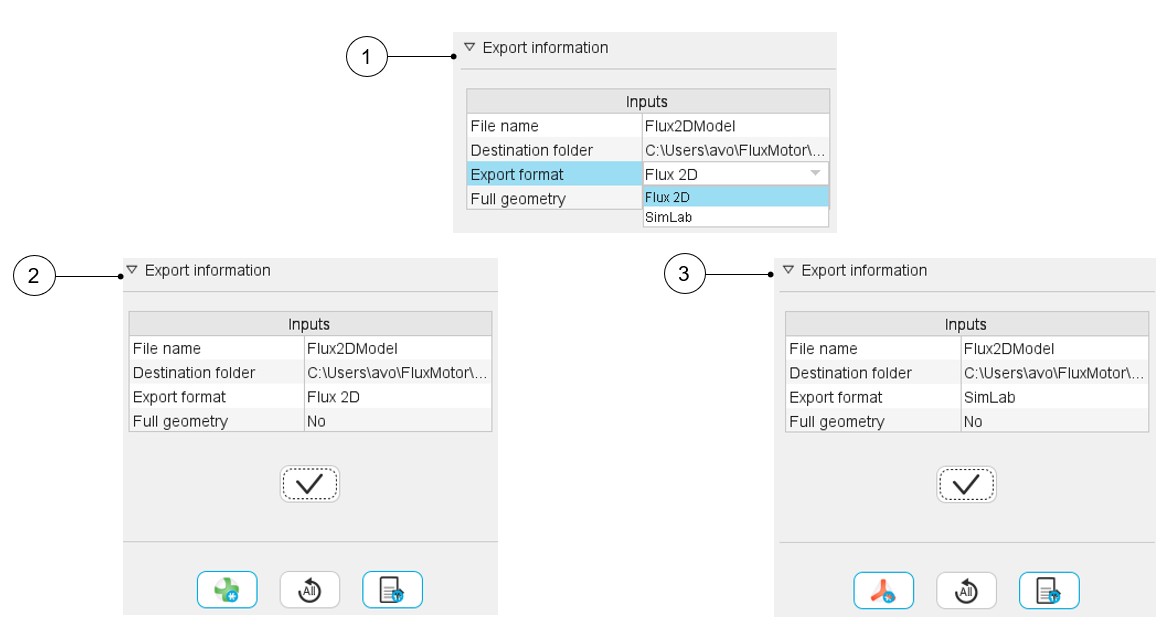
When exporting your motor models for advanced electromagnetic studies, you will now find a new "Export format" option within the familiar Flux export interface. This allows you to seamlessly choose between exporting to the traditional Flux environment or directly to SimLab.
 |
|
|---|---|
| 1 | Export format with two choices: Flux 2D / SimLab |
| 2 | When the Flux2D format is selected, the export button is updated with the Flux icon |
| 3 | When the SimLab format is selected, the export button is updated with the SimLab icon |
Models exported to SimLab are fully defined and ready for electromagnetic simulations using the Flux solver. This means all necessary material properties, boundary conditions, and solver settings are automatically configured, allowing you to quickly run your analyses with minimal setup.
This new SimLab export option supports all machine types and all existing Flux export scenarios previously available in FluxMotor (except Skew scenarios), ensuring comprehensive coverage for your electromagnetic analysis needs.
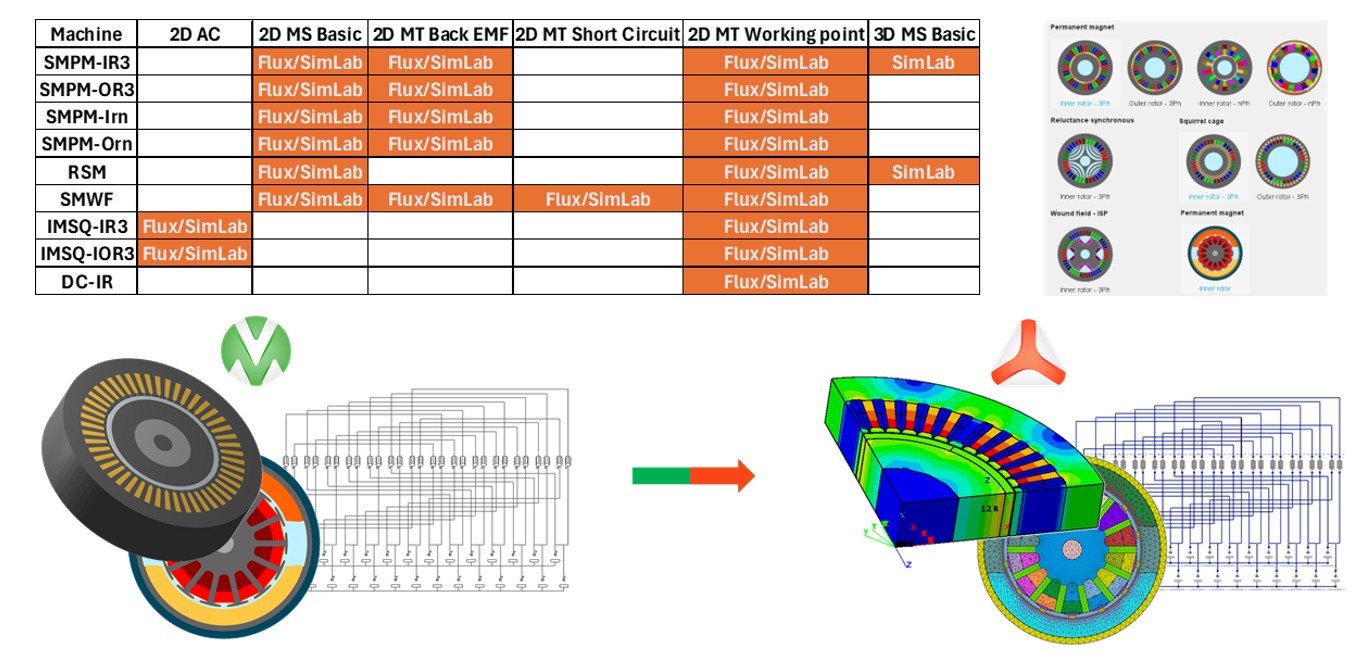
- Meshed Geometry: While the models are simulation-ready, the exported geometry in SimLab currently consists of meshed bodies and is not parameterized.
- Ongoing Improvements: This export is continuously being refined. Some models may exhibit instability in certain cases, as the Altair Flux and Altair SimLab teams are actively working to enhance the robustness and parameterization of these exported models.