Area/Volume
Calculate the area, volume, mass, and moments of inertia of one or more objects. If an object isn't a closed solid, open edges are displayed in red.
Calculate the Area and Volume
Calculate the area and volume of one or more objects.
-
Click the Area/Volume icon.
-
Choose from the following options:
Option Description Units > Length Choose from the following units: - mm
- cm (default)
- in
- ft
Units > Volume Choose from the following units: - mm3
- cm3 (default)
- m3
- in3
- ft3
- ml
- cl
- l
Sew Tolerance Sew tolerance is used to sew adjacent edges. By default it is set to 0.001 cm. Change the method to custom to set a custom tolerance value. A higher value is more forgiving but less accurate. 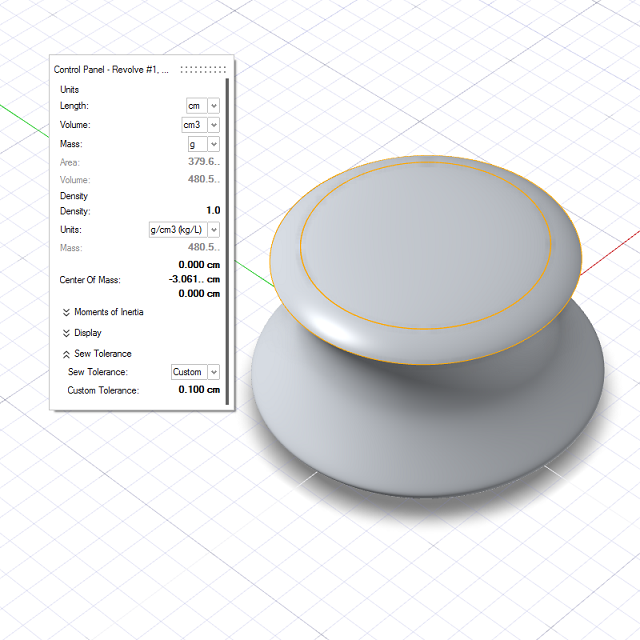
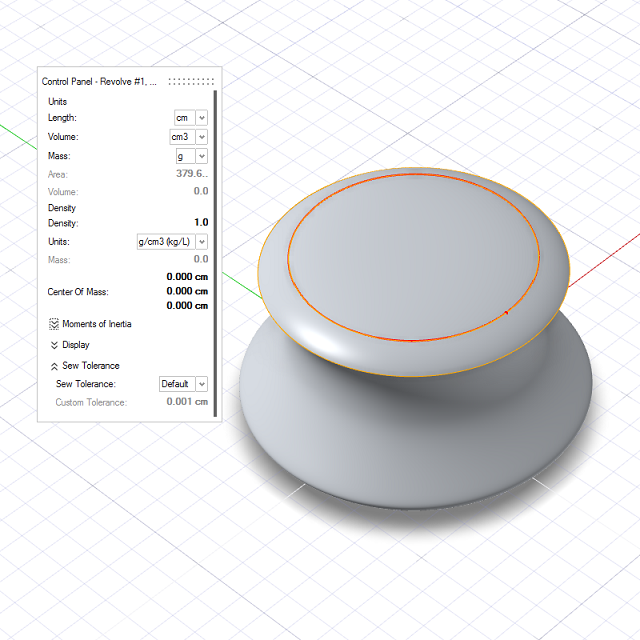
Calculate the Mass and Moments of Inertia
Calculate the mass and moments of inertia of one or more objects.
- On the ribbon, click the Analysis tab.
-
Click the Area/Volume icon.
- Click an object.
-
Choose from the following options:
Option Description Units > Mass Choose from the following units: - mg
- g (default)
- kg
- lb
Density Define the density, and choose from the following units: - g/cm3 (kg/l)
- kg/m3
- lb/in3
- lb/ft3
Center of Mass Define the x, y, z coordinates of the center of mass. Display > Center of mass Display the center of mass in the modeling window. Display > Principal Axes Display the principal axes in the modeling window. -
The following information is displayed:
Parameter Description Mass The mass, based on the density and the units for mass. Moments of Inertia - Ixx Iyy Izz: The moments of inertia about the axes oriented as global x, y, z and passing through the center of mass.
- Iyz Ixz Ixy: The products of inertia about the axes oriented as global x, y, z and passing through the center of mass.
- Principal moments: The moments of inertia about the three principal axes.
- Principal axis X: The x, y, z coordinates of the first principal axis.
- Principal axis Y: The x, y, z coordinates of the second principal axis.
- Principal axis Z: The x, y, z coordinates of the third principal axis.
- Right-click and mouse through the check mark to exit, or double-right-click.