
Add a Reference System
Select a reference system for model position in the animation. The reference system is stationary, and you can view how the the model moves relative to the system.
-
Click Reference System to add a new stationary reference.

-
Click Add Reference System
 .
.
-
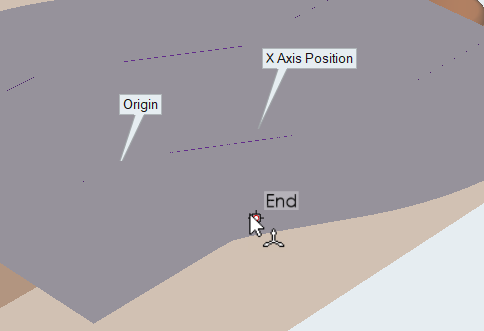
Pick 3 points on the blank to specify the stationary reference.
Note:- You can create multiple reference systems, but you can only select one as current at a time.
- Reference systems created within stages are specific to those stages.
- Only the displacement results change with the creation of a new reference system.
- Springback analysis involves rigid body displacement and rotation. Use a reference system to remove the rigid body from the springback displacement.