
Since version 2026, Flux 3D and Flux PEEC are no longer available.
Please use SimLab to create a new 3D project or to import an existing Flux 3D project.
Please use SimLab to create a new PEEC project (not possible to import an existing Flux PEEC project).
/!\ Documentation updates are in progress – some mentions of 3D may still appear.
List of Flux 2026 new features
New features dealing with Environment
| New features | Description |
|---|---|
| Removal of Flux 3D / Flux PEEC |
Since Flux 2026, we decided to remove Flux PEEC and Flux 3D, for various reasons:
|
| Update Java and JOGL |
|
| Update Supervisor (without 3D and PEEC) |
In line with the Removal of Flux 3D / Flux PEEC, the Flux Supervisor has been updated. Starting with Flux 2026, it's not possible to use Flux 3D and Flux PEEC, so each context of the supervisor (New project, Open project,Open Example, Python scripts, Batch solve) has been updated/cleaned/adapted. The options of Supervisor have been also updated/cleaned/adapted. Note: Contexts (New
project, Open
project,Open Example,
Python scripts,
Batch solve) work as usual
for 2D and Skew modules.
|
New features dealing with Geometry
| New features | Description |
|---|---|
| Removal of Modeler and CAD import/export | For strategic reasons, the external geometric kernel library (ACIS), which allows to build a geometry via the modeler and to export/import CAD files, has been removed. |
New/Updated macros
| New/Updated Macros | Description |
|---|---|
| LUT_Non_Linear_Inductance_2D.PFM (New) |
Look Up Table macro for Non-linear
inductances. This macro intents to generate look up table of non-linear inductances to create a reduced-order model in PSIM. The 2D macro is used in SimLab workflow and also in Flux workflow. |
| LUT_2D_4systemAnalysis.PFM
LUT_Skew_4SystemAnalysis.PFM (Update) |
Add maximum speed as input, more consistent output with FluxMotor LUT, add export to Simcenter Amesim. |
New/Updated SimLab EM tutorials
| New/Updated Tutorials | Description |
|---|---|
| MAC2D Induction Motor (New) | The studied device is a 48 slots / 58 bars
induction motor. This tutorial first introduces how to use MAC2D
solution to perform basic steady-state analysis of the motor and
then uses DoE solution to obtain the motor characteristics with
the parameter slip. Finally, the steady-state results will be
used to initialize the transient simulation (MT2D solution) for
a more comprehensive analysis.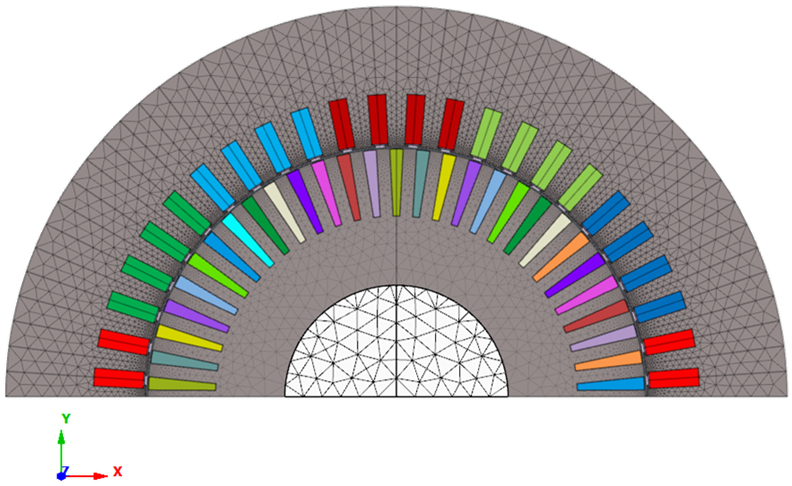 |
MAC3D Induction Motor (New) |
The motor meshing part has been updated by using
the extrusive meshing option with the enhanced EM Mesh tool.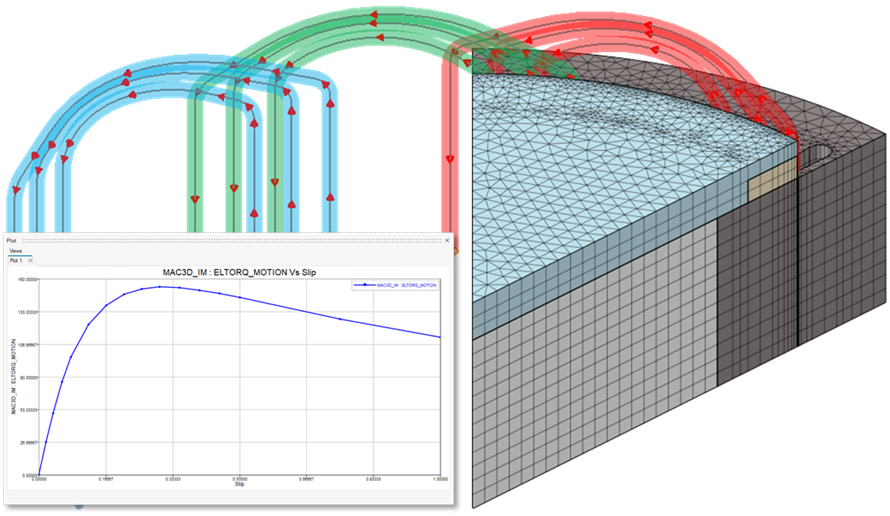 |
| AFM solution -
Axial Flux Machine (New) |
This study case will present how to use the new
“Axial Flux Motor” solution in SimLab to model and analyze a
12s/10p axial flux machine.This new solution can effectively
help users quickly build motor geometric models and
automatically configure physical definitions (including
circuits) to achieve rapid analysis of cogging torque, back EMF,
and working point.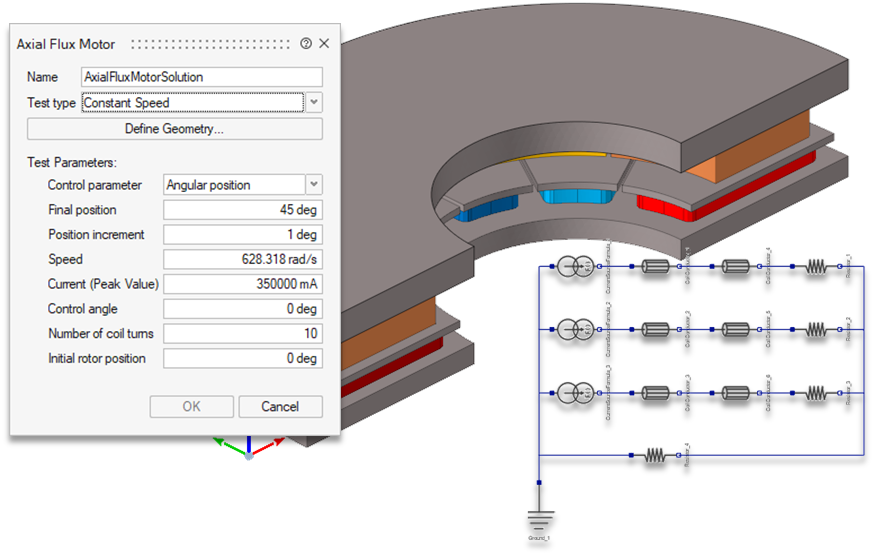 |
| MS3DIM – Wireless Power
Transfer (New) |
This study case will present how to use the new
integral-method-based 3D magnetostatic solution in SimLab to
model and analyze a wireless power transfer coupler (“EE” type).
This solution can effectively help users analyze devices with
predominant air region.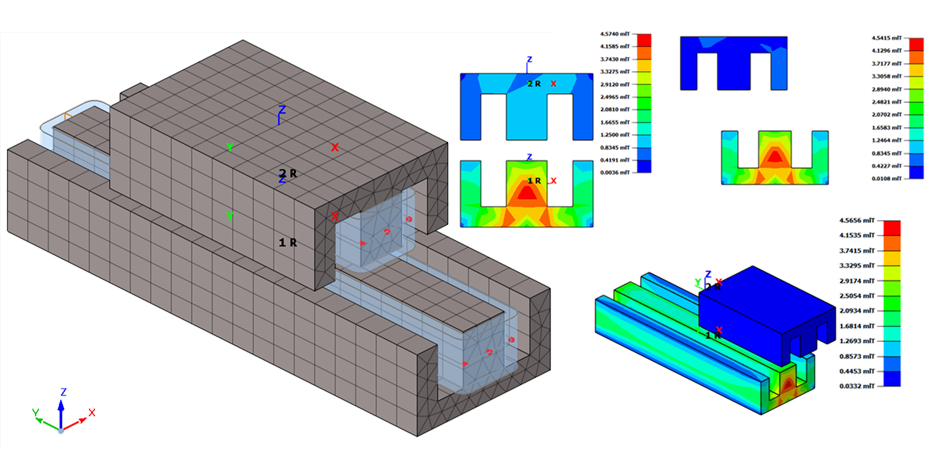 |
| Multiphysics (EM-NVH):
step-skew multispeed (New) |
This study case will present how to run a
multi-speed EM-NVH analysis of an eMotor with rotor
step-skewing. First, the motor is electromagnetically modeled
and analyzed using the MTSkew solution. Then, the
electromagnetic force at each speed is imported into the 3D
motor model and analyzed using the MFR (modal frequency
response) solution to get the waterfall plot.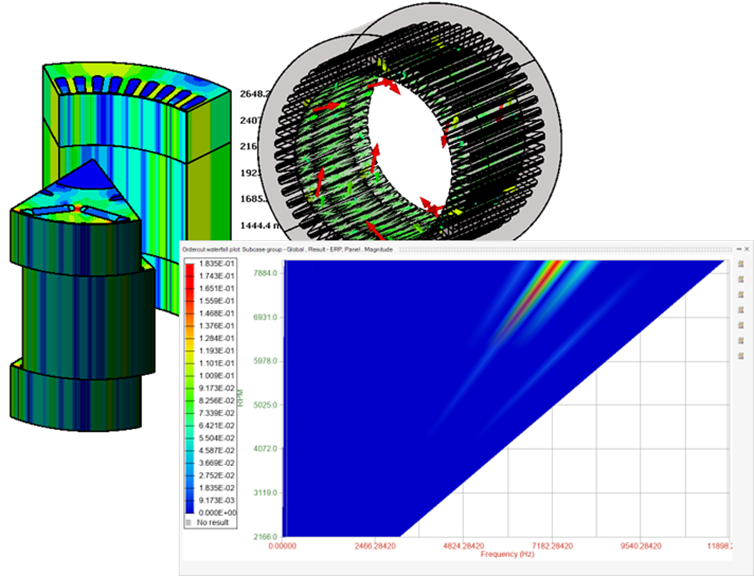 |
| Multiphysics (EM-CFD):
2-way coupling for eMotor air cooling analysis (New) |
This study case will present how to use the new
EM-CFD 2-way coupling solution in SimLab to model and analyze an
eMotor air cooling process.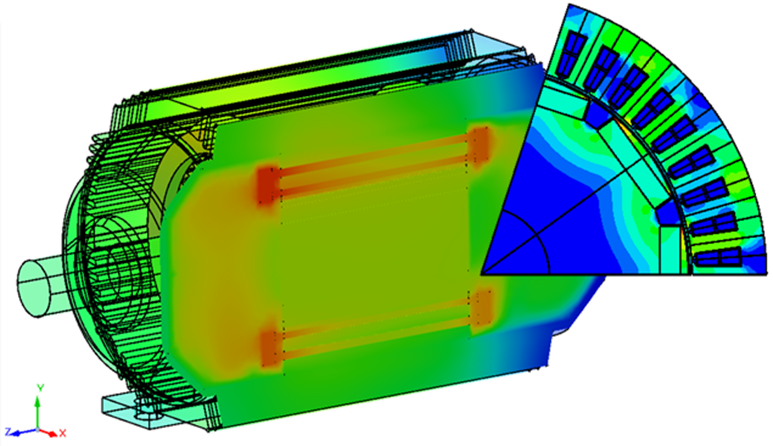 |
| MT2D - Wound field Machine
75kW (EM part) (New) |
Modelization of a Synchronous Machine with Wound Field – Inner Salient Pole - Inner Rotor , comparable to IkerMAQ 75 kW PMSM 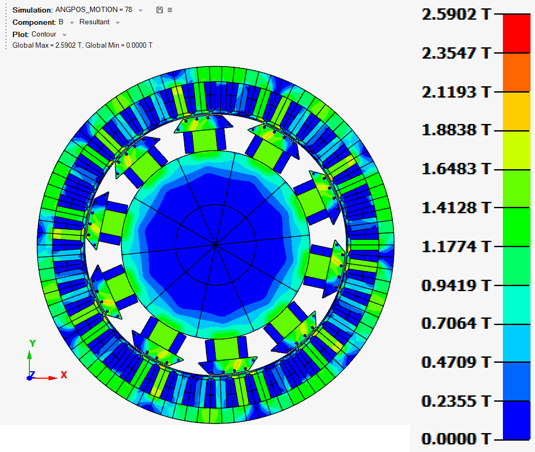 |
| RMM-PSIM-MT2D PWMeffects on
a eMachine (New) |
This study case analyzes the effect of the harmonics in PWM currents on an eMachine. The workflow is :
These TM results can then be used in an NVH or CFD simulation to analyze the effect of PWM harmonics on the motor multiphysics. 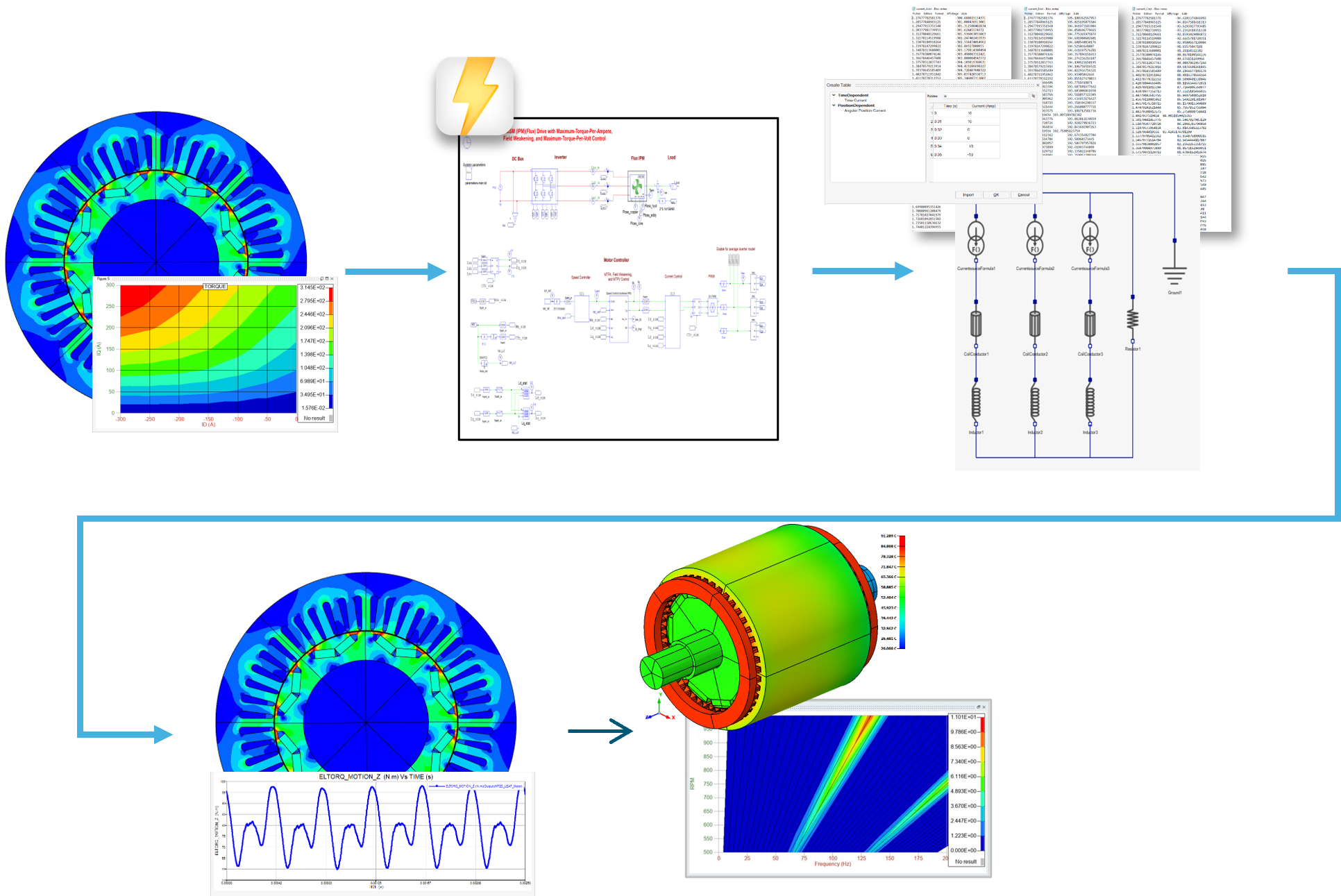 |
| PE - MOSFET current sharing
including busbar parasitic effects (New) |
This study deals with a busbar modeling to
simulate MOSFET Current Sharing using SimLab to extract
S-Parameters, and then use S-Param block in PSIM to compute the currents.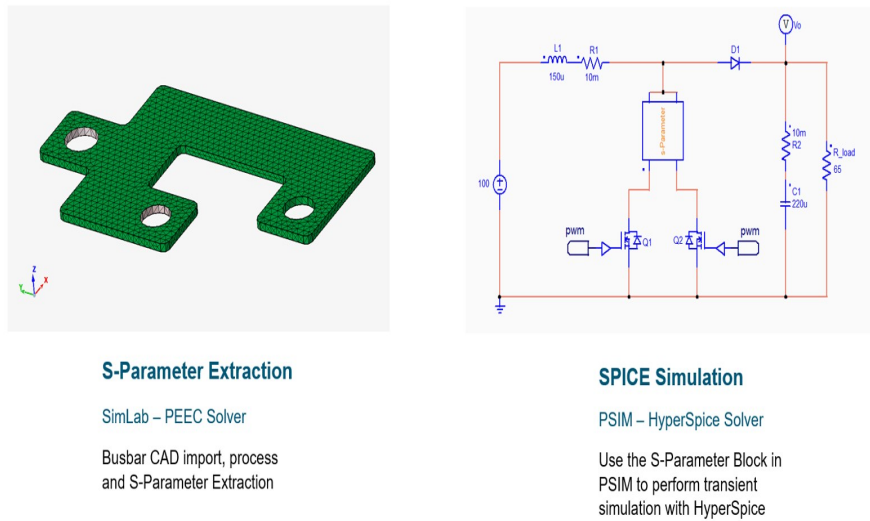 |
| PE - Loop Inductance Half
Bridge (New) |
This study case computes loop inductance for dual-side ground-return routing using Impedance computation from 1 Hz to 100 kHz. 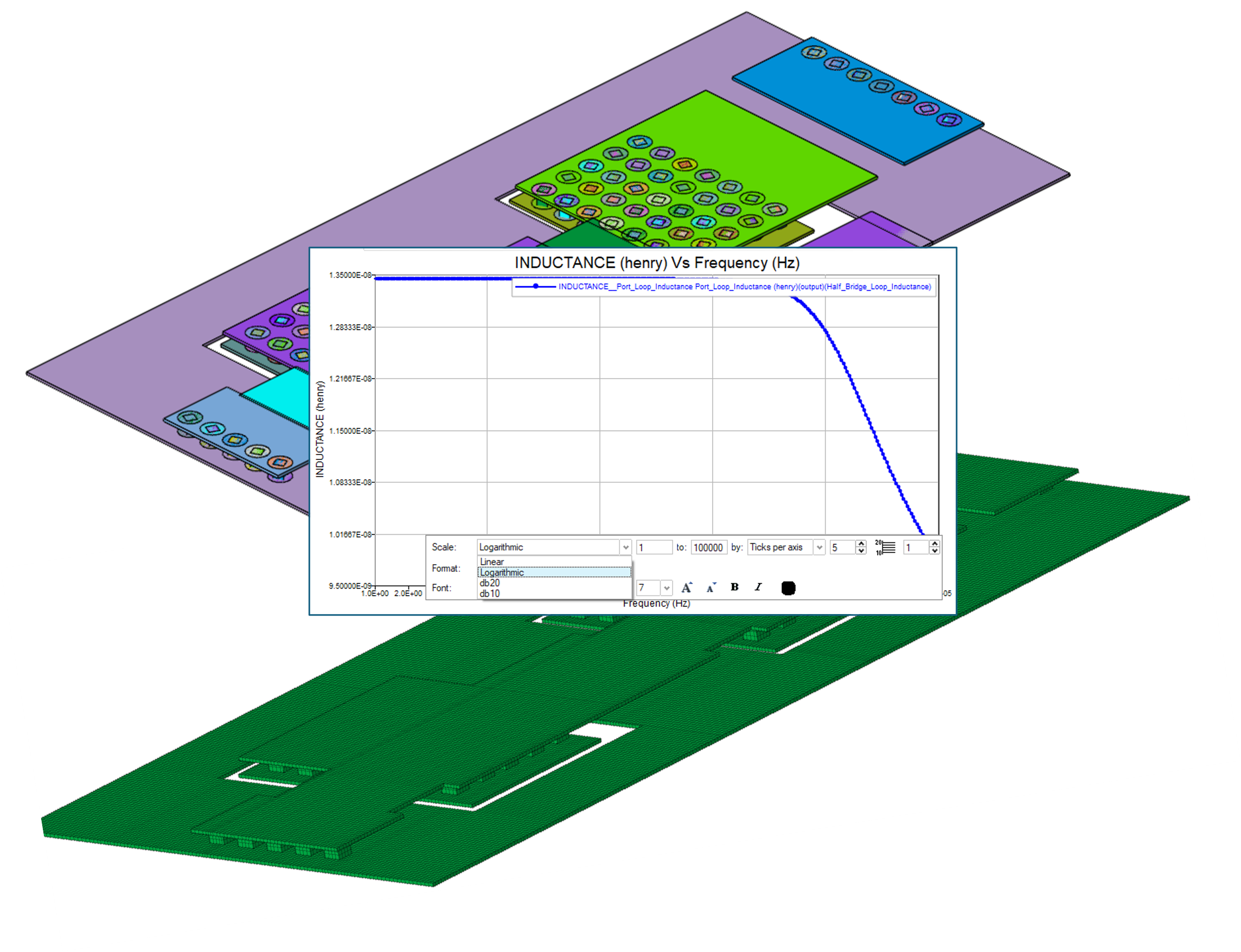 |
| MT2D - Optimizing eMotor at
the base point with physicsAI (New) |
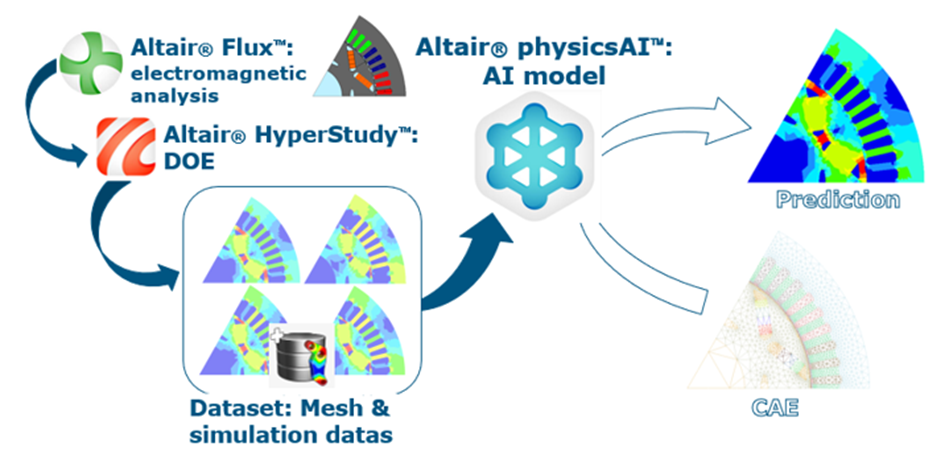
This study will show how to optimize base point with physicsAI on SMPM motors. The workflow is :
 |