Since version 2026, Flux 3D and Flux PEEC are no longer available.
Please use SimLab to create a new 3D project or to import an existing Flux 3D project.
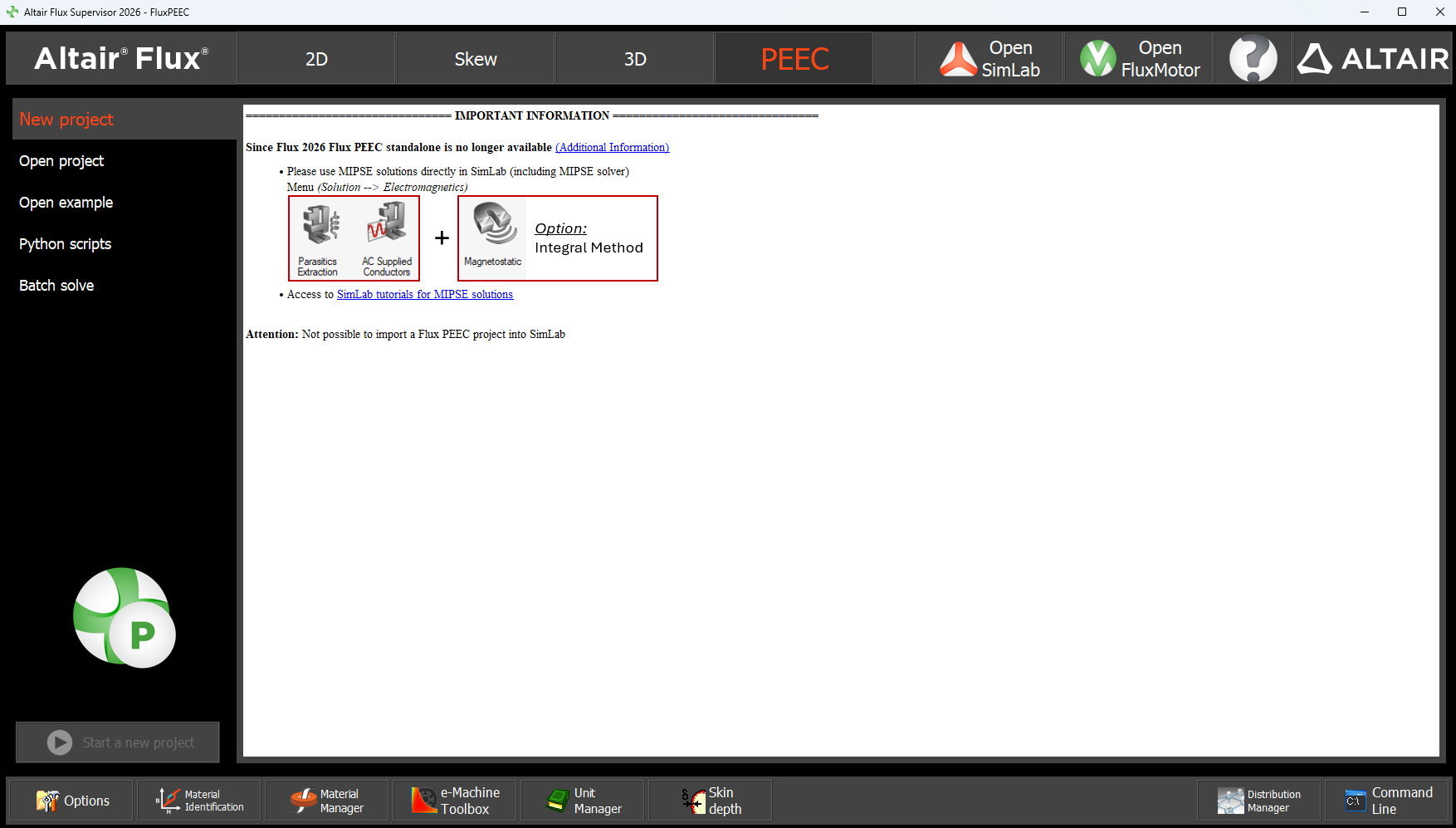
Please use SimLab to create a new PEEC project (not possible to import an existing Flux PEEC project).
/!\ Documentation updates are in progress – some mentions of 3D may still appear.
Update Supervisor (without 3D and PEEC)
Introduction
In line with the Removal of Flux 3D / Flux PEEC, the Flux Supervisor has been updated. Starting with Flux 2026, it's not possible to use Flux 3D and Flux PEEC, so each context of the supervisor (New project, Open project, Open Example, Python scripts, Batch solve) has been updated/cleaned/adapted. The options of Supervisor have been also updated/cleaned/adapted.
"Open SimLab" button
The recommended way is now to use SimLab for 3D and PEEC using EM and MIPSE solutions. A button "Open SimLab" has been added directly in the Supervisor.

Central Area changes
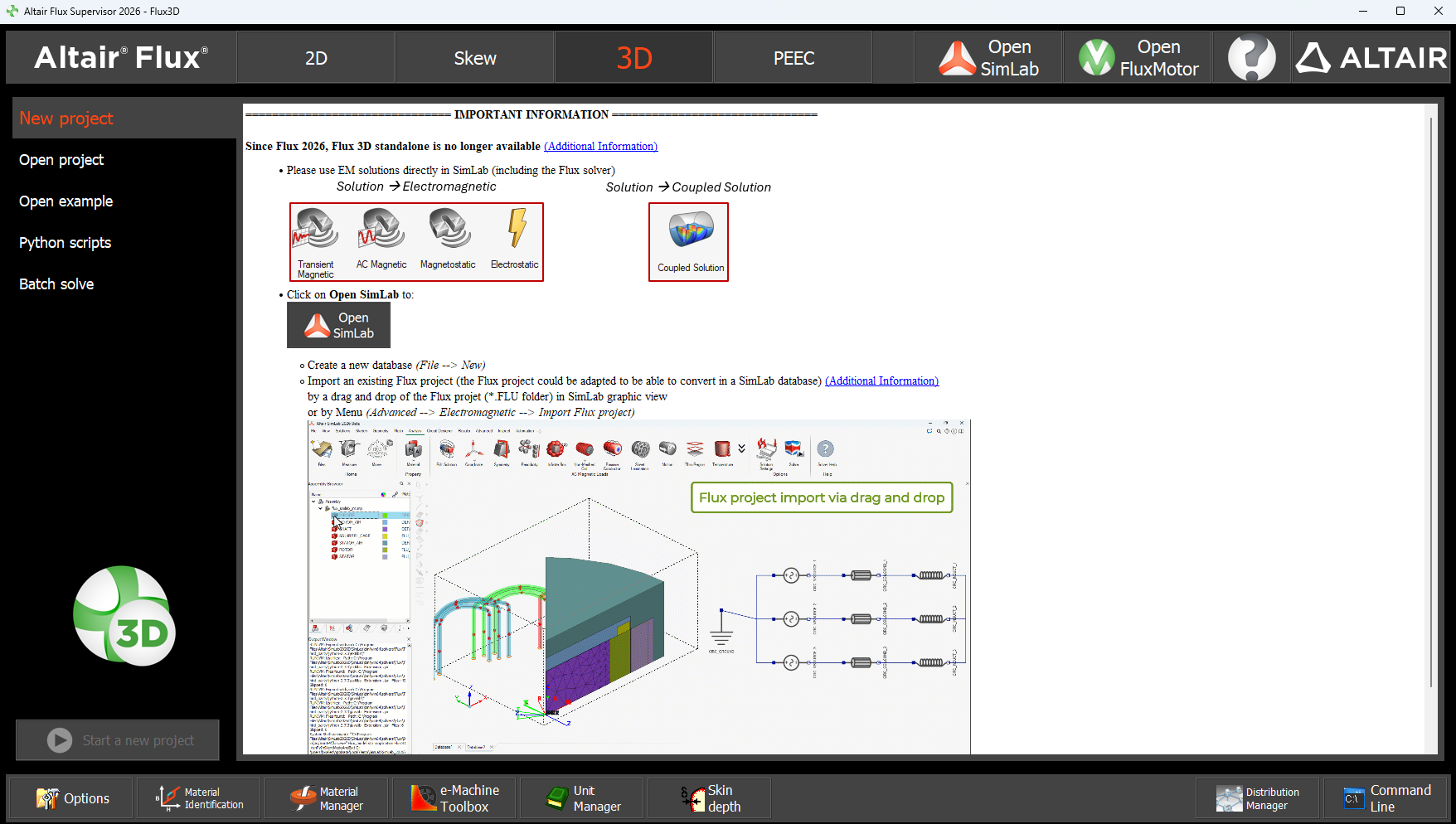
We added a user message in the central area, to explain that Flux 3D and Flux PEEC are no longer available and to recommend to use SimLab now to:
- build a new database starting form scratch (sketcher, extrusion...)
- import CAD file
- import Flux project (3D, but also available for 2D and Skew project)Attention: not possible to import a Flux PEEC project → use MIPSE solutions in SimLab
| User message for 3D module |
|---|
 |
| User message for PEEC module |
|---|
 |
Supervisor Options
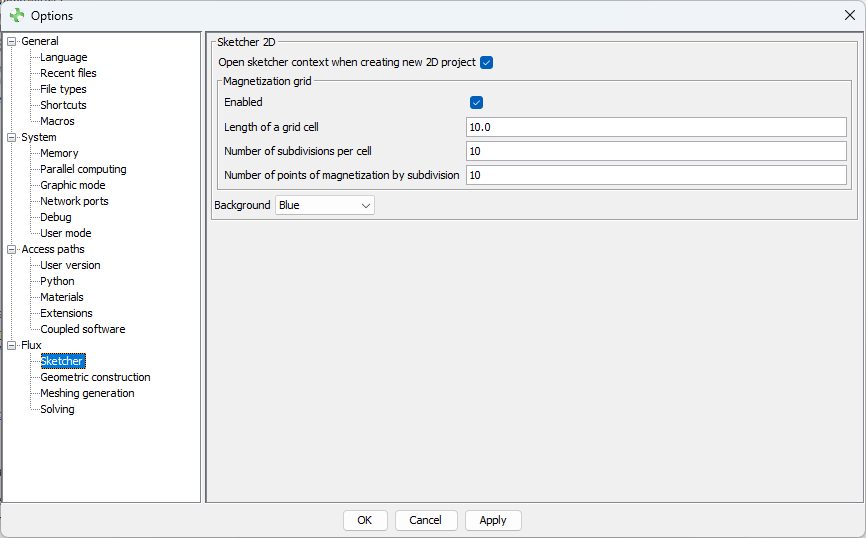
For all options containing different tabs for 2D / Skew / 3D / PEEC have been cleaned. The corresponding 3D and PEEC tabs have been deleted.
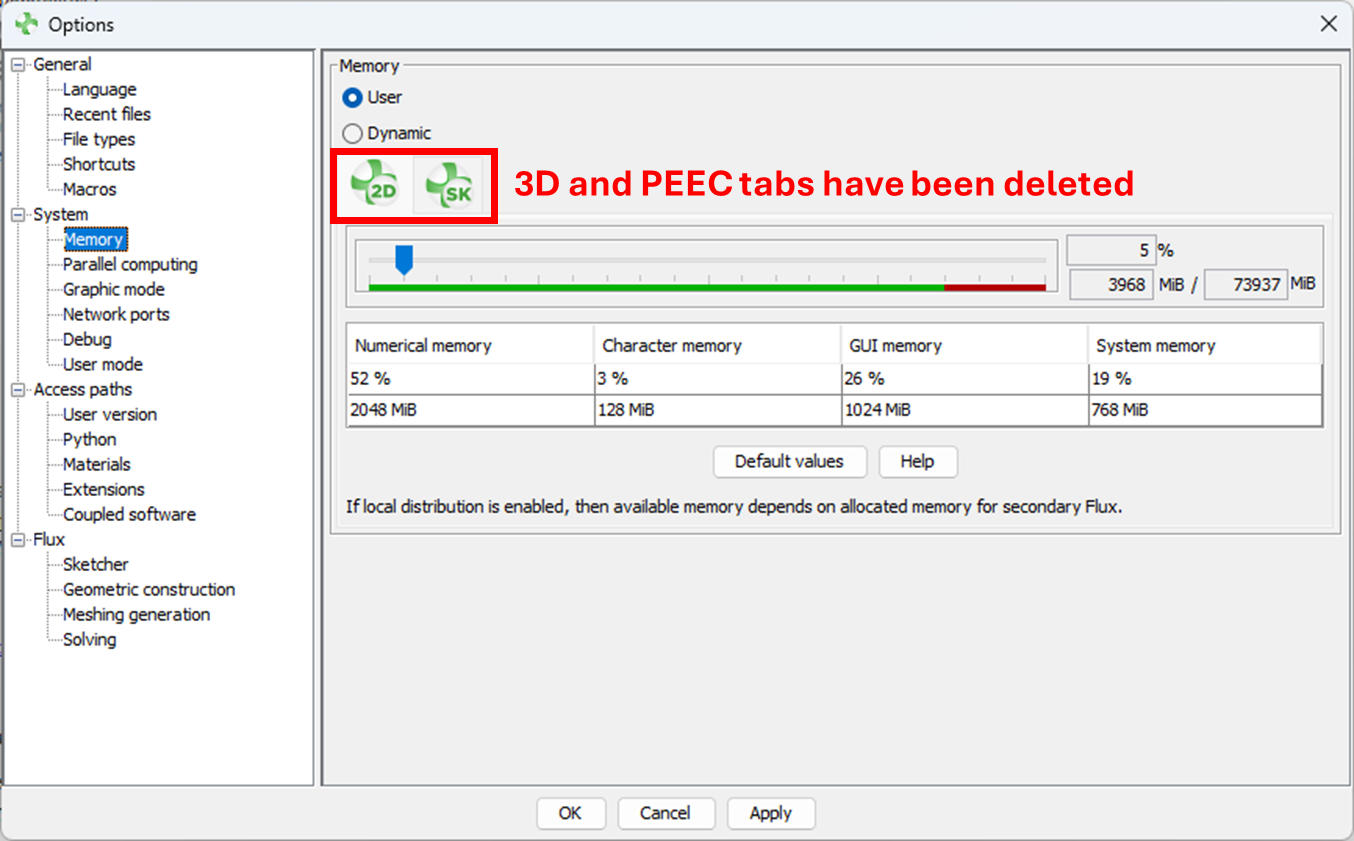
The Modeler options have been deleted. Now only Sketcher options are available.
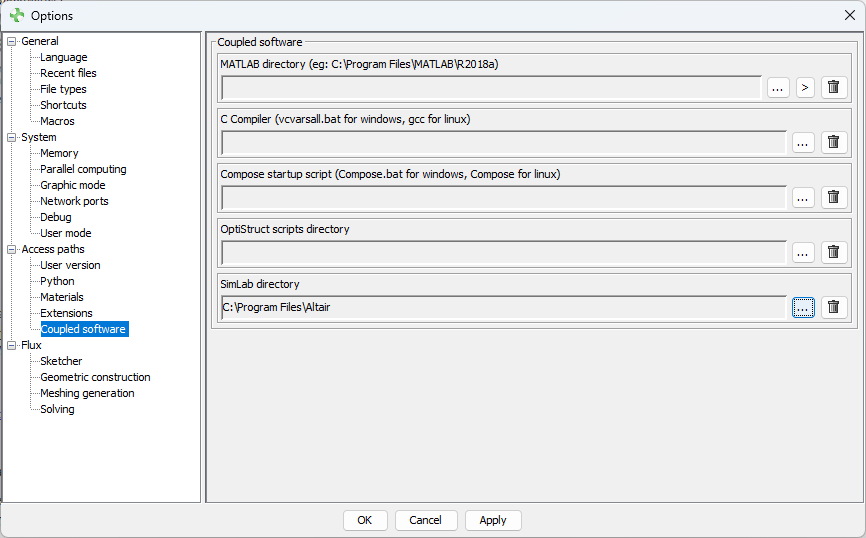
A path for the SimLab directory has been added in the Coupled software option. This path is taken into account when you press on the Open SimLab button.
The user must select manually the path (where the SimLab.bat is located) by
clicking on  (ie: C:\Program Files\Altair\2026\SimLab\)