
Create a Tag Set
Tag sets provide a secondary grouping layer within a classification.
- Select Tags from the left navigation pane.
-
On the right pane, right-click the required classification and select
Add Tagset or use the options in the ribbon
menu..
Figure 1. Add Tagset 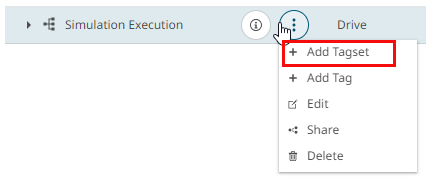
-
In the Create Tagset dialog, enter:
Figure 2. Create Tagset 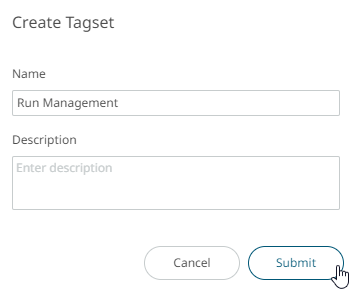
- Name
- Description (optional)
- Click Submit. The tag set appears under the selected classification.