Search and Filter Files Using Tags
Quickly locate files and folders in Altair Drive by combining search with tags and advanced filters.
Using the Advanced Filter panel, you can filter files based on attributes such as file extension, content type, owner, modification time, file size, and tags.
- Open My Files.
-
Select the Filter
 icon next to the search bar. The Advanced
Filter panel is displayed.
icon next to the search bar. The Advanced
Filter panel is displayed.
Figure 1. Advanced Filter 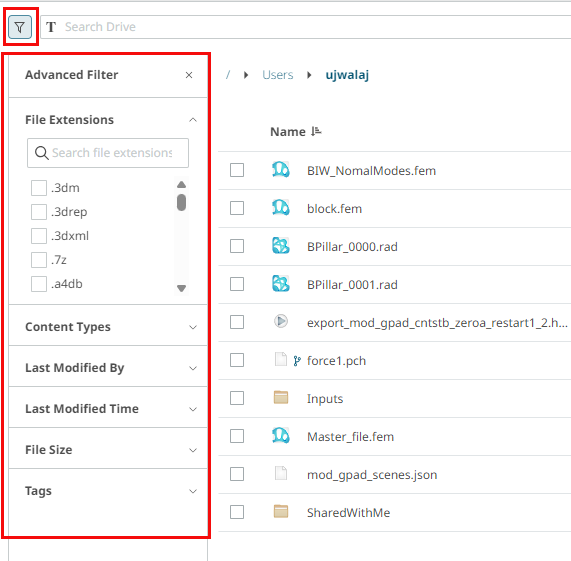
-
To search files using tags, click Tags from the
Advanced Filter panel. The tags your created and shared to you is
displayed.
Figure 2. Tags 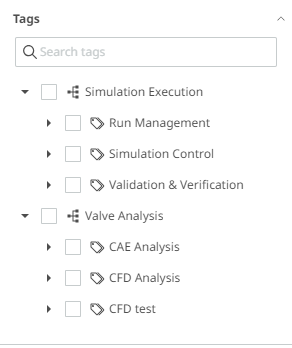
-
Choose one of the following:
- In the Search tags field, type a tag name.
- Browse the tag hierarchy and select one or more tags.
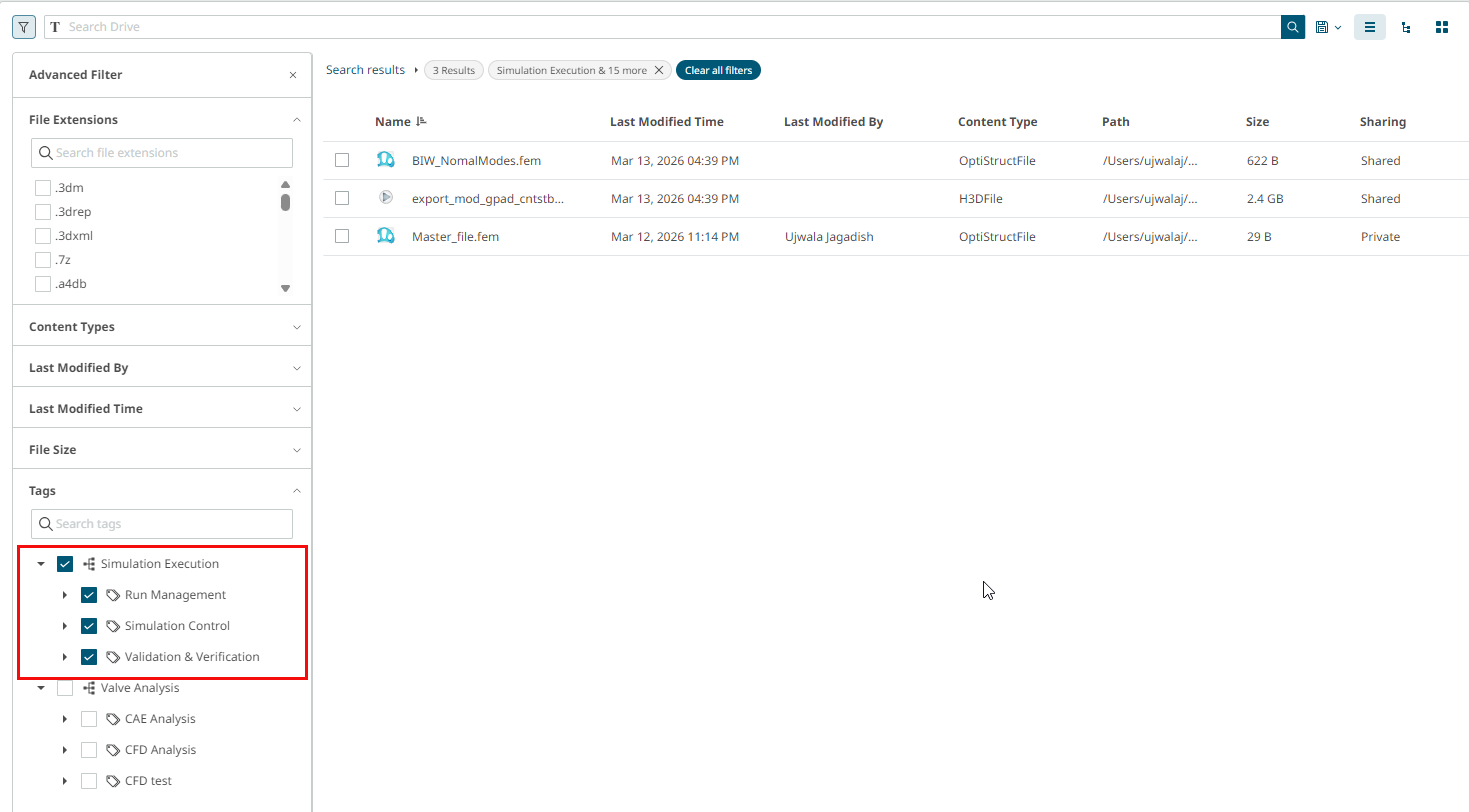
The results list displays only files and folders associated with the selected tags.Figure 3. Search using Tags