
Export results
How to export the results?
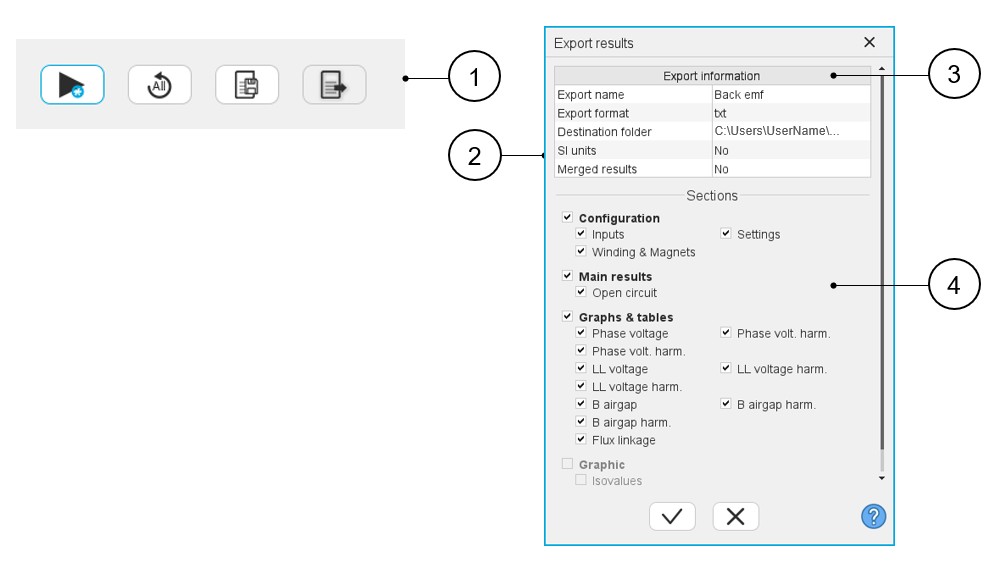
When a test is completed, the corresponding results can be exported in a text file format by using the Export test results button (1).
The process of exporting results into a text file is managed inside the following dedicated dialog box.
 |
|
|---|---|
| 1 | Icon to export test results into *.txt or *.xlsx files. |
| 2 | Dialog box to export test results. See the next chapter for details about the fields in this dialog box. |
| 3 | Field to give information about the exported file:
|
| 4 | Select the results you want to export. All the results available for exporting are grouped in a section as they are in the result panel of the considered test. |
Note: The resulting file can be imported into other software
packages like MS Excel, Compose, Octave etc.