
Specify a Certification Regulation
Use the Specifications tool to assign a weld specification.
Note: In cases where there are a large number of welds in the model, it may be better to
specify the classification after completion of the screening process so that the
classification parameters can be specified only for the welds that need to be
evaluated.
-
Click the Specifications tool.
Figure 1.  The Weld Specification dialog opens.
Figure 2. 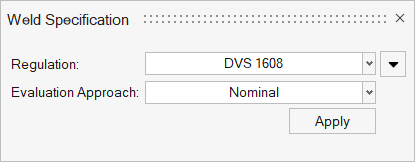
-
Select an option from the Regulation drop down
menu.
- DVS 1608 (Welds evaluation only)
- DVS 1612 (Welds evaluation only)
- Eurocode 3 (Welds and unwelded evaluation)
- FKM (Welds and unwelded evaluation)
- ERRI (Welds and unwelded evaluation)
- IEC61373 (Welds and unwelded evaluation)
-
For welded or base metal evaluations, select an option under
Assessment Method.
- Fatigue
- Static
-
For welded evaluations, select an option under Evaluation
Approach. The selection is automatically applied to all
weldlines.
- Nominal
- Hotspot
-
Under Shell Layer Selection,
manually assign the top and bottom layer for shell element evaluation.
Figure 3. 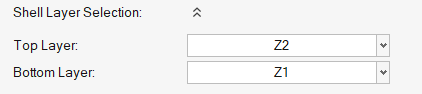
-
In the Weld Template selection,
assign weld templates to defined weldlines.
Figure 4. 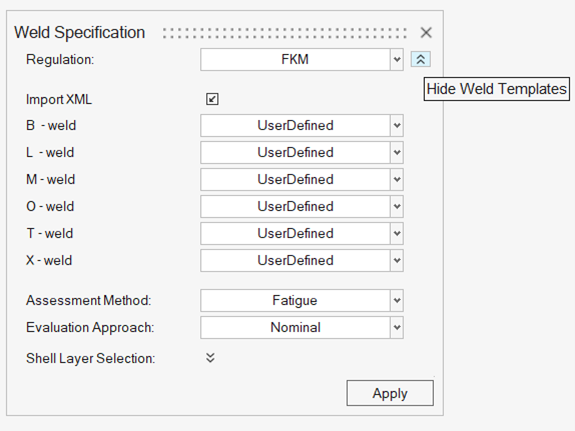 Note: For more on weld templates, see Weld Templates.
 -
Click Apply.
Default parameters are applied to all weld line evaluation points according to the selected specification.