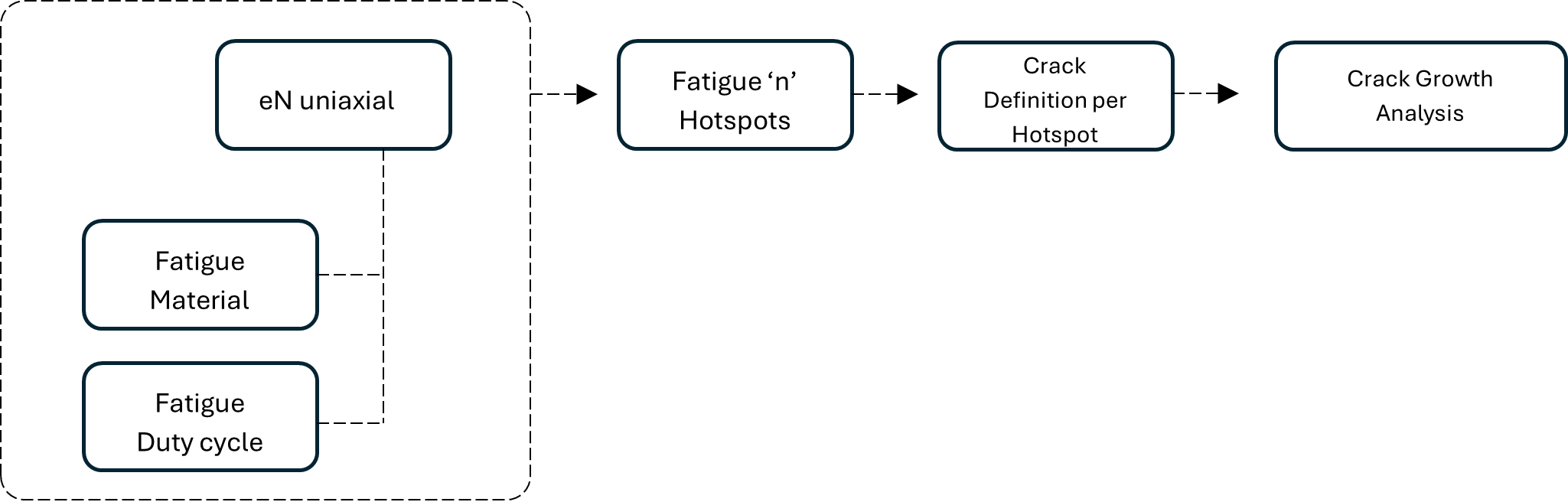
Detect hotspots automatically using Fatigue Analysis.
Figure 1.
Strain-Life uniaxial analysis is supported for automatically identifying critical
locations on selected parts. The following options are essential for Strain-Life
fatigue evaluation:
Note: Event groups are not supported for fatigue
analysis. Only individual event creation is supported. Currently,
event groups are supported only for crack growth
analysis.
Strain-Life evaluation is launched using the Play button in
the Hotspot guide bar with the Creation
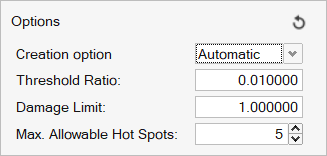
option set to Automatic.Figure 2. Figure 3.
Threshold Ratio, Damage Limit, and Max. Allowable Hotspots combine to determine the
number of hotspot clusters. The node with the maximum damage in each cluster is
selected to define the crack growth hotspot in the dialog.
Damage Limit
Nodes with damage values below this threshold are excluded from hotspot
creation.
Threshold Ratio
A percentage of the maximum nodal damage, used to define the required
clusters.
Number of Hotspots
Specifies how many hotspot clusters should be detected.
Note: The detected hotspot clusters (nodal sets)
are created in the crack growth session and are available in the
HyperLife Crack GrowthModel Browser.
Note: The damage results from the HyperLife Crack Growth session are also available for
contour visualization in the Result
Browser.