
Since version 2026, Flux 3D and Flux PEEC are no longer available.
Please use SimLab to create a new 3D project or to import an existing Flux 3D project.
Please use SimLab to create a new PEEC project (not possible to import an existing Flux PEEC project).
/!\ Documentation updates are in progress – some mentions of 3D may still appear.
How to activate/inactivate the writing of graphic commands
Introduction
The user can activate or inactivate the writing of graphic commands. The commands called ‘ graphic'are associated with various display filters as described in section: Visualization of entities: displaying the entities and displaying filters.
Writing the graphic commands
Activation of the writing of graphic commands ensures that the graphic commands corresponding to the graphic operations will be written in the History zone and in the PyFlux command file created automatically.
Activate/ Inactivate
To activate or inactivate the writing of the graphic commands:
- click on the icon situated to the left of the transparency bar
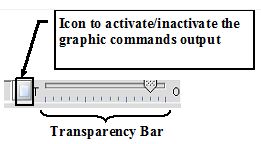
- activated icon state:

- inactivate icon state:

- activated icon state:
By defaut
By default the the graphic command icon is inactivated.