
Since version 2026, Flux 3D and Flux PEEC are no longer available.
Please use SimLab to create a new 3D project or to import an existing Flux 3D project.
Please use SimLab to create a new PEEC project (not possible to import an existing Flux PEEC project).
/!\ Documentation updates are in progress – some mentions of 3D may still appear.
Parametric distribution
This feature is meant to speed up the solving time of parametric scenarios. To use it, you must check the Parametric distribution checkbox and choose the Parallel configuration.
Checking the Parametric distribution case will refresh the view with another set of inputs you can specify, as in the figure below:
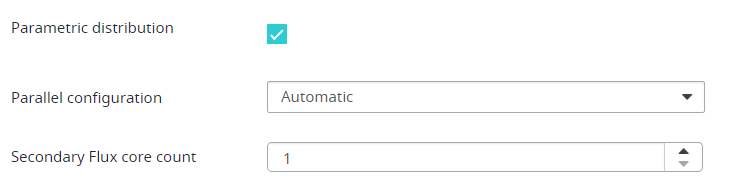
- Automatic configuration uses all available cores while respecting the amount of memory requested is available
- Manual configuration allows you to set a number of cores N to use
Any configuration will create new jobs to compute the solution(s). The number of jobs created depends on the configuration and the scenario. The Manual configuration will create N jobs that will solve one or more steps and the Automatic will create as many jobs as parameter values in the scenario. So, in this last case, only one solution is computed per job.
The amount of memory to allocate per job can also be specified using the input Memory (GB) per job.
If the Dynamic memory is checked, that latter memory is only used by the scheduler to select the right nodes.