Measure Box
Use the Measure Box tool to measure the dimensions of the bounding box for one or more selected objects.
-
From the Home tools, click the Measure Box tool.

-
Select one or more objects. You can change the selection to measure other
objects.
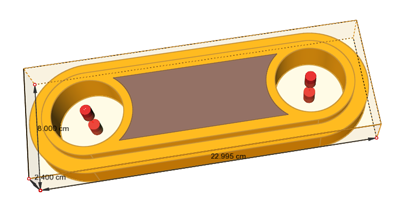
The dimensions of the bounding box are displayed.