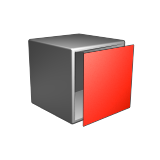
Surface Extract
Extract one or more surfaces of an object.
This tool creates a Surface Extract object in the Model Browser that contains each extracted surface as a separate object.
- On the ribbon, click the Modify tab.
-
Click the Surface Extract icon.

- Select the surfaces. Right-click to confirm.
- Optional:
To define the output, in the guide bar, choose one of the following:
- To extract a surface, click Extract Mode.
- To extract a surface and duplicate the source object as a separate object, click Duplicate Mode.
- If multiple surfaces were selected, to combine all surfaces, click Combine Selection.
- Optional: To create an object that is the inverse of the previous selection, in the guide bar, click Invert Selection.
- Right-click and mouse through the check mark to exit, or double-right-click.