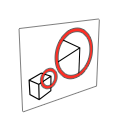
Enlarge part of an existing view to show details.
-
Click the Detail View icon.
-
Select the isometric view, which will be source view.
-
Enter a Name and Scale. By
default, the scale is 2:1.
-
Select the center of the detail view.
-
Select the boundary of the detail view.
-
Place the detail view.
A detail view is created with the Name and Scale shown.