Loops
Pulse provides the functionality to define and execute a loop. This feature allows the creation of iterative processes, whereby specific tasks can be repeated based on defined conditions, offering greater flexibility in automating repetitive tasks.
Building a Loop
You can define a loop over an entire workflow, or select just part of a workflow to loop. Defining a loop is very similar to defining a Sub-Process. You must ensure that the data transfer into and out of the loop are correct, like when defining a sub-process. There are two ways of creating a loop.
-
Use the Loop button on the Create ribbon to generate a loop block.
Figure 1. 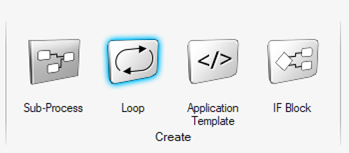
Explode the loop block by double clicking on it. You can then build your workflow inside of the expanded loop.
Figure 2. 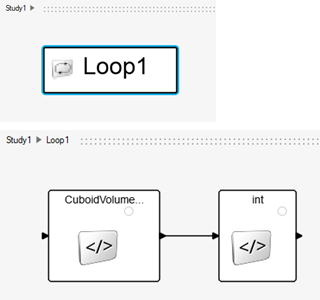
-
From an already created workflow, select the modules and group them as part of a loop.
Figure 3. 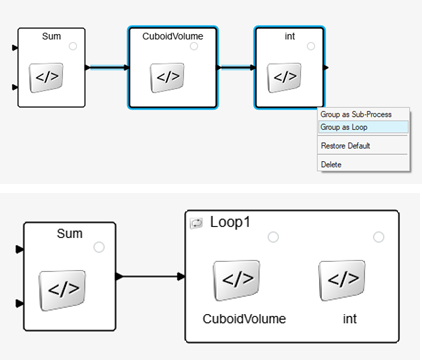 The loop is then represented in the Study browser.
Figure 4. 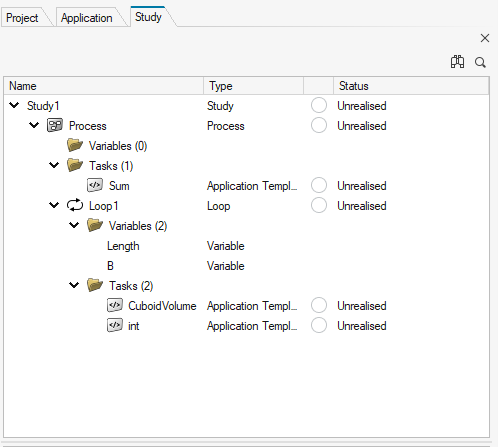
Setting Up a Loop
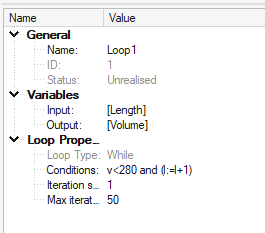
- Name
- Name of the loop.
- Loop Type
- Type of logical loop.
- Variables
- Inputs and outputs to/from the loop. Can be defined using the Variable browser inside of a loop.
While Loop
- Condition
- Logical condition to control the loop. It follows python syntax:
- Iteration Start
- Step form which loop will start iterating.
- Max Iteration
- Maximum number of iterations.
- Example
-
Figure 6. 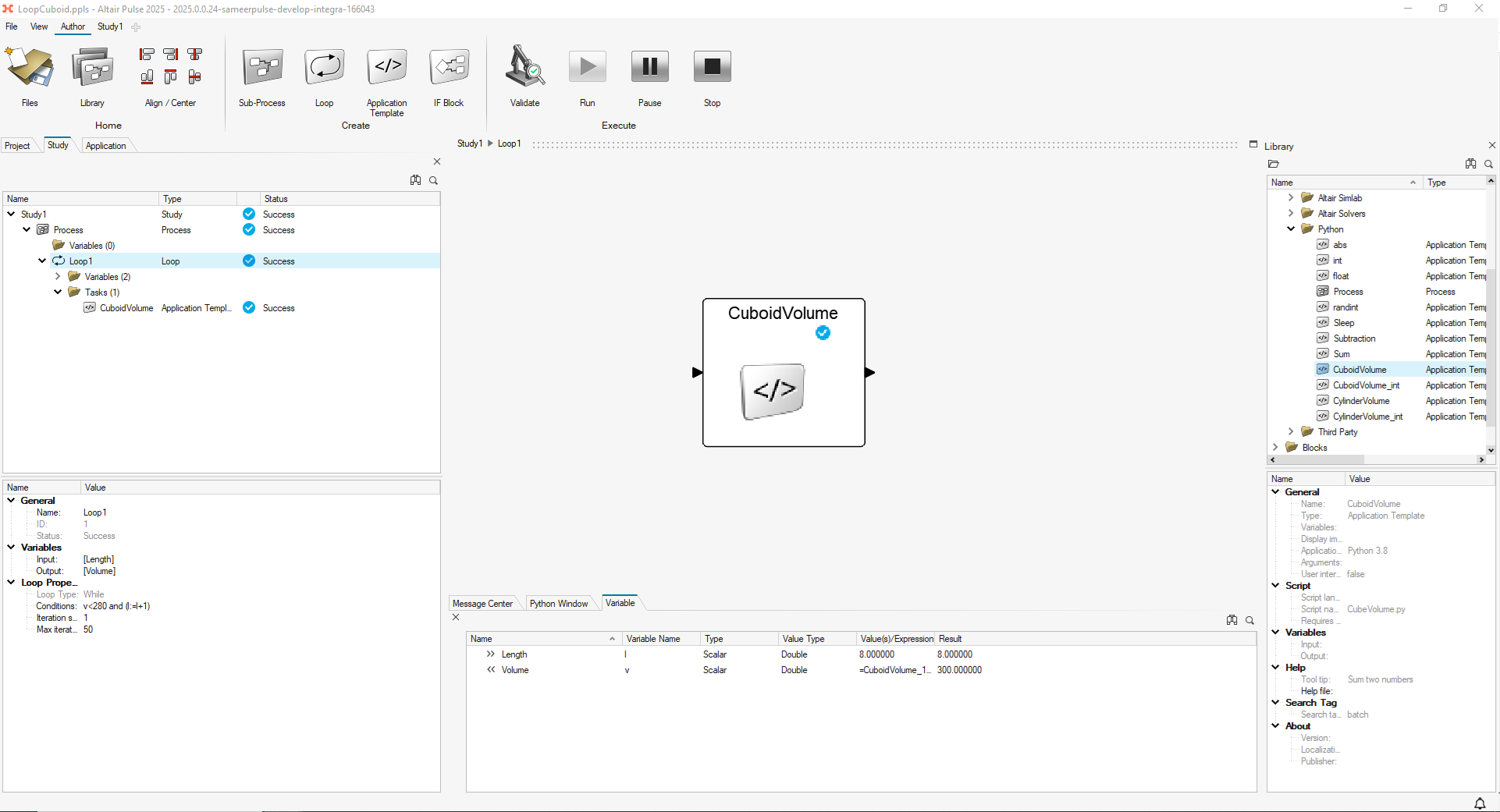
In this example, the Pulse module calculates the volume of a cuboid based on length, height, and width inputs. The volume output is monitored by the Volume process variable, and the length input is controlled by Length process variable.
The loop condition is defined in the following way:
v<280
                                    and (l:=l+1)
This means that the module will be executed while its output (cuboid volume) is less than 280, and that after each iteration, length value will be increased by one.
The example above is a NO-CODE representation of the following Python loop:Figure 7. 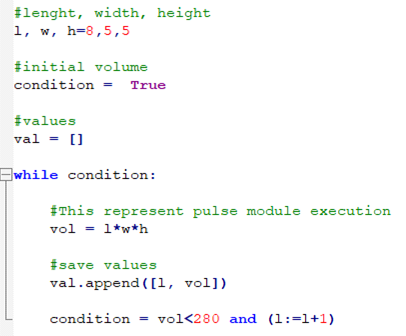
- Loop Results
- Loop results can be found in the current run folder. Each iteration
folder will contain the output generated by the workflow defined inside
the loop.
Figure 8. 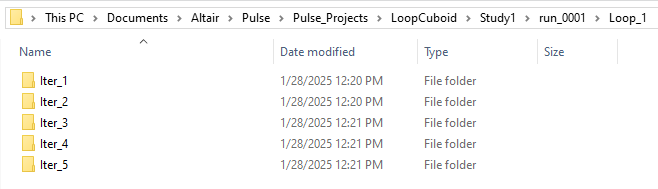
- Complex Example
-
Figure 9.