
Altair Multibody Solutions 2026 Release Notes
New Features
- AltairDriver Enhancements (Vehicle Tools Extension)
- The AltairDriver for vehicle simulations has several enhancements in
this release that extend capabilities to:
- Drive a vehicle with rear or dual axle steering.
- Run multiple loops on a closed-loop event.
- Use without Altair tires. For example, user-defined tires.
Figure 1. 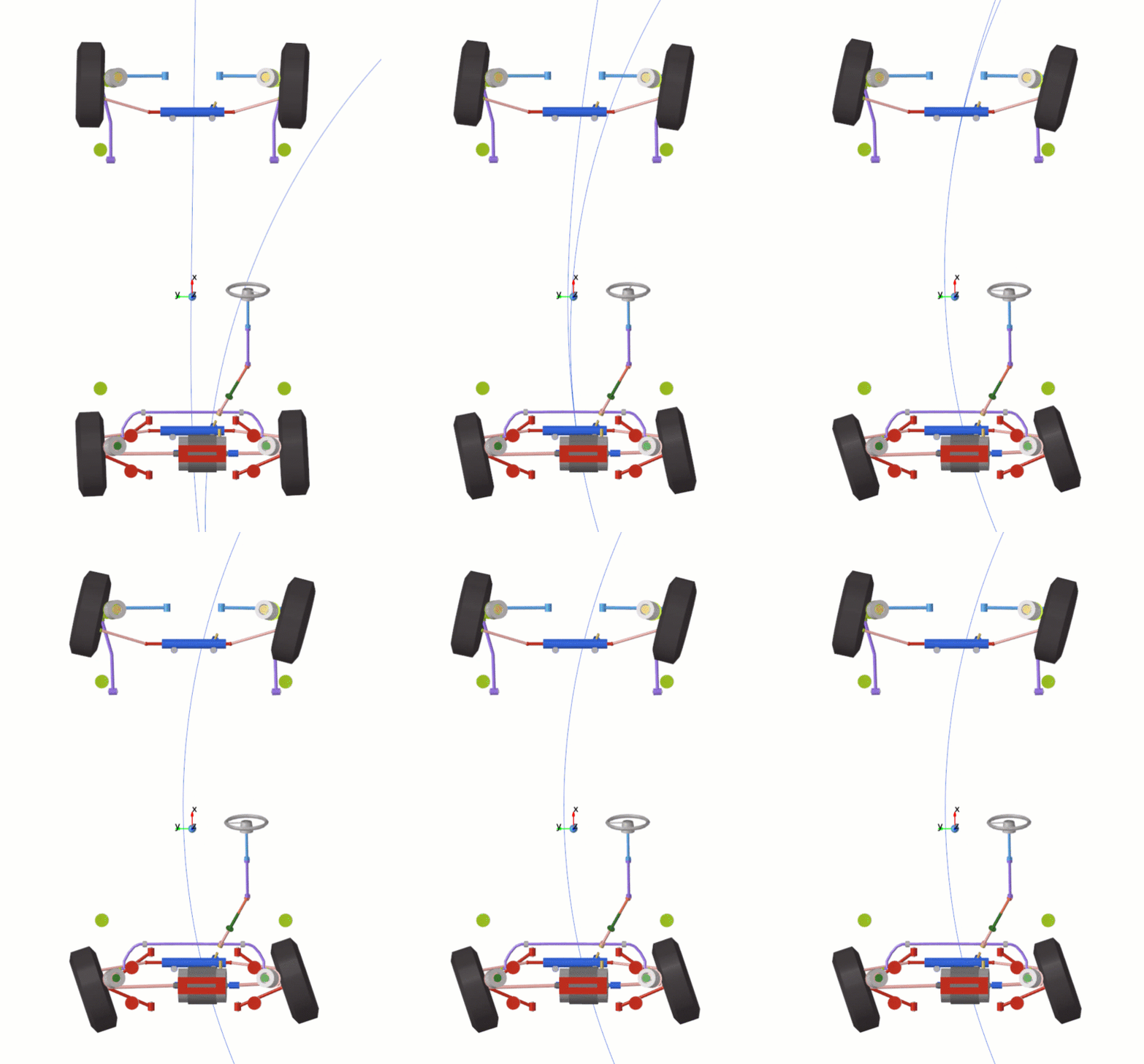
- New Cab Suspension for Heavy Trucks (Vehicle Tools Extension)
- The Heavy Trucks library now offers an option to add a suspension for
the cabin when assembling a Full truck model. The Assembly Wizard has a
new item, “Cabin Suspension”, when selecting the primary systems. Use
this option to select a suspension comprised of a rear coil spring with
dampers. In this type of suspension system, the cabin is supported on
the chassis by bushings in the front and a pair of coil springs and
dampers at the rear end of the cabin.
Figure 2. 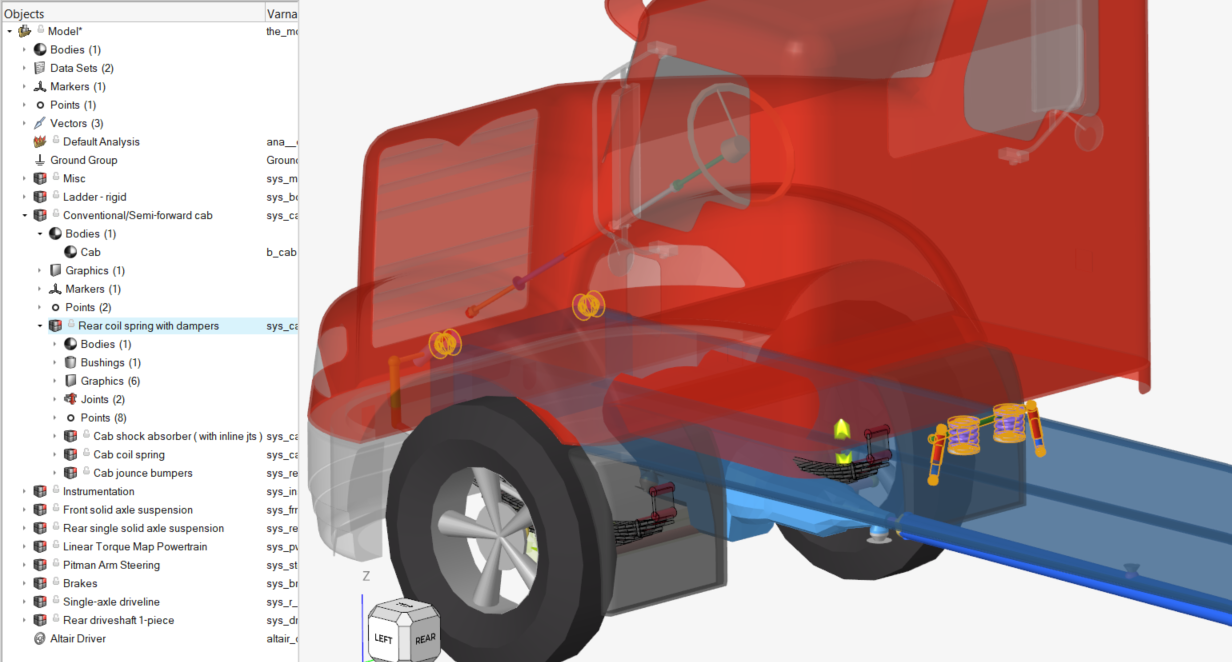
Enhancements
- Updates to Sensor Entity (MotionView)
- New options are available for the Sensor, including controlling messages written to the log and changing the maximum step size when the sensor is triggered.
- Use Bushings at End Joints in the Shock-Absorber (Vehicle Tools Extension)
- The Shock-Absorber component has a new option to use bushings at the end joints. When enabled, you can set bushing properties and the orientation for the end joints, similar to a regular bushing.
- Upgrade FlexPrep to Use H3D Version 2024 (MotionView)
- FlexPrep has been updated to generate H3D version 2024 when generating a flexbody H3D or translating from MNF to H3D.
- Python API to Export a Model as FMU (MotionView)
- The Python API command exportModelAsFMU is now
available in MotionView (mview module). The API exports the model as an
FMU.
from hw import mview path = r"C:\Users\username\model.fmu" motionObj = mview.getObjectFromPath("MODEL.mot_Prop_Rear_Rotation") parameters = {"MODEL.sv_VY" : ["use_ic", "ic"], motionObj : ["value.lin"] } mview.exportModelAsFMU(filePath=path, parameters=parameters, version="3.0") - Associate Road Graphics with AltairDriver Events (Vehicle Tools Extension)
- The Road Tools have been enhanced to associate the generated road graphics with any road course event in the model.
- Repeatability on AMD Processors and Old Intel Processors (MotionSolve)
- MotionSolve now sets MKL Conditional Numerical Reproducibility to COMPATIBLE if AVX2 fails. This allows for better repeatability in AMD and other older processors.
- Upgraded Intel® MKL, Intel® Compilers, and Microsoft Visual Studio® Compiler (MotionSolve)
- MotionSolve relies on the industry-wide accepted Intel® Math Kernel Library (MKL) for its math routines. These routines are highly optimized and threaded for maximum performance. With this release, MotionSolve upgraded the version of the MKL from 2023 to 2025. In rare instances, this upgrade can affect MotionSolve simulation results for highly-sensitive models. Specifically, models that entail sources of indeterminism. The compiler update ensures better security and closer results between Linux and Windows.
- Modal Damping in Real-time Models (MotionSolve)
- MotionSolve implemented automatic internal modal damping for real-time models, which provides better stability in results.
- Support Encrypted Altair Compose Subroutines (OMC files) (MotionSolve)
- MotionSolve now supports encrypted Altair Compose subroutines (OMC files).
- Labels for Marker in H3D (MotionSolve)
- MotionSolve added labels to markers in H3D to improve the identification of Markers in HyperView.
- Migration to Python 3.10 (MotionView and MotionSolve)
- MotionView and MotionSolve have been migrated from Python 3.8 to Python 3.10 to enhance security and ensure continued support.
Resolved Issues
- MotionView
-
- Data type values created under Model do not get saved in MDL.
- Linux console displays errors while running Vehicle Tools-based models through HyperStudy.
- An erroneous vector input to LOC_REL_TO function causes MotionView to crash.
- H3D File Graphic cannot be overwritten or updated after the graphic has been loaded.
- Erroneous reference in graphics' scale attributes crashes MotionView.
- Renaming the varname of graphics after CAD import fails to update earlier varname references in the graphics' scale properties.
- Error reported in Check Model for an inactive attribute of the Curve entity.
- Optimization Wizard does not retain modified upper/lower limits of Design Variables.
- “Visible” attribute for MarkerPair does not work.
- Auto resolving attachments while using Apply Attachment Candidates replaces already resolved attachments.
- A model with CADGraphics, using a CAD file with a version number extension in the file name, fails to run live.
- Changing the font in the Expression Builder results in an application error.
- Transfer of PM-FlexTire to EDEM fails to copy the sidewall.off file.
- The DEM system is not created in MotionView during the PM-FlexTire transfer to EDEM if the files are in a mapped drive.
- The Linear Extrapolate option is missing in the Entity Editor.
- Curve index values are not saved to MDL.
- MotionView crashes when using the Alt key to create a point after a cut and paste operation.
- MotionSolve
-
- Application error observed when writing an MKB matrix.
- Improved log messages during load set file generation.
- Fixed static friction calculation in Cylindrical joint.
- Vehicle Tools Extension
-
- Cone graphics for lane change and slalom events are appearing at wrong locations for a vehicle that is modeled in non-default coordinate frames.
- The AutoTransmission model does not work on Linux.
- "Edit bicycle model parameters" is not displayed in the Driver Entity Editor for leaning vehicles.
- Vehicle Tools Extension forces the library to switch every time MotionView is activated.
- F-Tire is not working with CRGe roads.
- Path error in Driver Requests does not produce correct results.
- No steering torque in the template output request and inaccurate longitudinal speed control result.
- [SOFT SOIL] Soil damping property is ineffective.
- [Road Tools] File Reading error when using the Chinese language settings.
- [Road Tools] Graphic options have no effect on the generated graphics.
- Wheel assembly inertia orientation is incorrect for two-wheeler models.
- NPOST settings are not updated when archiving a model.
- Incorrect vehicle graphic mesh orientation leads to lighting issues in HyperView.
- Multiple maneuver events that use time as the end condition do not work in Twin Activate.
Known Issues
The following known issues will be addressed in a future release as we continuously
improve the software:
- An error related to MODEL.Solver_File_basename occurs when exporting an Optimization solver deck. The error is benign and does not affect the export process. The same error occurs when reloading a saved model after the export. You can ignore this error.