Altair Squeak and Rattle Director 2026 Release Notes
New Features
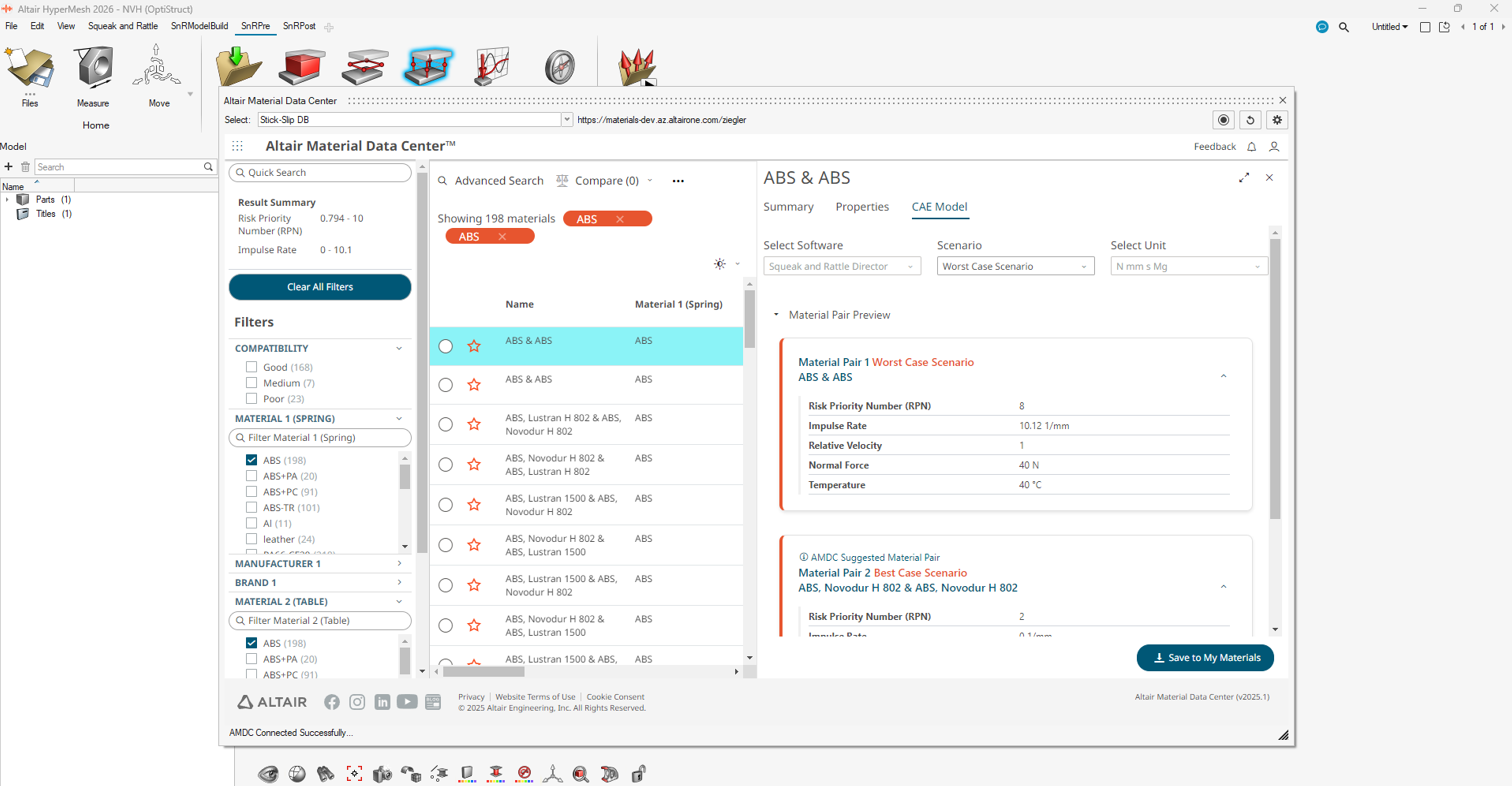
Stick-Slip DB on AMDC Integration
You can now access Stick-Slip DB on AMDC through a user-friendly web
portal or from a plug-in in SnRD. This access adds significant data
exploration capabilities for material compatibility for squeak
assessment. You can now filter data using different criteria, save
favorite searches for easy re-access, compare capabilities between
materials using tables and visuals, and more.Figure 1.
Post-Processing Risk Assessment Workflow
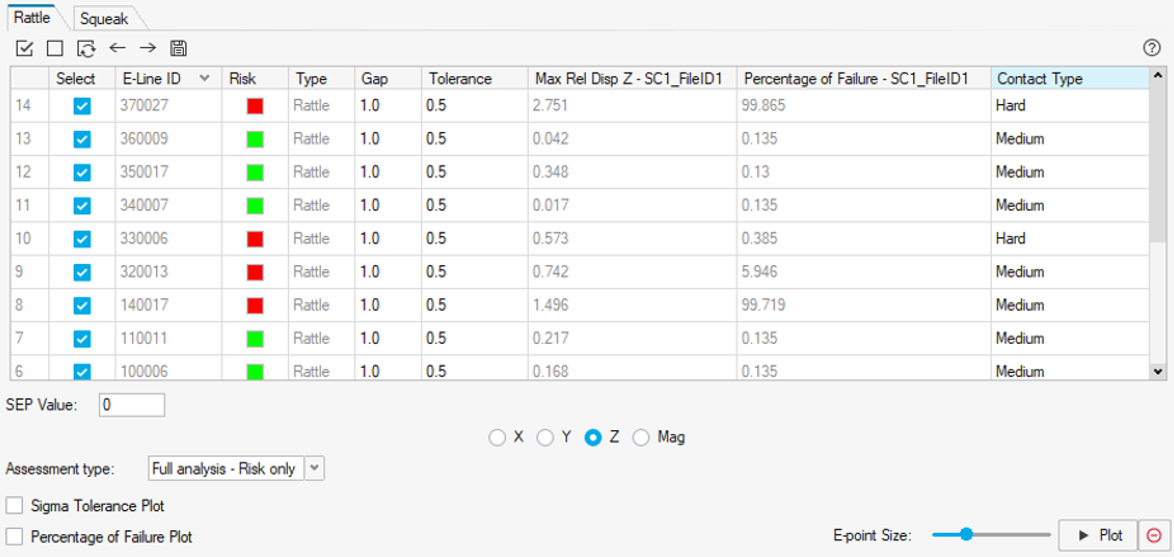
New features have been added to the Risk Assessment workflow.Figure 2. One new assessment type is available: Full analysis – Risk only.
The Full analysis – Risk only option will plot the summary page with all
E-Lines selected. It will also provide detailed plots for only the
E-Lines that have a risk of squeak or rattle in the model based on the
dynamic tolerance criteria for rattle and the maximum P2P compared to
the Inv(IR) for squeak.
After results are generated, the following new columns are added to the table:
For Rattle
Risk: assessment of rattle risk based on the maximum dynamic
tolerance value of the E-Line.
Max Rel Disp Z: maximum relative displacement in the gap
direction.
Percentage of Failure: percentage of products to fail in a
given production.
For Squeak
Risk: assessment of squeak risk based on the maximum P2P
value of the E-Line.
Max P2P: maximum relative displacement in the contact
plane.
You can click the icon to export the
table in .csv format.
Enhancements
Review E-Lines Workflow
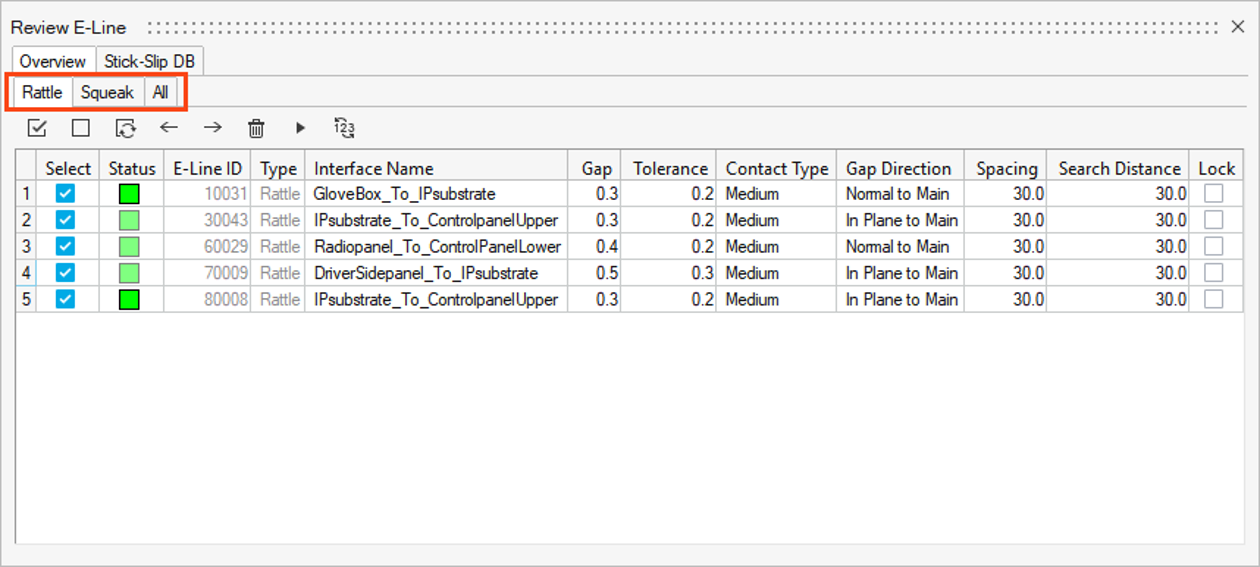
In the Review E-Line dialog, E-Lines are now split
by type (Rattle, Squeak, and All) in sub-tabs. Each sub-tab exposes only
the relevant parameters for the selected type.Figure 3.
E-Line Modified Status and Lock
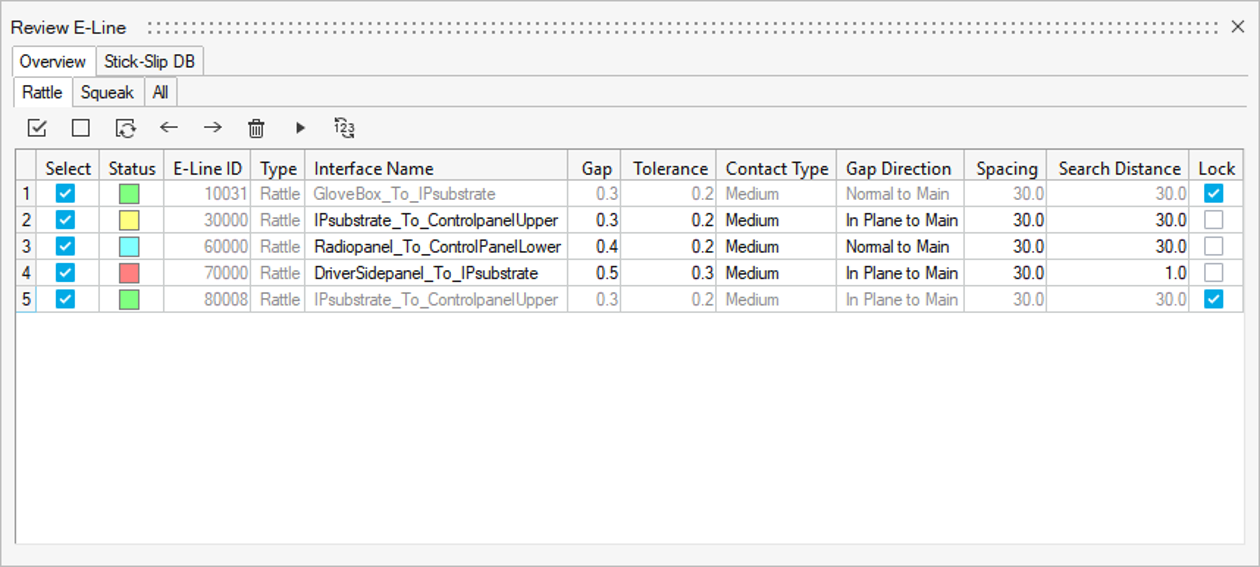
If the Interface Name, Gap, Tolerance, Inv(IR), and Contact type columns
are modified, the E-Line status now changes to modified (blue) and there
will be no impact on the FE-entities once the E-Line is realized.
An option to lock E-Lines has been added to prevent them from being
unrealized unintentionally. Once an E-Line is locked, it cannot be
unrealized unless it is explicitly unlocked first. This locking
mechanism adds an additional layer of protection to realized E-Lines,
reducing the risk of accidental modifications.Figure 4.
On the Fly Interface Name Creation
In the Review E-Lines dialog, you can now create an
interface name to define gap and tolerance inputs on the fly. The DTS
import option is still supported.
Squeak Material Pair Mapping Workflow
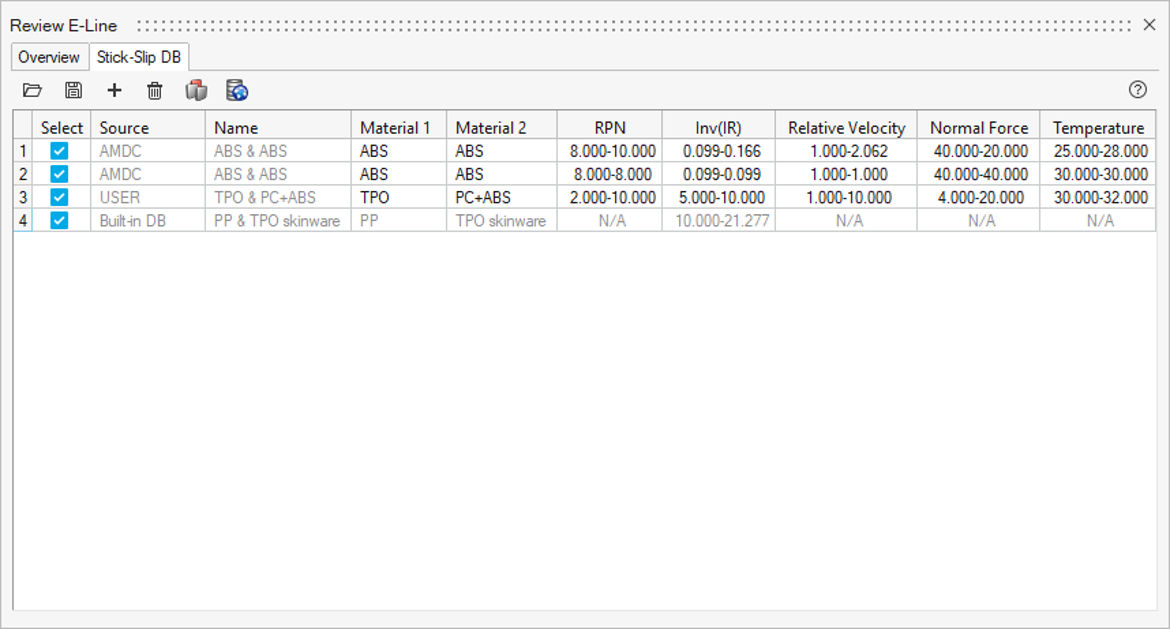
A new workflow has been added for mapping material pairs for squeak
assessment. Under the Stick-Slip DB tab, three options are available to
input material compatibility data: Stick-Slip DB on AMDC, built-in DB,
and in-house testing.Figure 5. This material database can also be saved in
.csv format and imported to another model
through the Stick-Slip DB tab. The former Material File from Model
Import option is no longer supported.
New Patterns for Flexible Connections
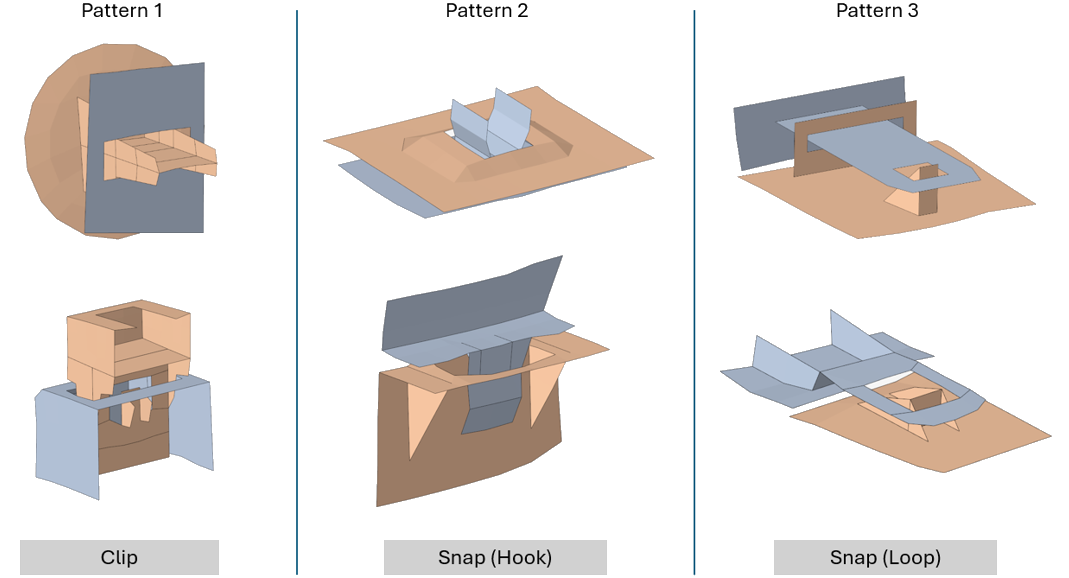
A new connector control has been added to support different types of
clips and snaps.Figure 6.
Other Minor Enhancements
The Spacing and Search Distance parameters are now exposed during E-Line
creation.
Resolved Issues
Post-processing two load cases at the same time now works properly.
Scale factor swap when combining loads from a file has been fixed.
Contact Type for rattle lines will no longer return to the previous
selection once the Review E-Lines dialog is
closed.
When combining force load cases, constraints from one load case no longer
causes conflicts with other load cases.
The issue with sensitivity calculation for the Include Modes option has been
resolved.
Known Issues
The following known issues will be addressed in a future release as we continuously
improve the performance of the software:
If a model with E-Lines is imported in a new SnRD session and the E-Lines
have to be realized again, some of the E-Lines might switch the main and
secondary components. This leads to different positioning of local
coordinate systems.
A graphical issue with the legends may appear in some post-processing
workflows. Resize the application window to correct the rendering. This
issue will be resolved in the next release.

 icon to export the
table in .csv format.
icon to export the
table in .csv format.