Transfer Path Analysis - Display
Select a method to display the path contribution data.
To activate this tab, you must have first loaded the files from the Load tab.
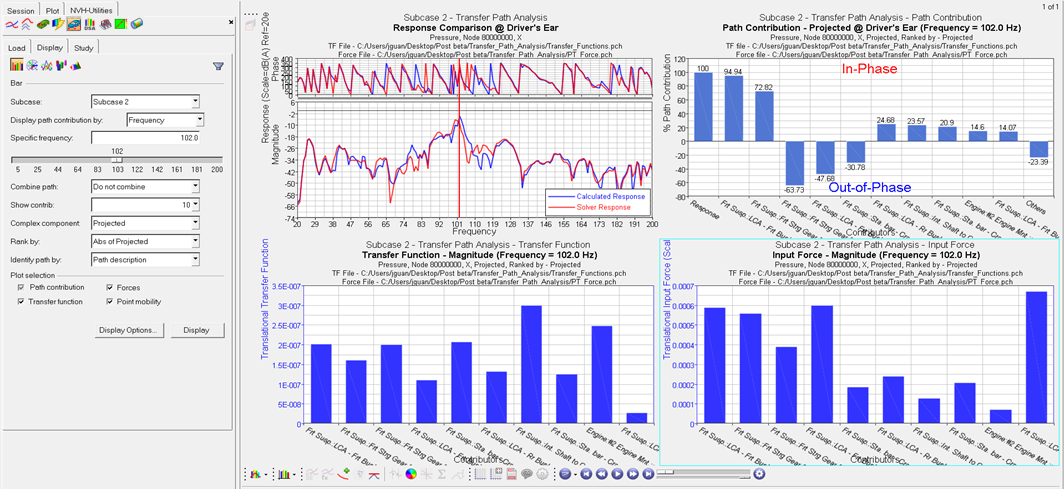
- Bar
- Allows you to plot path contributions to an acoustic or structural response on a bar chart.
- Enter a specific frequency in the Specific
Frequency field, or use the slider bar to select a
frequency value. When you use the slider bar to select a frequency, a
red line is displayed on the response plot and it is dragged
simultaneously as you drag the slider bar.
- Show contrib.
- Select the number of the highest contributors to display.
- Optionally, you can filter path contributors to a smaller
set by clicking the Filter
Contributor icon
 to display its dialog.
 - Combine path
-
- Do not combine
- Path contributions are not combined.
- To point (L3)
- Path contributions are combined to point (description level 3 - see Input point description section of the Transfer Path Details - Point Tab topic).
- To component (L2)
- Path contributions are combined to component (description level 2 - see Input point description section of the Transfer Path Details - Point Tab topic).
- To subsystem (L1)
- Path contributions are combined to subsystem (description level 1 - see Input point description section of the Transfer Path Details - Point Tab topic).
- Complex component
- Projected: Plots scalar participation values after projection to the response. The positive values are in-phase with the response and the negative values are out-of-phase. Available for Bar plots only.
- Rank by
- Abs of Projected: Contributors are ranked by the area under the curve of the absolute values of their participations, projected to the response.
- Identify path by
- Path description: Path description is used as the path label on the plot.
- Plot Selection
- Allows you to plot additional TF, force, and PM plots, along with the path contributions plot. The path contributors are plotted in the same order as they appear on the path contributions plot.
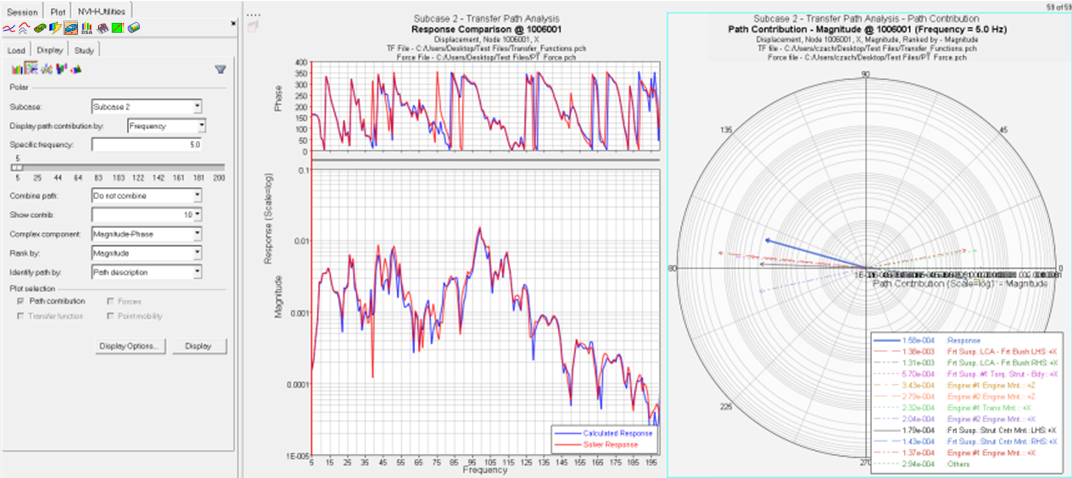
- Polar
- Creates a 2D polar plot of the path contributions at a specific frequency.
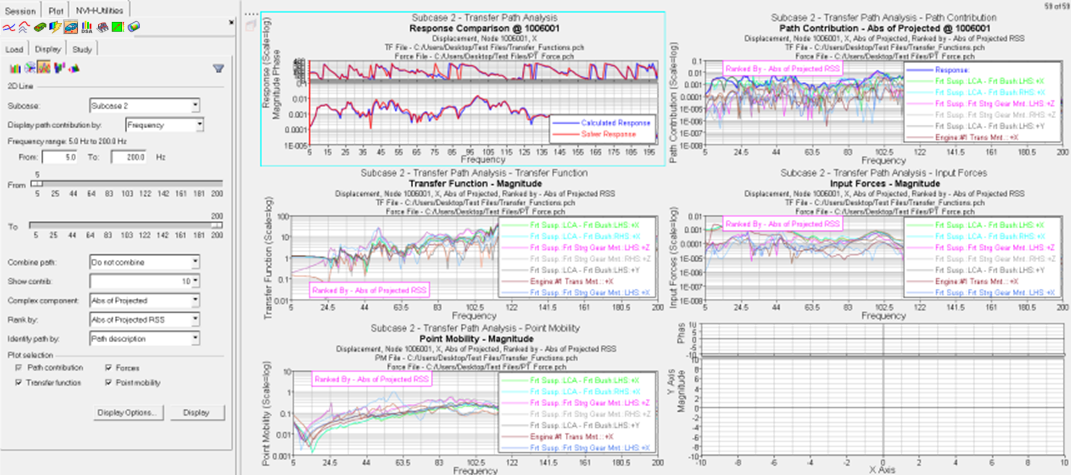
- 2D Line
- Creates a plot of path contributions to an acoustic or structural response on a 2D line plot (overlay).
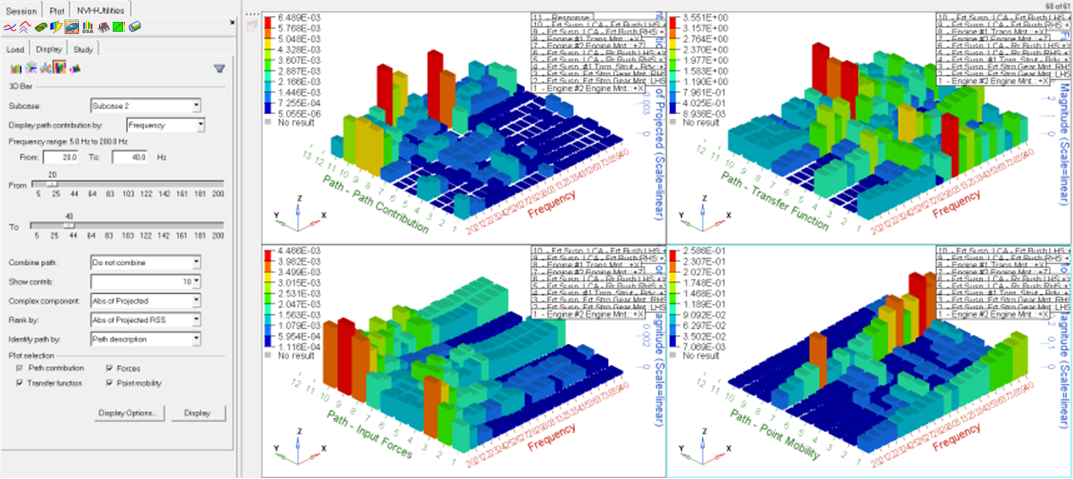
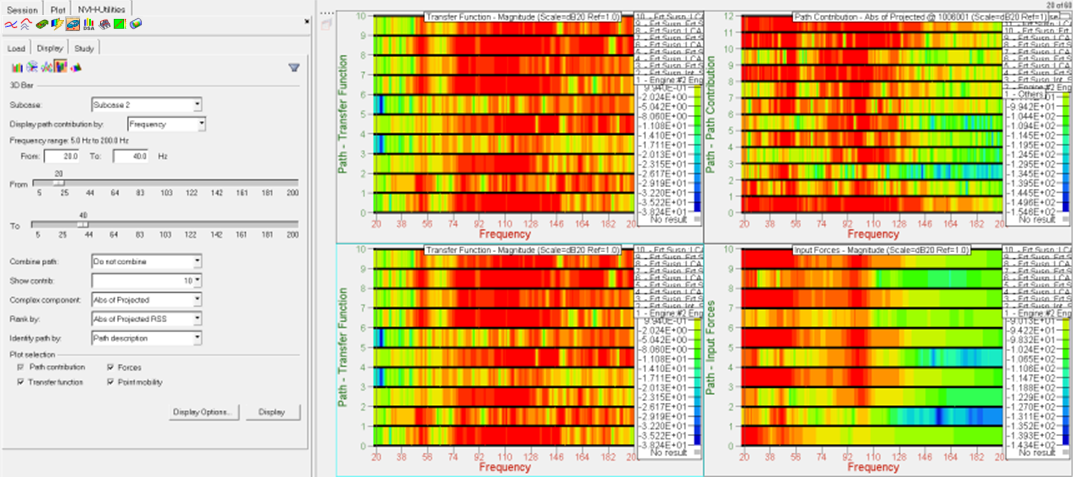
- 3D Bar
- Creates a plot of path contributions on a 3D Bar plot.
- 3D Surface Plot
- Creates a plot of path contributions on a 3D Surface plot.
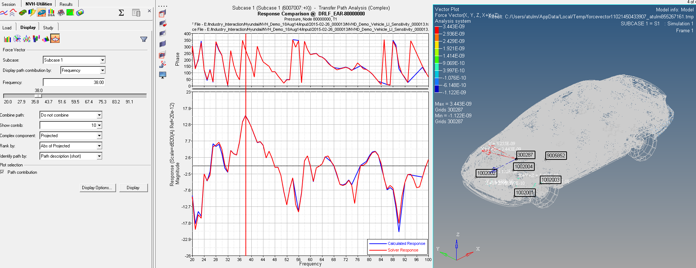
- Force Vector
- Force Vector plots at a particular frequency for one-step TPA results.
- Display options
- The Display Options dialog allows you to customize the plot, including scale, weighting, and the plot layout.
- Display
- Click Display to display the response plot.