Integrated Diagnostics - Study
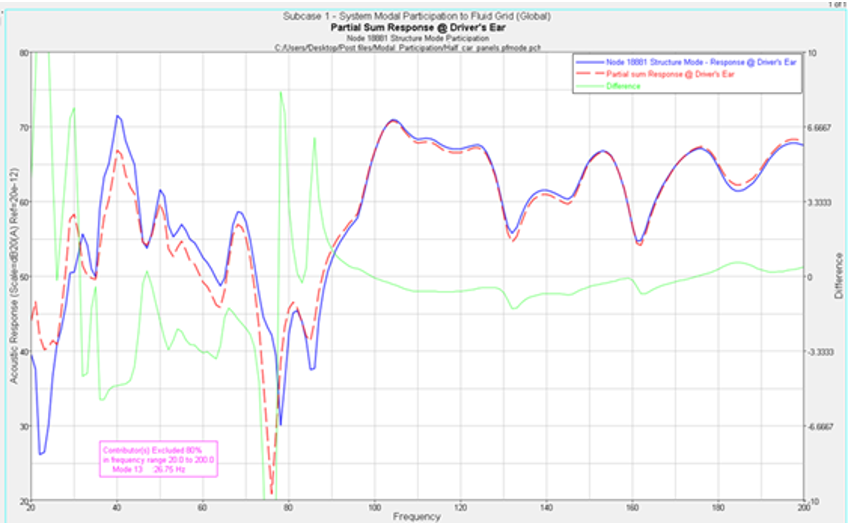
Perform a partial sum response study by excluding the contributions from the selected contributors. The list of contributors available depends on the diagnostics done prior to selecting the Study tab.
- Subcase
- From the drop-down menu, select the subcase to study.
- The RPM subcase for the powertrain use case.
- The wheel subcase for the road use case.
- Response
- Select the response to study.
- Frequency range
- Indicates the available range, based on your PFMODE.PCH or .f06 file.
- % to Exclude
- Optional field that allows you to exclude a percentage of the contributors from the response.
- Select contributor(s) to:
- Select the contributors that you want to exclude in the response study.
The list of contributors available depends on the diagnostics
performed.
- Click
 to select the
entire list of contributors.
to select the
entire list of contributors. - Click
 to deselect your
current selections.
to deselect your
current selections. - Click
 to exchange the
currently selected contributors for the unselected contributors
in the list.
to exchange the
currently selected contributors for the unselected contributors
in the list.
- Click
- Export Study Data
- Exports a *.pch file with the modified response after the study.
- Display Options
- Launches the Display Options dialog, which allows you to further customize the plot.
- Display
- Displays the response study plot once your selections are complete.