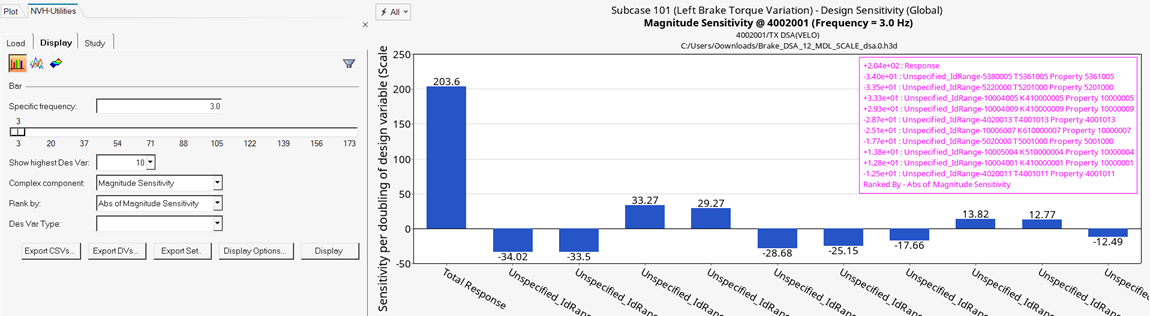
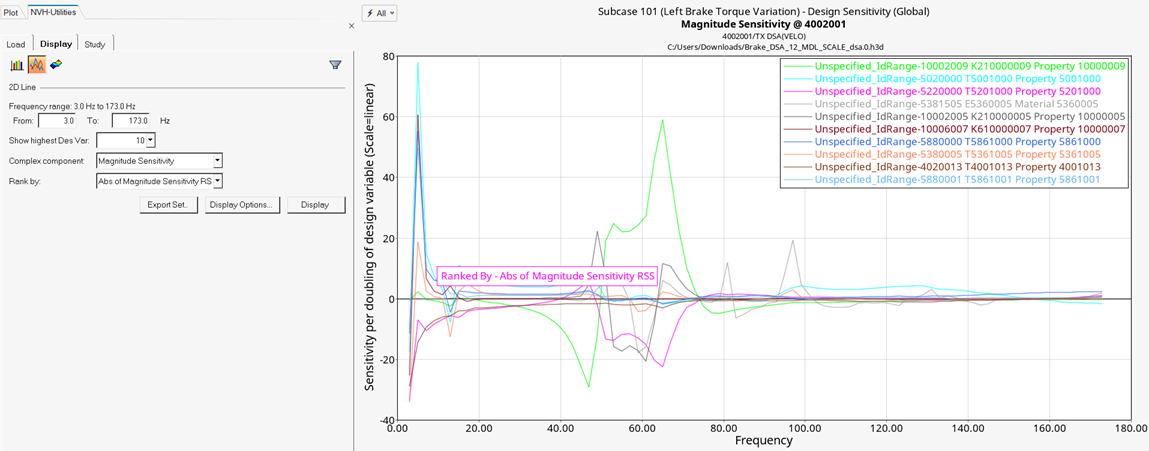
After loading a file, select a method to display the participation data.
Bar
Allows you to plot design sensitivity to an acoustic or structural
response on a bar chart.
Enter a specific frequency in the Specific
frequency field, or use the slider bar to select a
frequency value. When you use the slider bar to select a frequency, a
red line is displayed on the response plot and it is dragged
simultaneously as you drag the slider bar.
Show highest Des Var
Select the highest number of design variables to
display.
Complex component
Magnitude Sensitivity: Plots the scalar sensitivity based on
response magnitude change. Positive values indicate that
response magnitude increases with an increase in design
variable and negative values indicate that the response
magnitude decreases with an increase in the design
variable.
Projected Sensitivity: Plots scalar sensitivity values after
projecting a complex design sensitivity vector to the
response. Positive values indicate that the response
magnitude increases with an increase in design variables and
negative values indicate that the response magnitude
decreases with an increase in design variables.
Rank by
Abs of Projected: Design variables are ranked by the area
under the curve of the absolute values of their sensitivity
projected to the response.
Abs of Magnitude Sensitivity: Design variables are ranked by
the area under the curve of the absolute values of the
magnitude sensitivity.
Des Var Type
Select a design variable type from the drop-down menu.
Export CSVs
From the Export CSVs dialog, select a configuration file and
adjust additional fields as necessary. Click
Export to export the design
variable information to a CSV file.
Export DVs
Select design variables to export.
Export Set
Allows you to export a .csv file
containing a design variable set definition of the top
ranked design variables.
Display Options
Customize the plot, including scale, weighting, and the plot
layout.
Display
Click Display to display the response
plot.
2D Line
Creates a plot of design sensitivity to an acoustic or structural
response on a 2D line plot (overlay).
Frequency range indicates the available range,
based on your dsa.0.h3d
file.
Using the From and To
fields to customize the frequency band.
All other options are similar to those for the Bar plot.