
DoubleArrow
Visualizing a double arrow with variable size

Library
Modelica/Mechanics/MultiBody/Visualizers/Advanced
Description
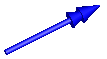
Model DoubleArrow defines a double arrow that is dynamicallyvisualized at the defined location (see variables below).Nonetheless, visualizing physical vectors by means ofVectorcan be better option in many cases.
The dialog variables R, r, r_tail, r_head, color,specularCoefficient, and headAtOriginare declared as (time varying) input variables.If the default equation is not appropriate, a correspondingmodifier equation has to be provided in themodel where an Arrow instance is used, e.g., in the form
Visualizers.Advanced.DoubleArrow doubleArrow(r_head = {sin(time),cos(time},0})Variable color is an Integer vector with 3 elements,{r, g, b}, and specifies the color of the shape.{r, g, b} are the "red", "green" and "blue" color parts.Note, r, g and b are given in the range 0 … 255.The predefined typeMultiBody.Types.Colorcontains a menu definition of the colors used in the MultiBodylibrary together with a color editor.
Parameters
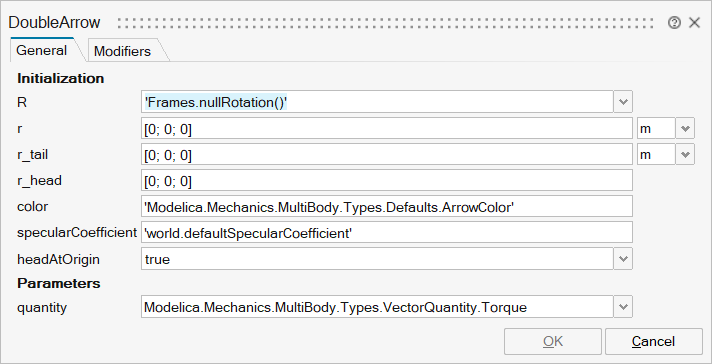
| Name | Label | Description | Data Type | Valid Values |
|---|---|---|---|---|
mo_R | R | Orientation object to rotate the world frame into the arrow frame | FromModelica('Modelica.Mechanics.MultiBody.Frames.Orientation') | |
mo_r | r | Position vector from origin of world frame to origin of arrow frame, resolved in world frame | Vector of size 3 | |
mo_r_tail | r_tail | Position vector from origin of arrow frame to double arrow tail, resolved in arrow frame | Vector of size 3 | |
mo_r_head | r_head | Vector from double arrow tail to the head of the double arrow, resolved in arrow frame | Vector of size 3 | |
mo_color | color | Color of double arrow | Vector of size 3 | |
mo_specularCoefficient | specularCoefficient | Material property describing the reflecting of ambient light (= 0 means, that light is completely absorbed) | Scalar | |
mo_headAtOrigin | headAtOrigin | = true, if the vector is pointing towards the origin of vector frame | Scalar | true |
mo_quantity | quantity | Kind of physical quantity represented by the vector | Structure | |
mo_quantity/choice1 | Modelica.Mechanics.MultiBody.Types.VectorQuantity.Force | Number | 0 | |
mo_quantity/choice2 | Modelica.Mechanics.MultiBody.Types.VectorQuantity.Torque | Number | 0 | |
mo_quantity/choice3 | Modelica.Mechanics.MultiBody.Types.VectorQuantity.Velocity | Number | 0 | |
mo_quantity/choice4 | Modelica.Mechanics.MultiBody.Types.VectorQuantity.Acceleration | Number | 0 | |
mo_quantity/choice5 | Modelica.Mechanics.MultiBody.Types.VectorQuantity.AngularVelocity | Number | 0 | |
mo_quantity/choice6 | Modelica.Mechanics.MultiBody.Types.VectorQuantity.AngularAcceleration | Number | 0 | |
mo_quantity/choice7 | Modelica.Mechanics.MultiBody.Types.VectorQuantity.RelativePosition | Number | 0 |
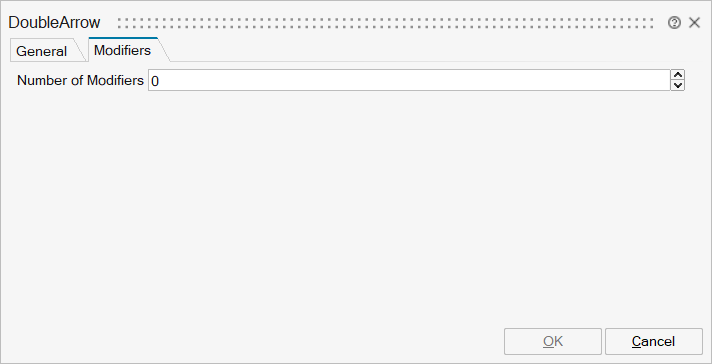
| Name | Label | Description | Data Type | Valid Values |
|---|---|---|---|---|
mo__nmodifiers | Number of Modifiers | Specifies the number of modifiers | Number | |
mo__modifiers | Modifiers | Add new modifier | Structure | |
mo__modifiers/varname | Variable name | Cell of strings | 'rvisobj' | |
mo__modifiers/attribute | Attribute | Cell of strings | 'start' | |
mo__modifiers/value | Value |