Use the Templates tool to edit and test NVH templates used for creating lumped
parameter (LP) models, multiple instances of one model transformed to a new geometric location,
or loadcases.
From the NVH Tools ribbon, click the Templates
tool.Figure 1.
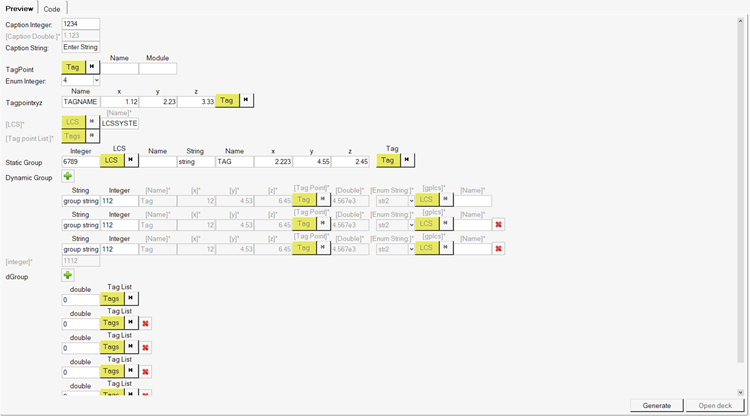
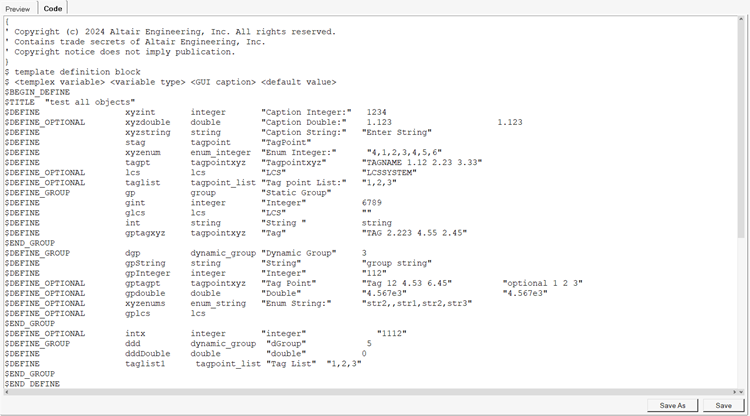
Once a templex template (.tpl) file is
selected using the drop-down menu, the Preview tab of the dialog is populated with the user
interface generated by the template. The Code tab is populated with the selected template
code.Figure 2. Figure 3.
Click Browse to navigate to a new folder if needed to populate
an available template in the Select Templex drop-down menu.
Click Generate to generate a template output file in which
parameters in the template are replaced by user provided input on the Preview tab. If
necessary, select a new output file path in the Output file field.
Click Open deck to load the output file in a text editor for
review.
If the template is edited in the Code tab, click Save As to
save a copy of the template, or click Save to save changes into
the original template file.
Click Show Log/Hide Log to toggle the display of the log
area.