
Duty cycle
Among the Standard Duty Cycle Integration: users can select the S9 mode which corresponds to the user-definied mode.
S9 (user-defined mode)
In addition to the previous IEC-standard duty types a user-defined one (S9 mode) can be defined.
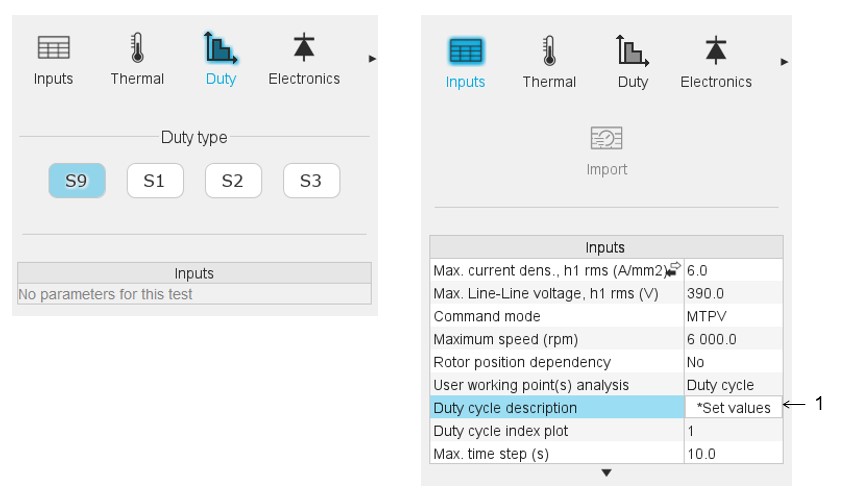
User working point(s) analysis = Duty cycle
This allows computing the machine performance all over a customized duty cycle.
This duty cycle must be defined by using the field: "Duty cycle description" and by clicking on the button "Set values" (index 1 in the image above)
Two ways are possible to fill in the table: either filling in the table line by line
or by importing an excel file which all the working points of the duty cycle are
defined.
Note: A working point is defined by a time, a
speed, and a mechanical torque.
Note: Once the test
results have been computed, new user working point and duty cycle values can be
set, and results will appear instantaneously when relaunching the
test.
 |
|
|---|---|
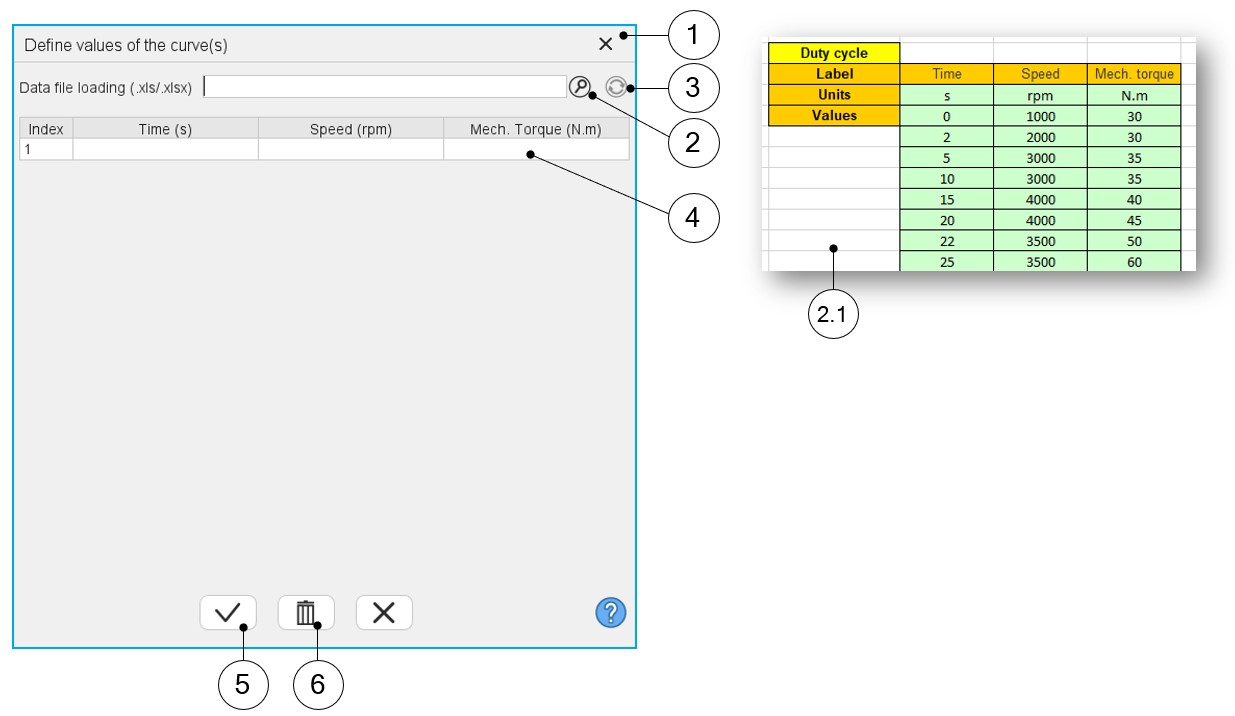
| 1 | Dialog box opened after having clicked on the button “Set values” in the field “Cycle description” |
| 2 | Browse the folder to select an Excel file which describes the duty cycle |
| 2.1 | Excel file template to define the duty cycle |
| 3 | Button to refresh the table data when the considered Excel file has been modified |
| 4 | Fields to be filled with data to describe the duty cycle to be considered. |
| 5 | Validate the data inputs |
| 6 | Erase the data table |
Note: The Excel template used to import a duty cycle is stored in
the folder Resource/Template in the installation folder of FluxMotor.