
Duty
Introduction
The Duty – Settings are un unlocked when the thermal solving is selected in the Thermal – Settings.
Standard duty types are available and the corresponding thermal limit analysis can be computed.
This brings together electromagnetic and thermal simulation by enabling users to visualize temperature maps over the entire operating range of a motor under standardized duty cycles (S1, S2, S3). The feature provides deep insight into the thermal limits of the machine that are critical for optimizing reliability, cooling strategies, and motor performance in real-world industrial applications.
Users will find the following key functionalities:
Standard Duty Cycle Integration: users can select from three commonly used IEC-standard duty types
S1 (Continuous)
-
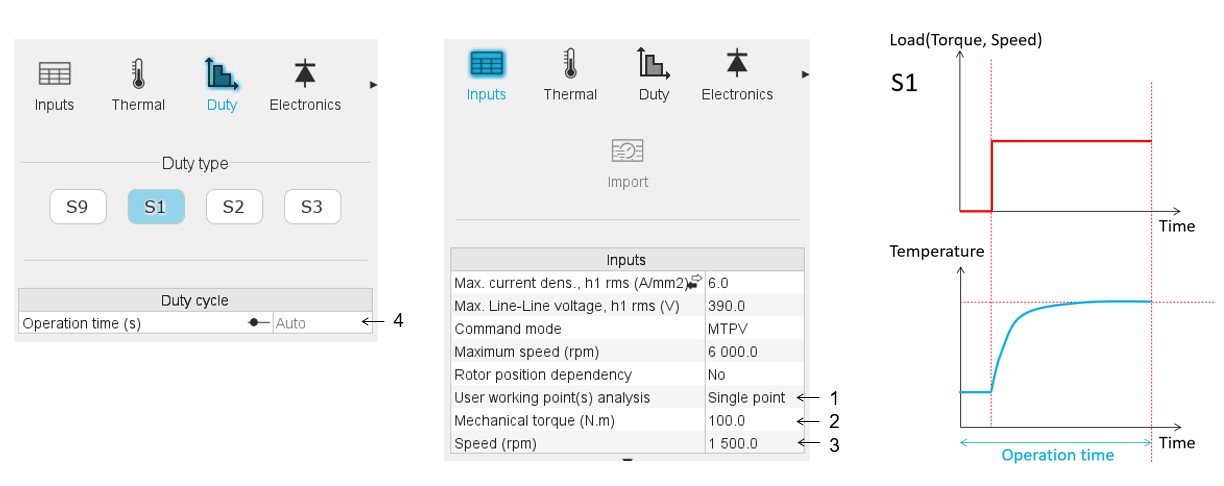
With the S1 mode, a single point must be defined. The targeted working point must be defined with:
- The mechanical torque
- The Speed
-
Operation time:
- Auto mode: The calculation duration is determined automatically to allow the temperature to reach its steady state.
- User mode: The user can set the operation time value.
S2 (Short-Time)
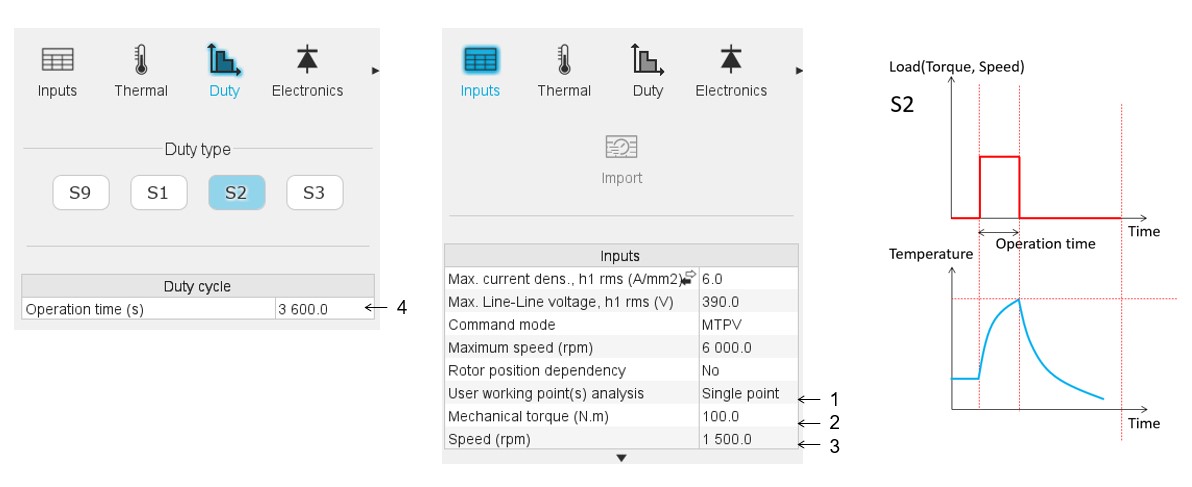
- With the S2 mode, a single point must be defined. The targeted working point must be defined with:
- The mechanical torque
- The Speed
- Operation time: The user can set the operation time value.
S3 (Intermittent Periodic)
-
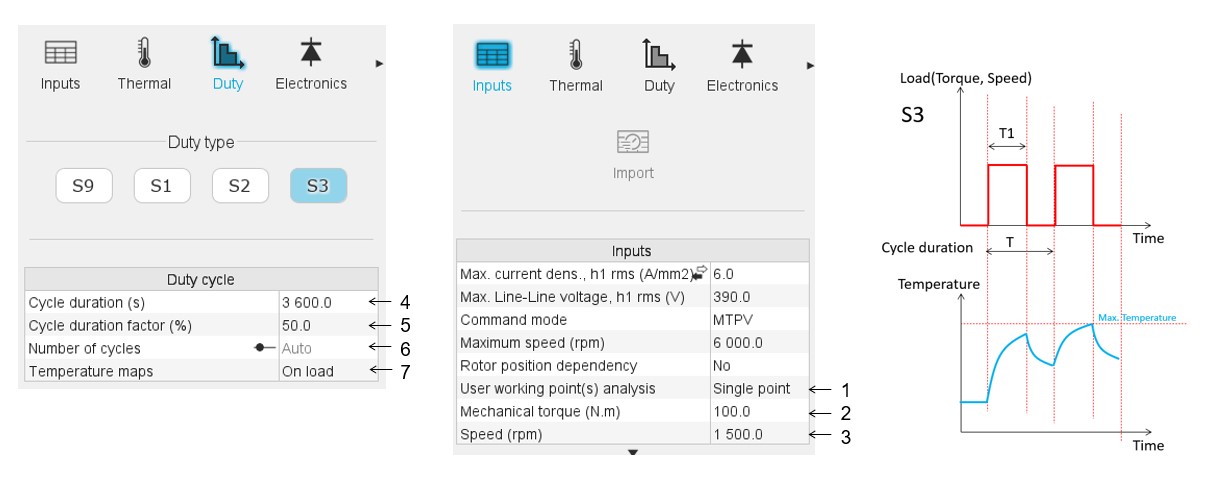
With the S3 mode, a single point must be defined. The targeted working point must be defined with:
- The mechanical torque
- The Speed
- Cycle duration T
- Cycle duration factor = ratio between T1 and T.
- Number of cycles:
- Auto mode: The number of cycles is determined automatically to allow the temperature to reach its steady state.
- User mode: The user can set the number of cycles.
- Temperature maps: two choices are possible:
- "On load"
- "Rest"
- For each torque-speed operating point, the motor is simulated under the chosen duty.
- At the end of the duty pattern, the steady-state or cycle-end temperature is recorded.
- A complete thermal map is produced, visualizing hot zones and thermal risks.
- For S1 and S3, automatic cycle duration estimation is available based on the thermal time constant of the machine (typically 5× time constant), ensuring sufficient time to reach steady-state or periodic stability.
- Users can select any working point to plot temperature vs. time, enabling assessment of heating and cooling dynamics across different duty profiles.
S9 (user-defined mode)
In addition to the previous IEC-standard duty types a user-defined one (S9 mode) can be defined.
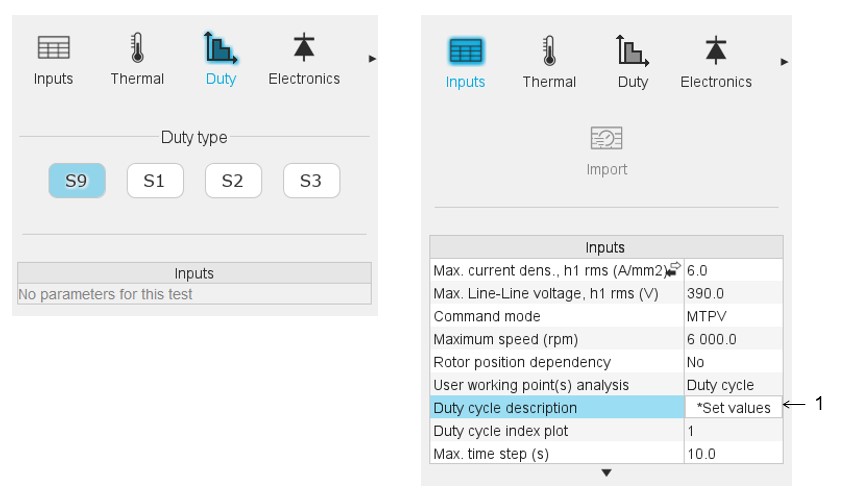
User working point(s) analysis = Duty cycle
This allows computing the machine performance all over a customized duty cycle.
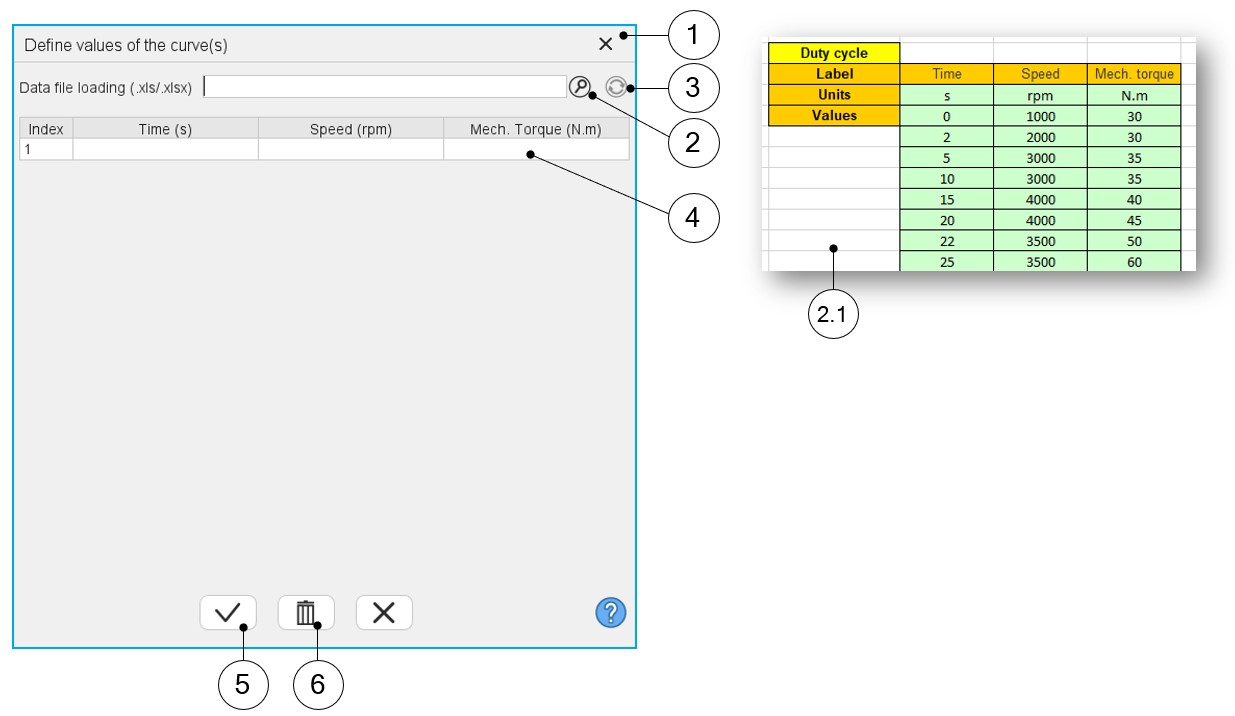
This duty cycle must be defined by using the field: "Duty cycle description" and by clicking on the button "Set values" (index 1 in the image above)
 |
|
|---|---|
| 1 | Dialog box opened after having clicked on the button “Set values” in the field “Cycle description” |
| 2 | Browse the folder to select an Excel file which describes the duty cycle |
| 2.1 | Excel file template to define the duty cycle |
| 3 | Button to refresh the table data when the considered Excel file has been modified |
| 4 | Fields to be filled with data to describe the duty cycle to be considered. |
| 5 | Validate the data inputs |
| 6 | Erase the data table |