|
Selecting and Defining the Data Connector File Source
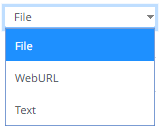
Several connectors including JSON, MS Excel, Text, XML, and Stream Simulator, allow selection from a File, Web URL, or Text source.
Steps:
Select the connector file source:
q File
Enter the File Path.

Ensure that in a cluster, you need to use a a shared path, or put it on every node and use a path that resolves on every node. You can update its contents whenever you want.
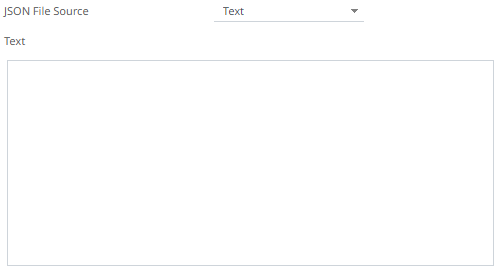
q Text
Then enter the text block to be parsed.
|
NOTE |
The Text file source is not available for the MS Excel connector.
|
q Web URL
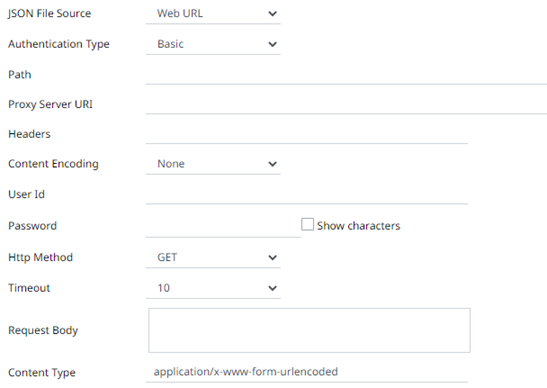
The dialog changes to allow specification of the following:
|
Property |
Description |
|
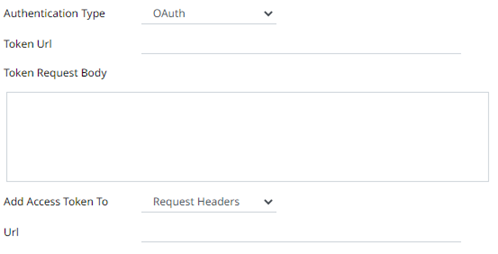
Authentication Type |
· Basic The basic authentication. · OAuth
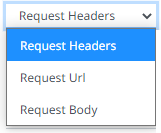
Then enter the following settings: o Token URL – The URL to retrieve the access token from. o Token Request Body – The request body used for access token requests. o Add Access Token To - The Access token retrieved from the Token URL can be added to headers, URL or request body, depending on how the endpoint needs the token.
§ Request Header - A header is automatically added to the REST API request. § Request URL - The URL needs to be manually parameterised with a {access_token} parameter, before calling the REST API, the parameter is replaced with the actual token. § Request Body - The Request Body needs to be manually parameterised with a {access_token} parameter, before calling the REST API, the parameter is replaced with the actual token. NOTE: Not available in the Stream Simulator connector. |
|
Path |
The absolute path including the http where the file is located. |
|
Proxy Server URI |
The HTTP Proxy setting that will allow the connector to reach the endpoint. |
|
Headers |
· Headers are separated by a comma · Each Header is entered as Name = Value, where Name and Value can be enclosed in double quotes to allow inclusion of any character except for double quotes · Name and Value can also be left unquoted, in which case they may not include comma or equals characters |
|
Content Encoding |
Select the Content Encoding with the HTTP Header: None, GZip, Deflate, or GZip and Deflate |
|
User Id |
The user Id that will be used to connect to the connector’s service. |
|
Password |
The password to connect to the connector’s service. Check the Show Characters box to display the entered characters. |
|
HTTP Method |
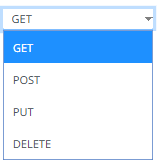
Select the appropriate HTTP method for the request from the following options:
· GET – retrieve data · POST – add new data · PUT – replace existing data · DELETE – remove existing data |
|
Timeout |
The length of time to wait for the server response (10 to 300). Default is 10. |
|
Request Body |
The Request Body for the HTTP POST. |
|
Content Type |
The required Content Type. Default is application/x-www-form-urlencoded |
|
Record Path |
The record path that will be queried by the connector’s path (e.g., myroot.items.item). |