Review Loadcases
Use the Review Loadcases tool to review loadcases present in the model and choose which loadcases to export in the OptiStruct solver file.
-
From SnRPre ribbon, Analyze
ribbon, select Review Loadcases tool from the Run tool
group.
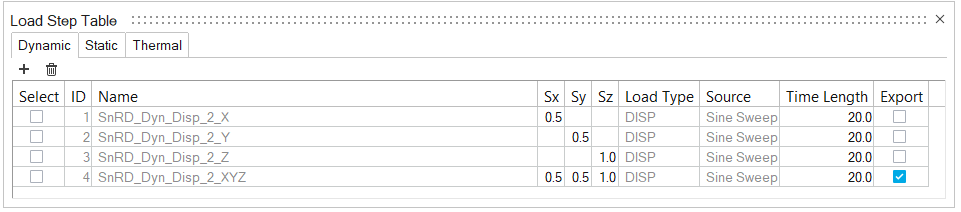
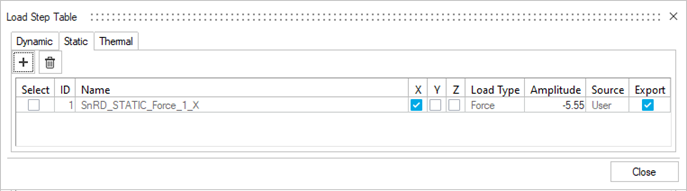
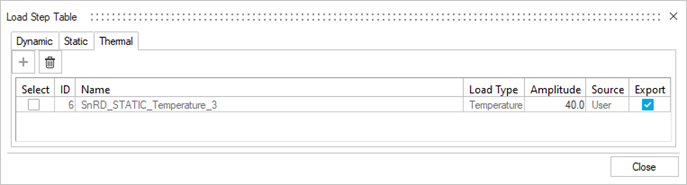
Figure 1.  The Load Step Table dialog opens containing all the loadcases present in the session.Note: Depending on the type of event, the loadcases will be populated in the respective tabs of the table.
Figure 2. 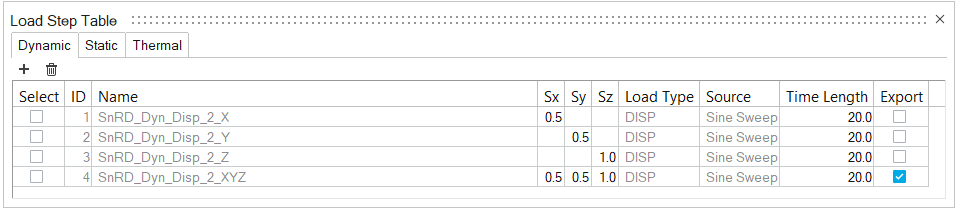
-
In the Export column, select the check boxes for the required loadcases.
The selected loadcases will be exported to the OptiStruct solver file.
- Exit the dialog.
 ) or Delete (
 ) loadcases.