
Enhancement of Motor Factory
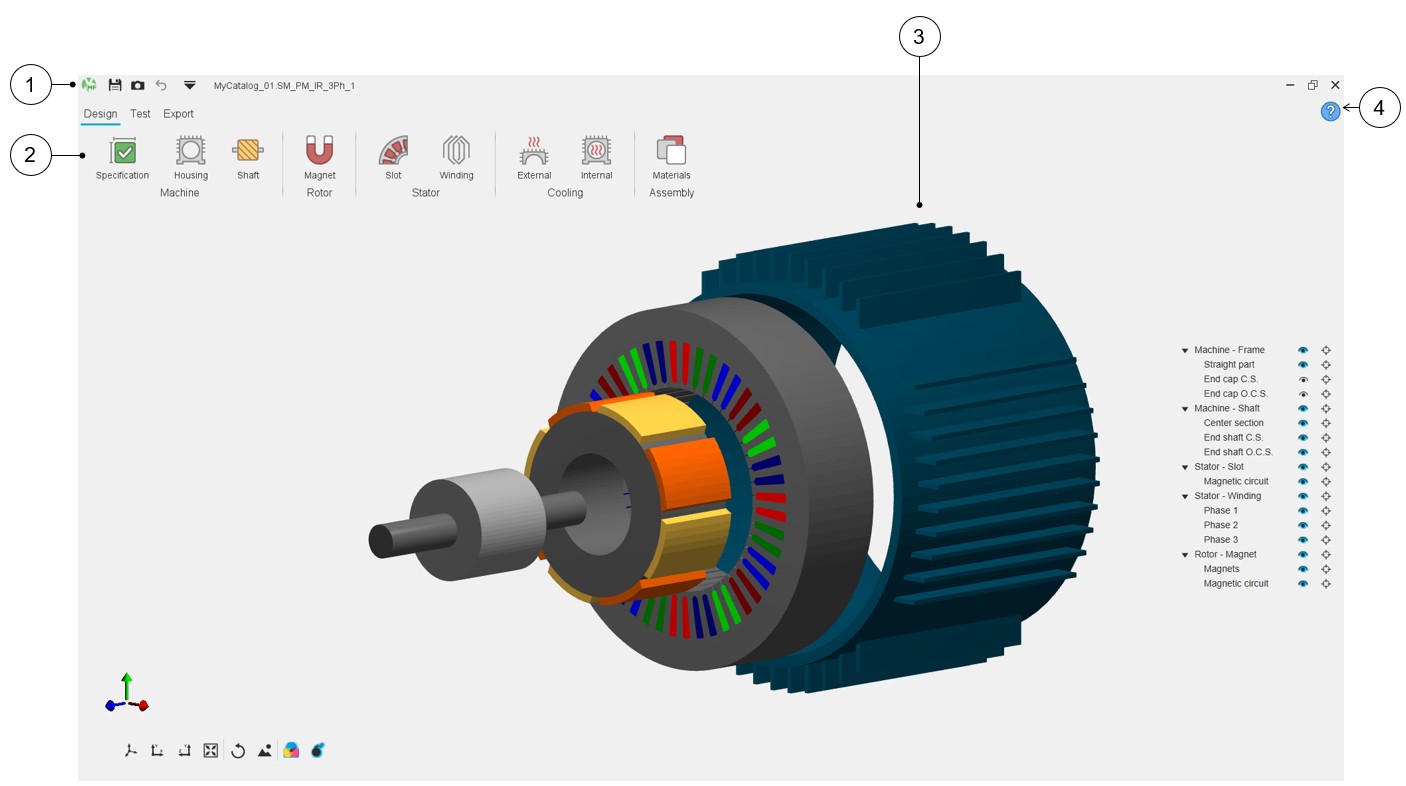
The main improvements are illustrated in the tables below.
 |
|
|---|---|
| 1 | Generic functions: Save, Store, and Undo are also available in the top left-hand corner of the screen next to the drop-down menu in which generic functions such as Save, Save as, Store, Undo, About, Debug, Help and Exit can be selected as well. |
| 2 | New icons for illustrating the main areas |
| 3 | 3D view to get a better visualization |
| 4 | Online user help guide link. One link is dedicated to each design area. |
 |
|
|---|---|
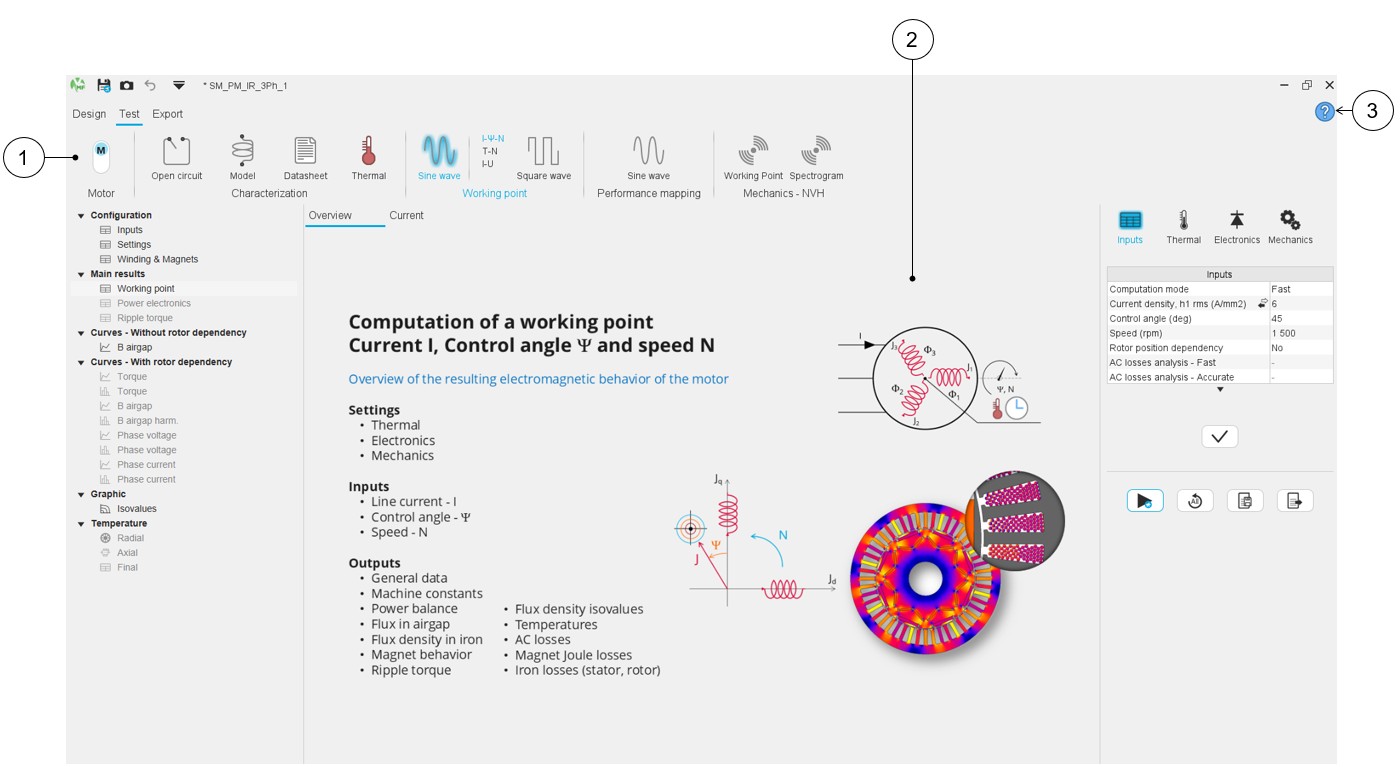
| 1 | New icons |
| 2 | New overviews |
| 3 | Online user help guide link. One link is dedicated to each test area. |
 |
|
|---|---|
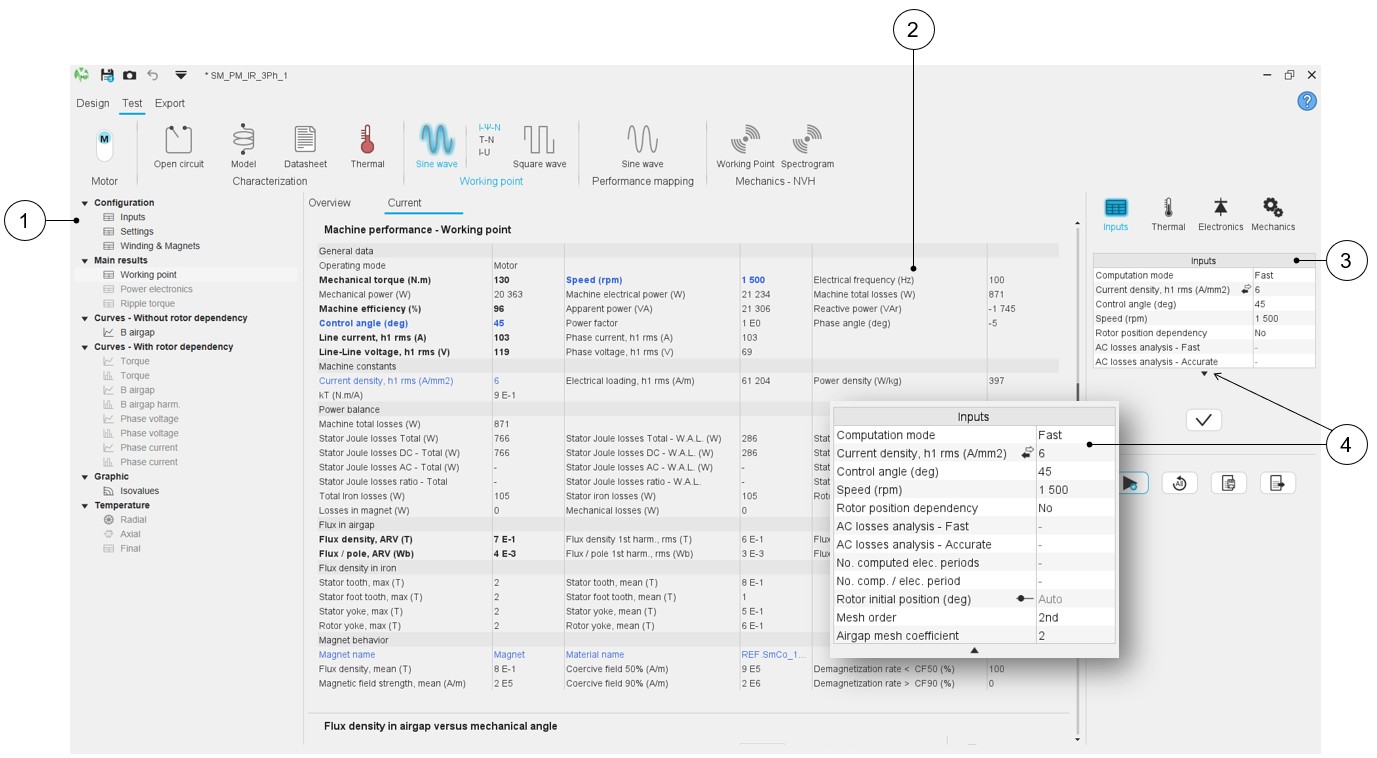
| 1 | New selection tree - More compact layout for more efficient selection. |
| 2 | Lighter presentation of results |
| 3 | Lighter presentation of user inputs. Advanced user inputs can be visualized by clicking on the arrow (4) |
 |
|
|---|---|
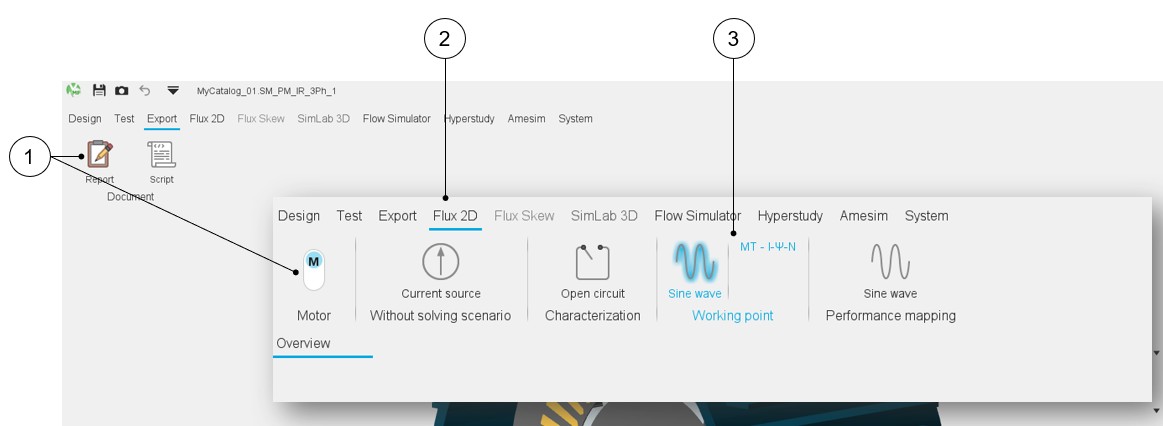
| 1 | New icons |
| 2 | Export to external software: Flux 2D in our example. |
| 3 | Selection of a test project to be exported: Working point – Sine wave – MT – I, PSI, N |