
import
Description
The set of inputs can be imported from another test already performed in Motor Factory Test environment.
It can be current results or saved test results.
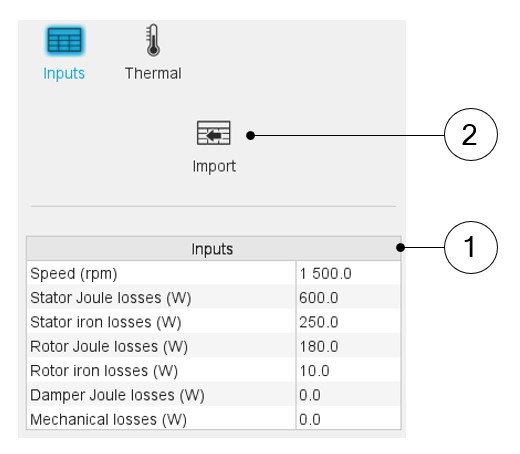 |
|
|---|---|
| 1 | Fill in the table to define the speed and all the losses to be considered |
| 2 | Click on the button “Import” to import inputs corresponding to a solved test. All existing data of the selected test will be imported into the inputs of the thermal characterization. The data which does not exist in the outputs of the selected test are set to 0. |
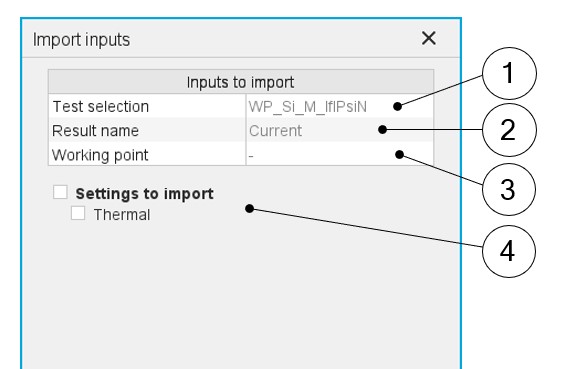 |
|
|---|---|
| 1 | Selection of the test. Only solved tests are available in the drop-down list. |
| 2 | Current tests as well as saved tests can be selected. |
| 3 | When several working points are computed in the selected test, each of them can be selected to consider the corresponding losses. |
| 4 | The thermal settings of the referent test can be imported as well |
Note: The imported data are the output data directly shown in the
considered solved test. For some tests, some values are not defined (like for
instance the Joule magnet losses or rotor iron losses). In that case, the
corresponding values are set to 0 in the thermal characterization input
table.