Inputs
Standard inputs ––––--
Mechanical torque
The value of the targeted “mechanical torque” must be provided.
Speed
The value of the targeted “Speed” must be provided.
Command mode
Two commands are available: Maximum Torque Per Voltage (MTPV) and Maximum Torque Per Amps (MTPA) command mode.
Ripple torque analysis
The “Ripple torque analysis” (Additional analysis on ripple torque period: Yes / No) allows to compute or not to compute the value of the ripple torque and to display the corresponding torque versus the angular position over the corresponding ripple torque period.
- This choice influences the accuracy of results and the computation time. The peak-peak ripple torque is calculated. This additional computation needs addition computation time.
- In case of “Yes”, the ripple torque is computed. Then, the flux density in regions and the magnet demagnetization rate are evaluated through the ripple torque computation.
- In case of “No”, the ripple torque is not computed. Then, the flux density in regions and the magnet demagnetization rate are evaluated by considering the Park’s model computation.
Advanced inputs ––––--
No. comp. for Jd,Jq
To get maps in the Jd-Jq plan, a grid is defined. The number of computation points along the d-axis and q-axis can be defined with the user input « No. comp. for current Jd, Jq » (Number of computations per quadrant for D-axis and Q-axis phase currents).
The default value is equal to 5. This default value provides a good compromise between the accuracy of results and computation time. The minimum allowed value is 5.
No. comp. / ripple period
The number of computations per ripple torque period is considered to perform a “Ripple torque analysis”.
The user input “No. comp. / ripple period” (Number of computations per ripple torque period) influences the accuracy of results (computation of the peak-peak ripple torque) and the computation time.
The default value is equal to 30. The minimum allowed value is 25. The default value provides a good compromise between the accuracy of results and computation time.
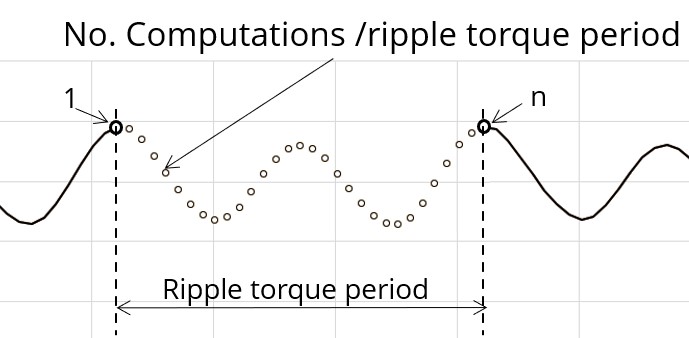
Rotor initial position
By default, the “Rotor initial position” is set to “Auto”
(except in the test Characterization / Cogging where it is a user input whose default value is 0).
When the “Rotor initial position mode” is set to “Auto”, the initial position of the rotor is automatically defined by an internal process of FluxMotor.
The resulting relative angular position corresponds to the alignment between the axis of the stator phase 1 (reference phase) and the direct axis of the rotor north pole.
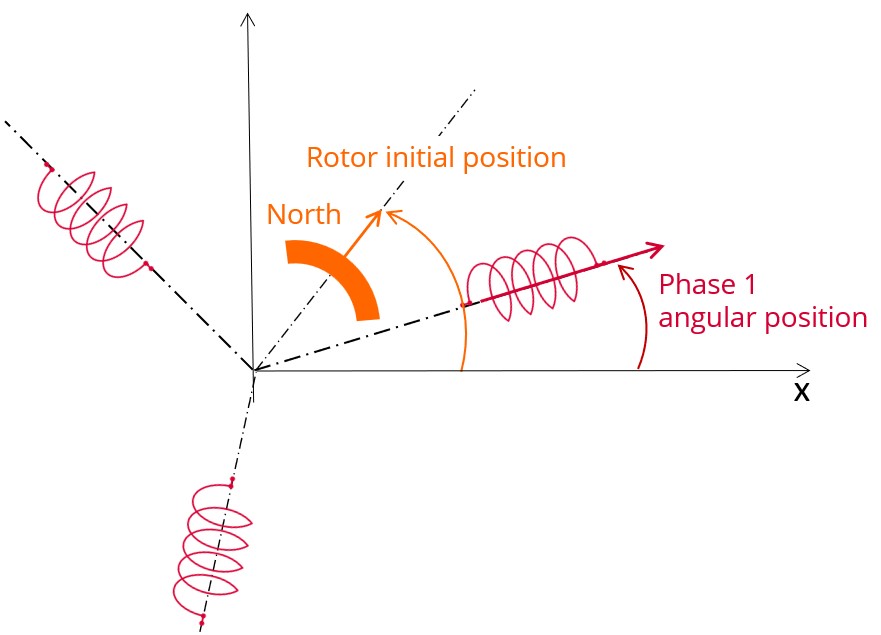
The winding axis of the reference phase is defined from the phase shift of the first electrical harmonic of the magneto motive force (M.M.F.).
Skew model – No. of layers
Mesh order
To get the results, Finite Element Modelling computations are performed.
The geometry of the machine is meshed.
Two levels of meshing can be considered: First order and second order.
This parameter influences the accuracy of results and the computation time.
By default, second order mesh is used.
Airgap mesh coefficient
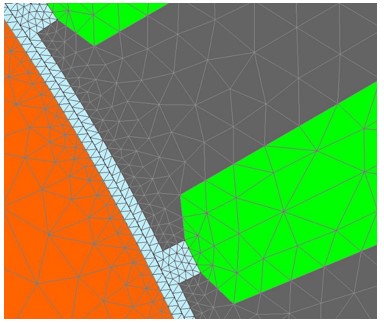
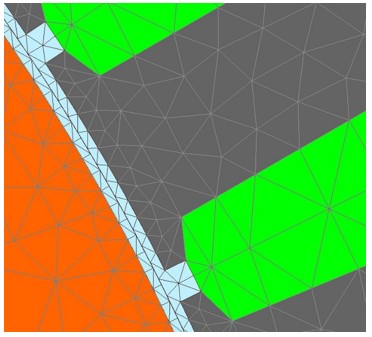
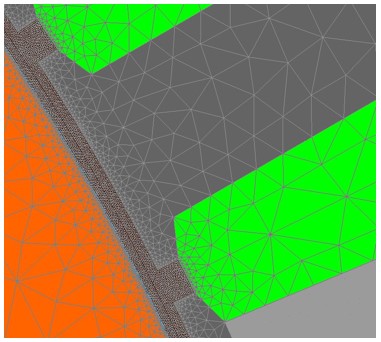
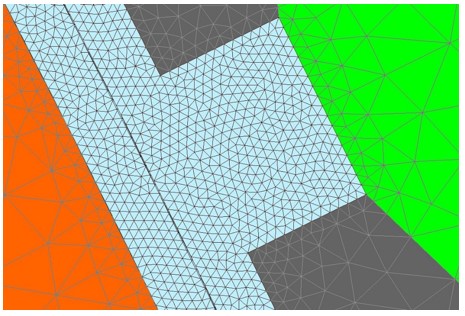
The advanced user input “Airgap mesh coefficient” is a coefficient which adjusts the size of mesh elements inside the airgap. When the value of “Airgap mesh coefficient” decreases, the mesh elements get smaller, leading to a higher mesh density inside the airgap, increasing the computation accuracy.
The imposed Mesh Point (size of mesh elements touching points of the geometry), inside the Altair Flux software, is described as:
MeshPoint = (airgap) x (airgap mesh coefficient)
Airgap mesh coefficient is set to 1.5 by default.
The variation range of values for this parameter is [0.05; 2].
The impact of the airgap mesh coefficient on resultant meshing is illustrated bellow: