| 1 |
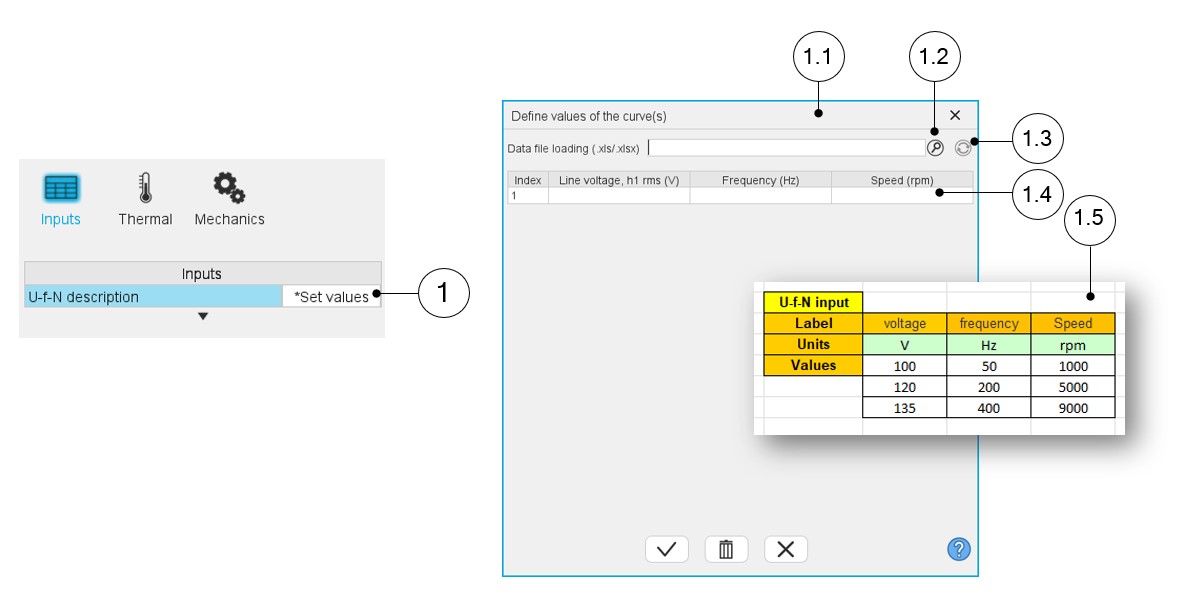
Click on the button “Set values” of the field “ U, f, N
description” to define the working points in a dialog box. Refer to
the next illustration which shows how to fill the working point
table. |
| 1.1 |
Dialog box opened after having clicked on the button “Set values”
in the field “Cycle description” |
| 1.2 |
Browse the folder to select an Excel file to define the working
points to be considered |
| 1.3 |
Button to refresh the table data when the considered Excel file
has been modified |
| 1.4 |
Fields to be filled with data to describe the list of working
points to be considered |
| 1.5 |
Excel file template to define the list of working points |