-
Click
 beside the search bar.
The
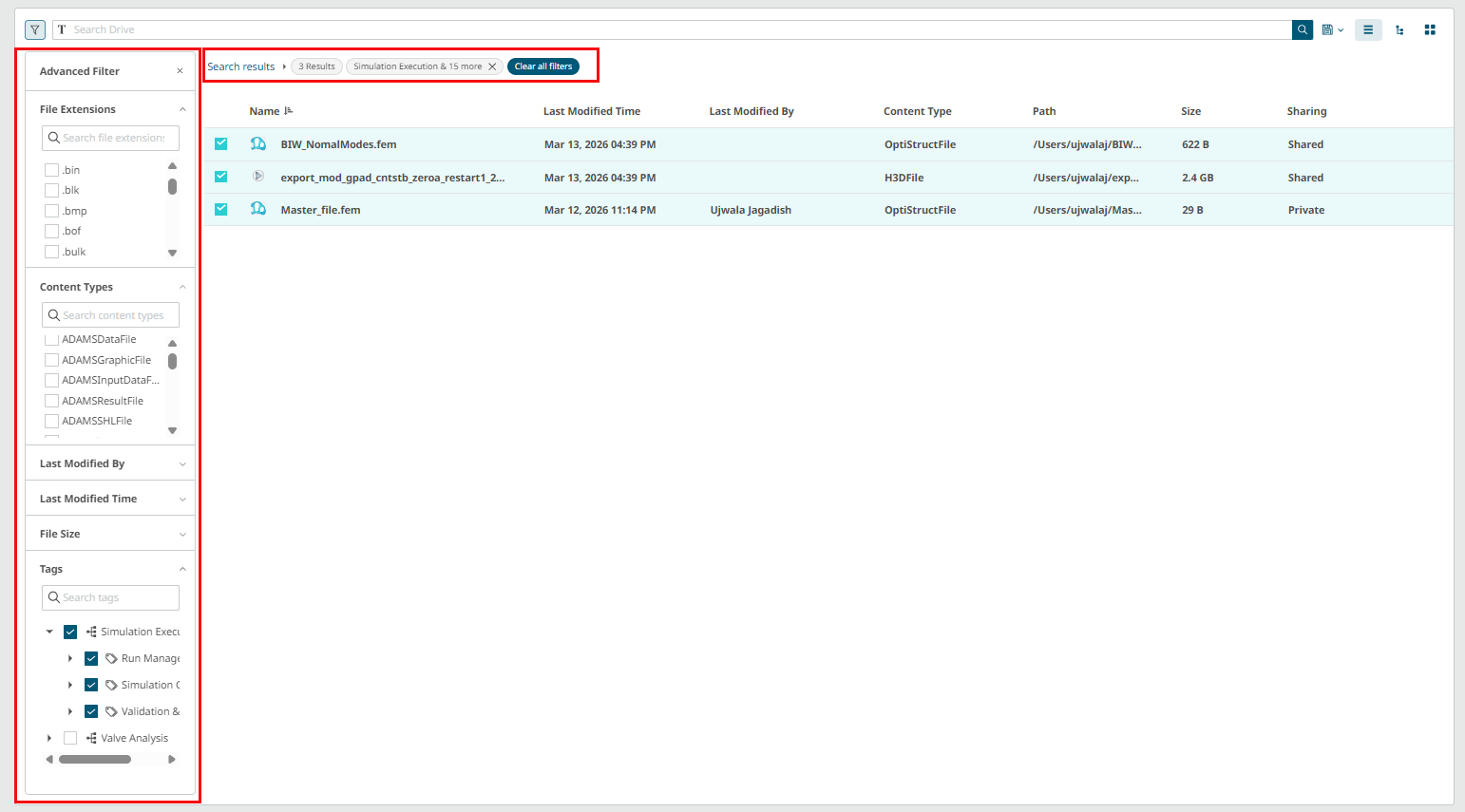
Advanced Filter panel is displayed.
Figure 1. Advanced Filter
-
Use the available Filters to refine the search.
-
File Extensions: Select one or more file types.
-
Content Types: Filter by file categories.
-
Last Modified By: Filter by user.
-
Last Modified Time: Specify a date range.
-
File Size: Define file size. For example, Small (0KB-1MB),
Medium (1MB-1GB), Large (> 1GB), or enter a custom value.
-
Tags: Select one or more tags to filter tagged files.
Select the required filter values. The
application filters the files list automatically and the advanced search result
is displayed.
-
Click
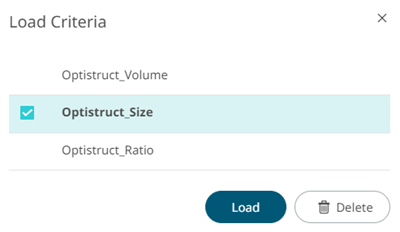
 . The list of saved criteria is displayed.
Figure 2. Load Criteria
-
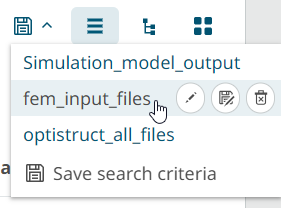
Hoverover the criteria.
Figure 3. Criteria List
-
Click .
The Save Search Criteria
dialog is displayed.
-
Enter a new criteria name.
-
Click Save.
The advanced search criteria is saved.
