Profile Functions
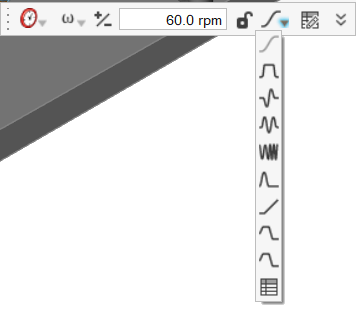
Motors and actuators have a profile option on the microdialog that allows you to change how the shaft moves as time elapses (or another independent variable changes).
The following profile functions are available:
- Step
- Step Dwell Step
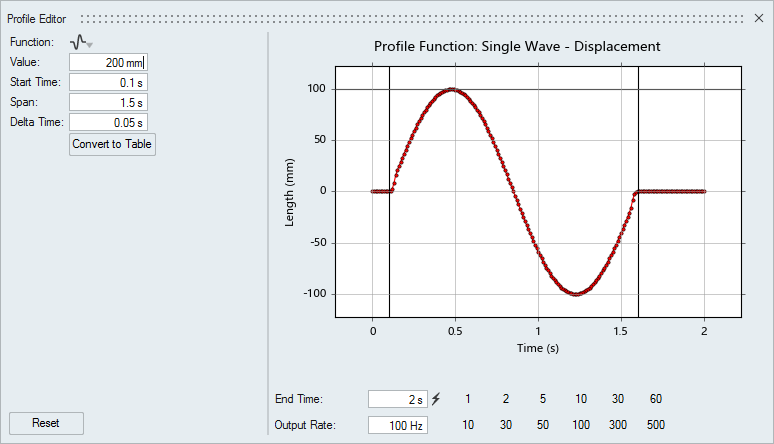
- Single Wave
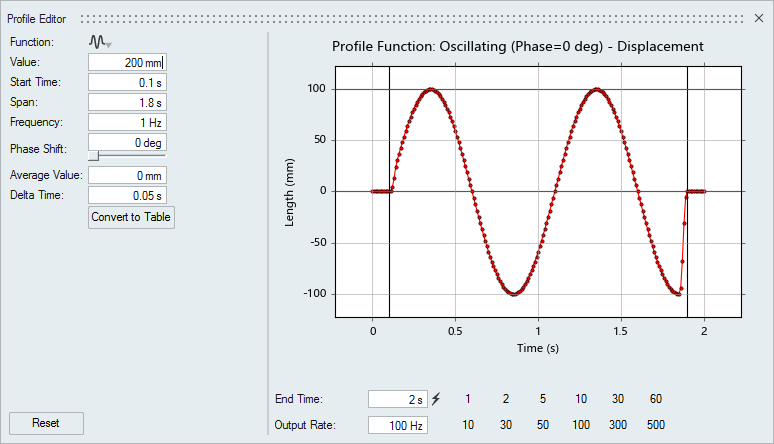
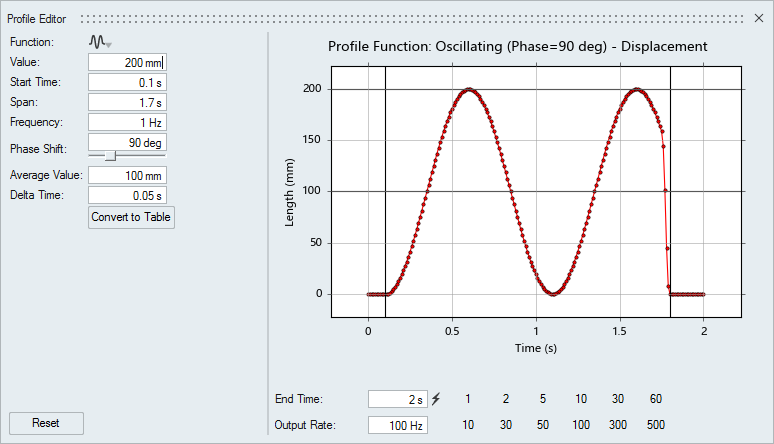
- Oscillating
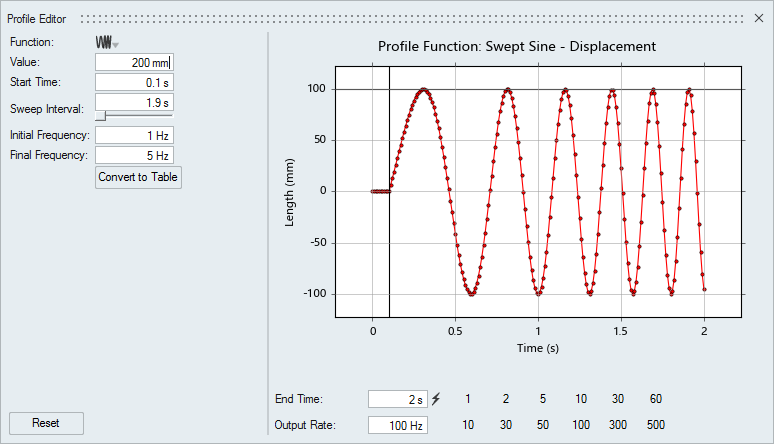
- Swept Sine
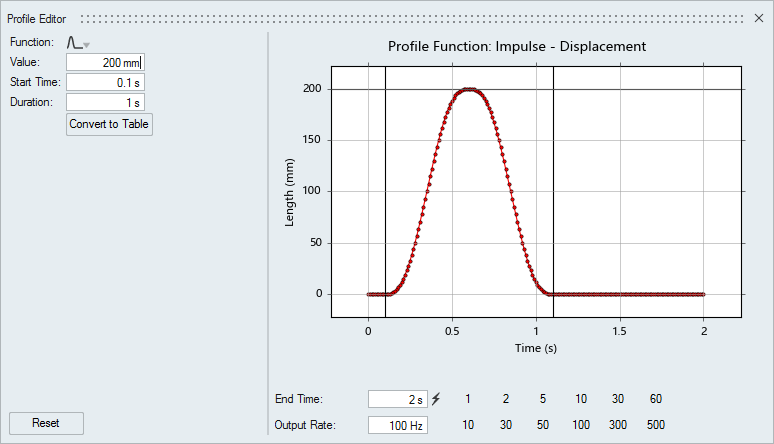
- Impulse
- Ramp
- Multi-Signal
Note: You can change the parameters of a profile function using
the Property Editor.
Profile Types: Examples
Learn about various profile types with example waveforms and usage notes for motion profile configuration.
Step
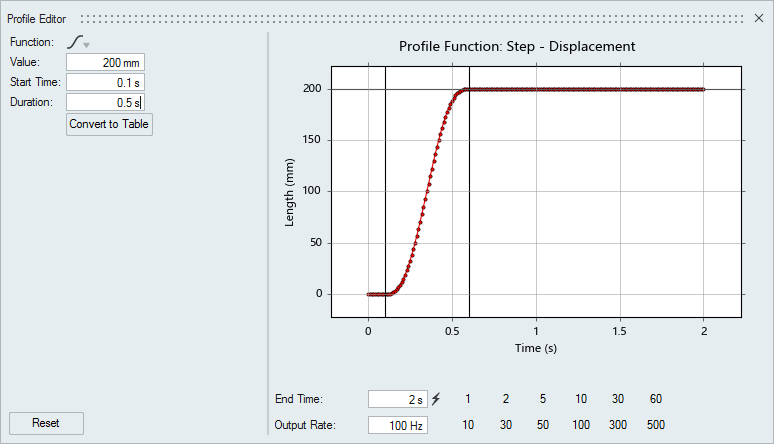
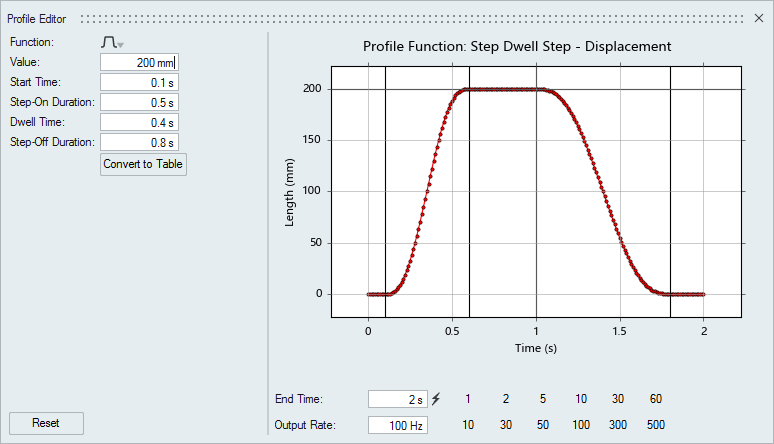
Step Dwell Step
Swept Sine
Impulse
Ramp
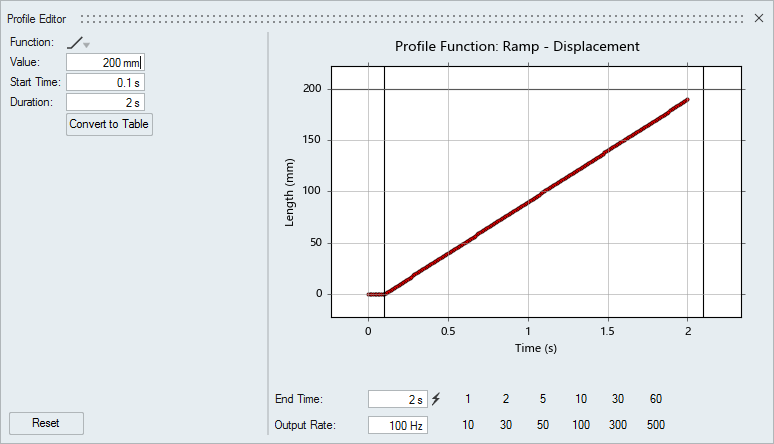
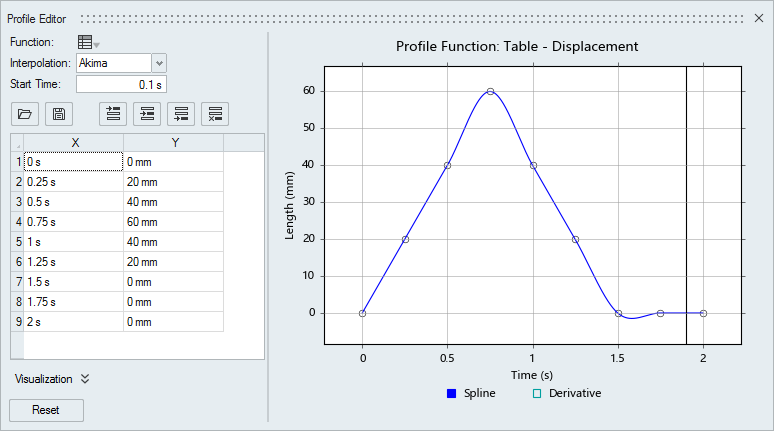
Table Profile
Profile Parameters
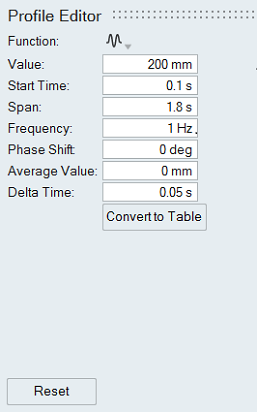
Parameters available in the Profile Editor vary based on what profile function is selected.
- Span
-
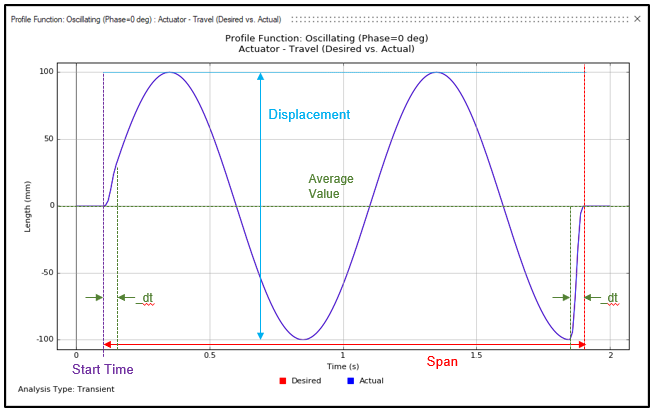
The time span from when the waveform begins to when it ends. For example, in the figure below, the time span is 1.8.
The Span and dt are related as the profile curve ramps up over time dt and tails off over time dt to prevent discontinuity in the profile.