


|
Creating Data Extract from DolphinDB
The DolphinDB connector allows you to connect and query tables using DolphinDB java API.
Steps:
1. On the New Data Extract page, select DolphinDB in the Connector drop-down list.
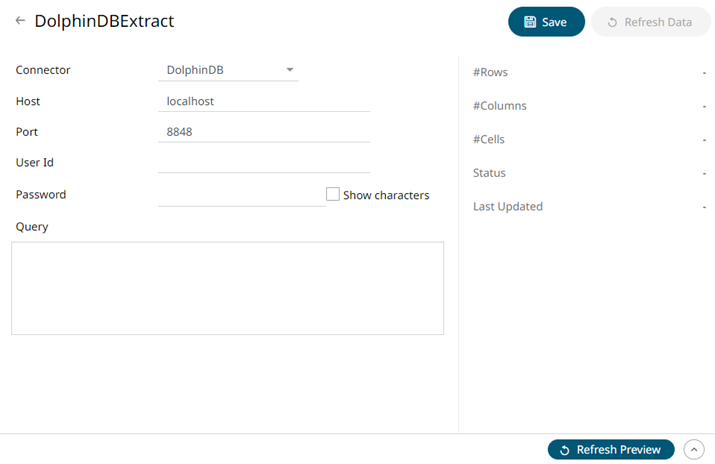
2. Enter the following information:
|
Property |
Description |
|
Host |
DolphinDB host address. |
|
Port |
DolphinDB host port. Default is 8848. |
|
User Id |
The username used to connect to the DolphinDB service. |
|
Password |
The password used to connect to the DolphinDB service. Check the Show Characters box to display the entered password characters. |
3. Enter the Query, which can contain parameters in a similar manner to the database connector.
4. Click  to save and display the details of the data extract.
5. Click
 then
then  to display the data
preview.
to display the data
preview.