


|
[9] Data Templates
After the user with a Designer role successfully retrieves the data table using the Panopticon connectors and can publish it as a data template that:
q can be used by other users with granted permissions to create workbooks
q allows the changes in the data template to be appended to existing workbooks
For more information on how to save and publish a data table template, refer to Publishing a Data Table Template section in the Altair Panopticon Web Authoring Guide.
|
NOTE |
Starting with version 21.2, data table templates are stored inside the repository and synced between servers in a cluster. |
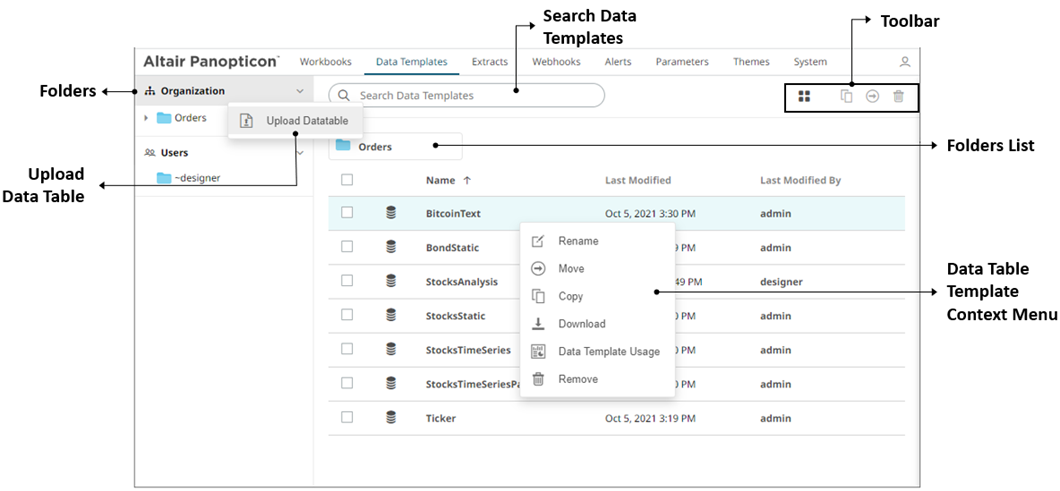
On the Data Templates page, Administrators can:
q View the list of published data table templates
q Search, sort, upload, rename, move, copy, download, or remove data table templates
q View the data template usage
q Update the referring workbook using the data template