


|
View Cache Usage
View the caches currently in use on the server.

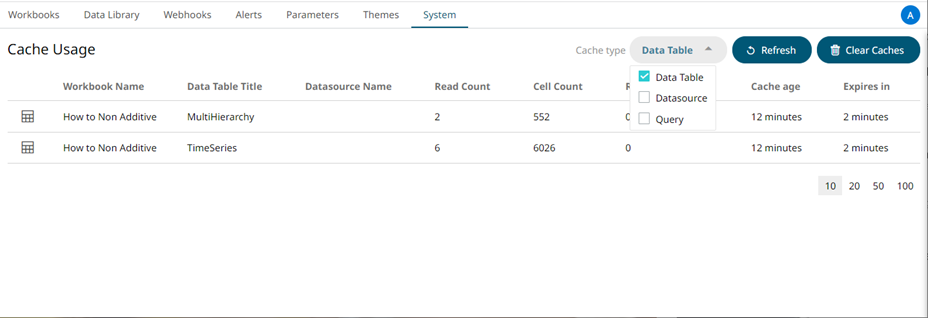
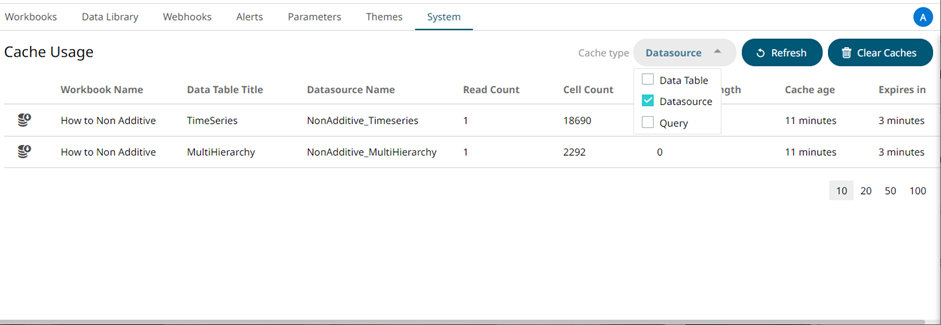
The Cache Usage list includes the following information:
q Cache rendering type
q Workbook Name
q Data Table Title
q Data Source Name
q Read Count
q Cell Count
q Response Length
q Cache Age
q Time to Live (Expires In)
You can also opt to do the following:
q Clear Cache and refresh page
q Display Data Table Cache
q Display Data Source Cache
q Display Query Cache
q Move to other pages
Click the
Refresh  button
to refresh the list.
button
to refresh the list.
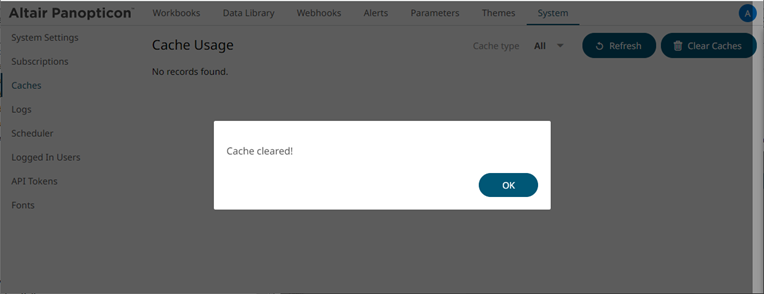
Clicking Clear
Cache  will clear
all caches of data, ensuring that any subsequent workbook access that
utilizes a cache, will cause a cache reload.
will clear
all caches of data, ensuring that any subsequent workbook access that
utilizes a cache, will cause a cache reload.
Select a Cache Type to display in the list.

q Data Table Cache Type
q Data Source Cache Type
q Query Cache Type
