|
Disabling Nalpeiron Licensing
In some instances, using Nalpeiron licensing (Activation Code) may lead to issues that prevent other licensing methods from functioning as they should. When this happens, you may wish to disable the Nalpeiron Licensing method for your Monarch installation.
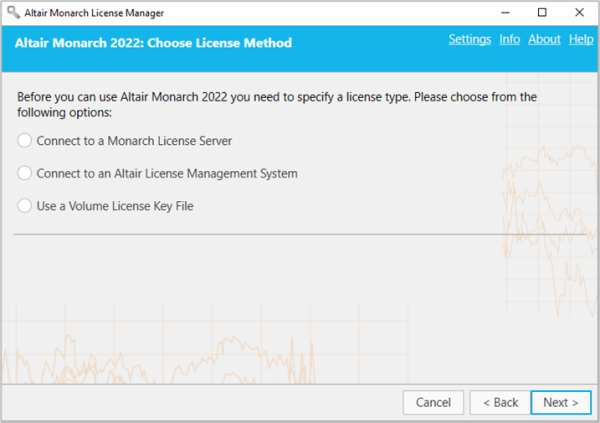
To do so, click Settings on the upper right-hand corner of the License Manager and then select the Advanced tab.
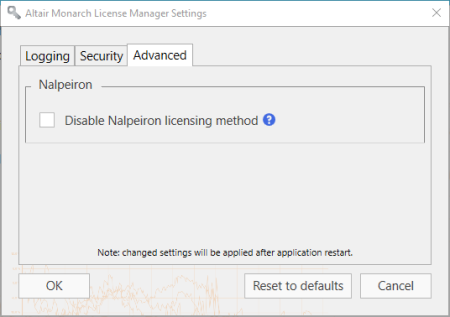
Tick the box for Disable Nalpeiron licensing method and then click OK.
If you would like to reset the application default, click the Reset to defaults button. To cancel any changes, click Cancel.
When Nalpeiron licensing is disabled, the option to license Monarch using an activation code no longer displays in the Choose License Method screen of the Monarch License Manager.