


|
Configuring Security Protocols
Previous versions of License Manager only allowed the SSL 3.0 and TLS 1.0 security protocols by default (.NET 4.5 application defaults). The current version of License Manager allows implementation of other protocols, including TLS 1.1 and TLS 1.2.
To configure which security protocols to enable, launch the License Manager, click on the Settings link located on the upper right-hand corner of the dialog and then click the Security tab from the Settings dialog that displays.
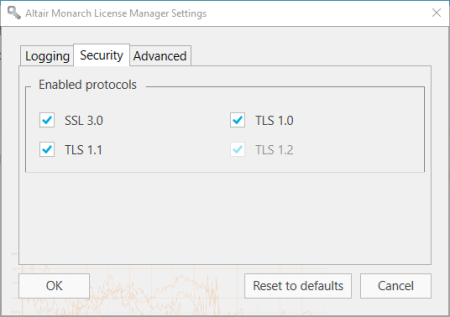
By default, all protocols are enabled. Uncheck the boxes to the left of the security protocols you with to disable. Note that TLS1.2 must be enabled to successfully register trial user information.
Click OK to save your changes, Reset to defaults to reverse your changes, or Cancel to close the dialog without saving your changes.