Specifying Logging Levels for Activation Settings
Depending on your license code, log files for activation settings in Monarch License Manager may be found in C:\ProgramData\Datawatch\Licensing\Nalpeiron\Datawatch Monarch 19 or C:\ProgramData\Datawatch\Licensing\Nalpeiron\Datawatch Monarch Subscription. You can change the amount of information provided in the log files via the Logging tab of the Activation Settings window.
-
From the Choose License Method screen, ensure that the Activate Altair Monarch 2023 using an Activation Code button is selected and then click Next.
The Activate License screen displays.
-
Click Settings at the lower left-hand corner of the screen.
-
In the Activation Settings window that displays, select the Logging tab.
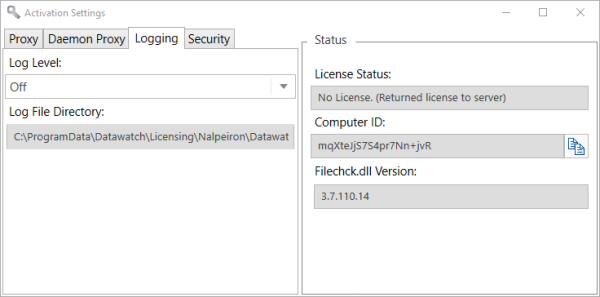
- From the drop-down menu, select a log level.
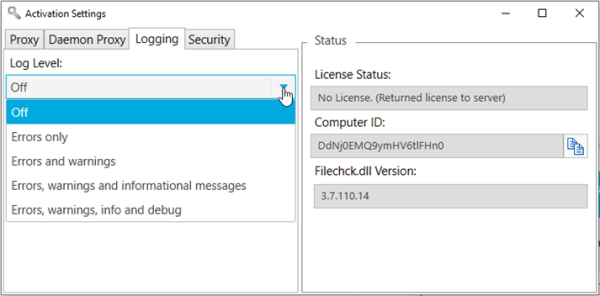
Accepted values include:
- Off
- Errors Only
- Errors and warnings
- Errors, warnings, info, and debug
You must restart the application for the settings specified in the Settings window activation come into effect
(c) 2023 Altair Engineering Inc. All Rights Reserved.