Deactivating Monarch Offline
An activated license can also be deactivated via offline deactivation.
-
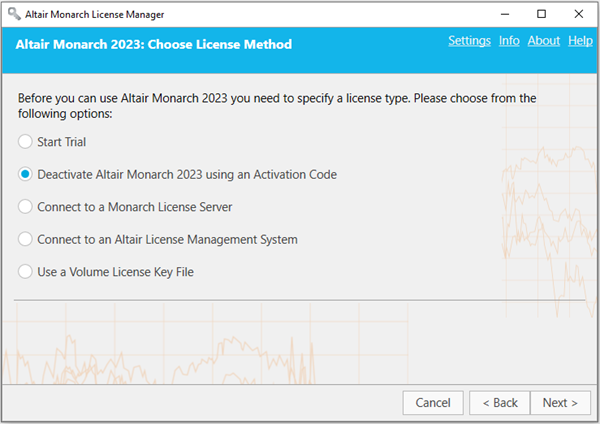
Launch License Manager. In the Choose License Method screen, ensure that Deactivate Altair Monarch 2023 using an Activation Code is selected and then click Next.
-
Click the Offline Deactivation button in the Deactivate License window.
-
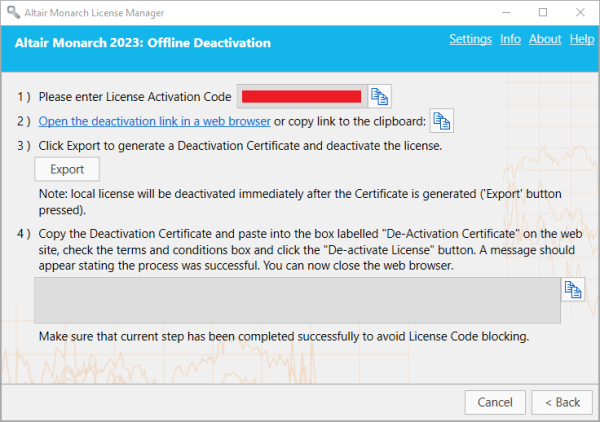
The Offline Deactivation window will appear. A list of basic steps to perform the procedure is also provided.
-
Open the deactivation page of the activation website.
-
Click the Export button to generate a Deactivation Certificate. This certificate will be immediately displayed in the text field of Step 4.
Note: Upon clicking the Export button, your Altair product will be deactivated locally. However, you will be unable to use the activation code on another machine until you click the Deactivate Licence button on the activation website.
-
Copy the generated deactivation certificate by clicking the Copy button and then paste it to the De-Activation Certificate field of the Nalpeiron webpage.
-
Check the terms and conditions box and then click the De-activate License button.
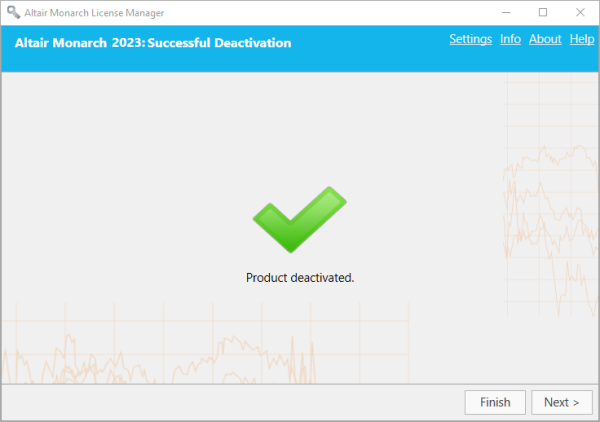
The license will be deactivated and available for use on a different machine.
(c) 2023 Altair Engineering Inc. All Rights Reserved.