Configuring Logging Settings
Log files for License Manager are typically located in C:\Users\Administrator\AppData\Local\Temp.
To modify the location of log files and the amount of information found in these files, click Settings on the upper right-hand corner of the License Manager and then select the Logging tab.
The contents of the Logging tab display.
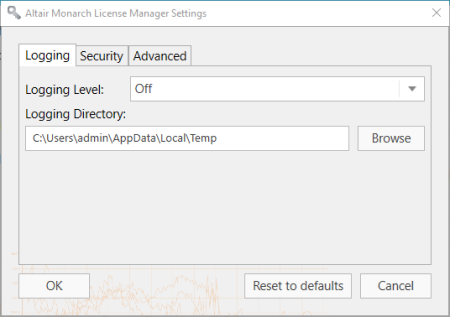
Using the drop-down provided, select a logging level using the following table as a guide:
|
Value |
Description |
|
Off |
Logs no events. |
|
Error |
Logs all exceptions. |
|
Warning
|
Logs events that have occurred or may occur and cause an otherwise normally running application to malfunction. |
|
Information |
Logs events indicating successful application execution regardless of whether the application is working properly or not. |
|
Verbose |
Logs low-level events for both user code and servicing Used for debugging purposes |
You can also select a new folder in which to store log files by clicking on the Browse button. Doing so launches a Select Folder dialog that you can use to specify a new log file location.
© 2025 Altair Engineering Inc. All Rights Reserved.