Managing Document States
If document states are defined for a particular document type in MSAdmin, they are available in MSClient. According to the assigned to you rights, you can
View the document state information
Set document states
Edit document states
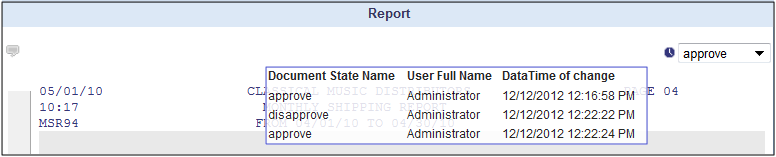
To view the document state information
Move mouse pointer to the Clock image in the upper right corner of the report. The box displaying document state information appears.
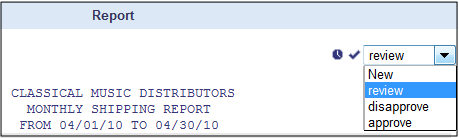
To set the document state
Select the necessary state from the drop-down list.
Click the check mark, to confirm selection.
NOTE: The Document State box appears dimmed after setting the state, if you don't have the right to edit states. The Document State box remains active, if you have the right to edit states.
To edit the document state
Select the necessary state from the drop-down list.
Click the check mark, to confirm selection.
(c) 2023 Altair Engineering Inc. All Rights Reserved.