Viewing Triggered Alerts
View the details of all the triggered events of activated alerts.
- Click the Alert Events tab on the Alerts page.
The Alerts Triggered Events page displays with the following information.
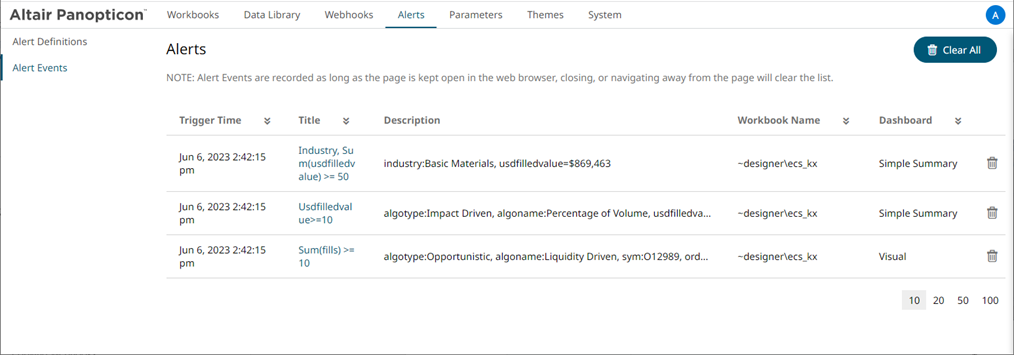
Property Description Trigger Time
The Date/Time when the alert was triggered.
Click
 to display a multi-select checkbox list. By default, all checkboxes are selected (Select All). Selecting or deselecting items in the list controls the filter.
Title
Title of the alert.
Click
to display a multi-select checkbox list. By default, all checkboxes are selected (Select All). Selecting or deselecting items in the list controls the filter.Description
Description the alert.
Workbook Name
The workbook name where the alert was set.
Dashboard
The dashboard name where the alert was set.
Alert events are recorded as long as the page is kept open in the web browser. Closing or navigating away from the page will clear the list.
- You can also do any of the following options:
- Click
 or
or  of a column title to sort the list.
 - Click
 to delete a triggered alert.
 - Click
 to clear the list.
 - Click a Title link to go to the workbook where the alert was triggered.
- Click
(c) 2023 Altair Engineering Inc. All Rights Reserved.