


|
Define the Shape Palettes of a Theme
When you define the shape palettes of a theme, you specify the settings of shape palettes and add, upload, download, duplicate, or remove them.
Steps:
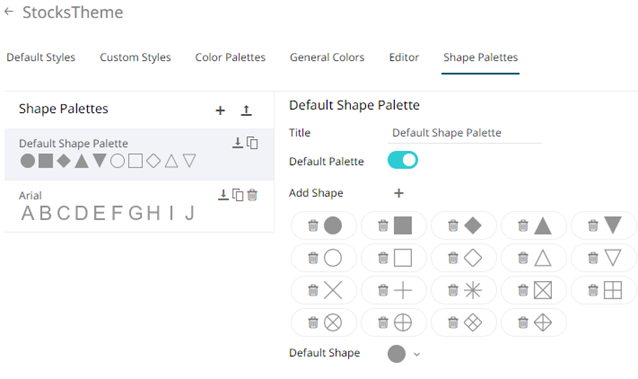
1. To set the shape palettes that can be used with the workbook theme, click the Shape Palettes tab.
|
NOTE |
For more information in how to create, upload, download, modify, duplicate, or delete shape palettes, refer to the sections below. |
2. Click Save to
save the new theme.
to
save the new theme.
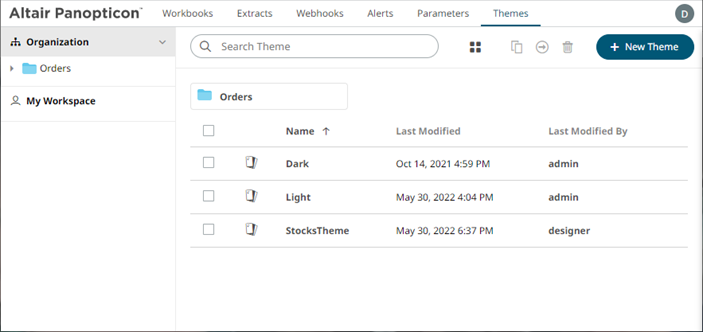
3. Clicking the
displays the Themes tab
page with the new theme added in the list.
the
displays the Themes tab
page with the new theme added in the list.
|
NOTE |
Unlike the default Dark and Light themes, new themes can be deleted. |