


|
Creating OneTick Input Data Source
The OneTick connector allows connection to OneMarketData OneTick tick history databases on a polled basis. In general, it is used to retrieve conflated time series data sets. The connector supports either:
q Execution of a specified OTQ
q Execution of a specified parameterized OTQ
q Execution of a custom SQL Query
Steps:
1. In the New Data Source page, select Input > OneTick in the Connector drop-down list.
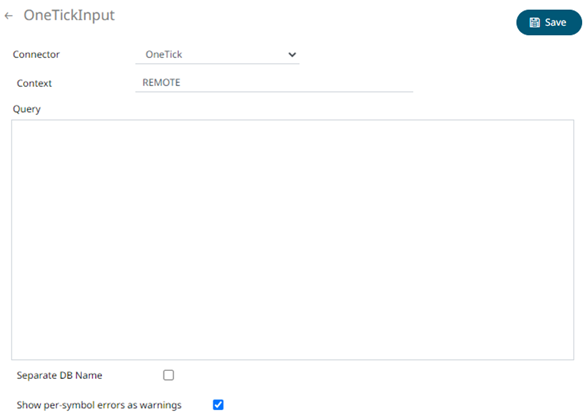
2. Enter the Context (for example, REMOTE).
3. Check the Separate DB Name box to generate a separate field for the database name.
4. Check the Show per symbol errors as warnings box to proceed with warnings in the log if symbol errors are returned.
The result is a fully generated OneTick SQL query. This can be edited as required.
5. Click  .
The new data source is added in the Data Sources list.
.
The new data source is added in the Data Sources list.