


|
Timeout Exception When Loading Data
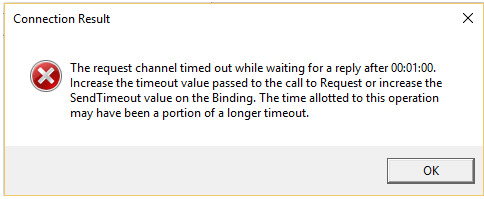
This timeout issue is caused by the AWS connection taking a longer time in returning data from the plugin to the visualization.
Follow instructions below to increase the service timeout threshold.
Steps:
1. Open the EXDesigner.exe.config file (located in C:\Program Files\Datawatch Desktop\Designer).
2. Add closeTimeout="00:59:00" openTimeout="00:59:00" receiveTimeout="00:59:00" sendTimeout="00:59:00" for the following Binding attributes:
· <binding name="BasicHttpBinding_IPanopticonServer_Anonymous">
· <binding name="BasicHttpBinding_IPanopticonServer_Authenticated">
· <binding name="BasicHttpBinding_IPanopticonServer_SSL_Anonymous">
· <binding name="BasicHttpBinding_IPanopticonServer_SSL_Authenticated">
For example:
<binding name="BasicHttpBinding_IPanopticonServer_Anonymous" closeTimeout="00:59:00" openTimeout="00:59:00" receiveTimeout="00:59:00" sendTimeout="00:59:00">
3. Save the updated file.